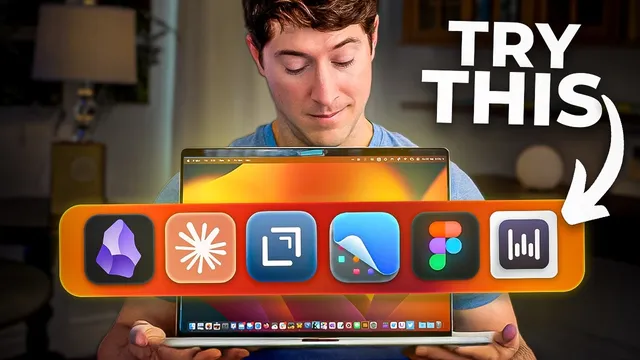
10 Digital Tools that Quietly Changed the Way I Work
Based on Linking Your Thinking with Nick Milo's video on YouTube. If you like this content, support the original creators by watching, liking and subscribing to their content.
CleanShot turns screenshots into an annotated, organized knowledge asset using hotkeys for region, full screen, text, and scrolling capture.
Briefing
A tight set of “quiet” tools—mostly capture, writing, and coordination apps—has reshaped daily work by making ideas easier to collect, move, and refine. At the center is CleanShot, a screenshot workflow that turns what’s usually a dead-end into a living workspace: capture selected regions with hotkeys, annotate immediately, and save into organized screenshot folders. The workflow goes beyond basic screenshots with scrolling capture that automatically grabs long pages, plus text capture that preserves what’s on-screen (including typos), and fast full-screen capture. The result is a system for saving rich context from any website or document and returning to it later with annotations already attached.
That capture-first mindset continues with Drafts, a minimalist “idea inbox” built for speed. Notes start as quick text snippets, then get pushed anywhere through action buttons—specifically into Obsidian, where the author uses it as a bridge from raw thought to linked knowledge. Loom adds a different kind of communication: short screen-recorded updates that upload to the cloud, with a consistent subject-line notation (who it’s for, topic, date, and time) that makes later searching and review easier for both sender and recipients.
For turning fleeting thoughts into usable drafts, Whisper Flow brings fast AI dictation into the workflow by letting the user trigger voice capture from Drafts via a function key. The dictation is positioned as especially reliable on Mac—avoiding the friction of more cumbersome dictation shortcuts—so ideas can be spoken in the moment, even in noisy or crowded settings.
Organization and “keeping everything in sync” show up next. Fantastic consolidates multiple calendars—personal, business, and a shared team calendar—into one weekly view, with an upcoming plan for a time audit to regain focus. For email, Mime Stream consolidates multiple Gmail accounts into a local, fast interface that mimics Gmail’s strengths while reducing the overhead of switching between inboxes. Obsidian then serves as the long-term home for learning and writing: plain-text notes that link together to reveal relationships and support “aha moments,” with customization through themes, plugins, and folders—though the advice is to start simple and link notes gradually.
The stack also leans into agentic AI for scale. Claude Code is described as an AI tool that can work across local files—especially an Obsidian vault—performing multi-step tasks, editing multiple notes at once, and incorporating web research into a separate “AI zone” so the user can decide what to integrate. For visual thinking, Keynote is used to animate concepts and build a “visual muscle,” and the author pairs that with Figma as a more advanced level for polished graphics and design work.
Finally, the productivity approach isn’t purely digital. Physical notebooks—paired with screen-based tools—are presented as a way to support cognitive switching and task tracking. The author follows Carol’s bullet journal method, using color and page “completion” rituals (like crossing out finished pages) for satisfaction and momentum. Across all these tools, the common thread is not more apps, but better movement: capture quickly, route ideas into the right system, and refine them over time.
Cornell Notes
The core workflow centers on capturing context fast and routing it into a durable system for thinking and writing. CleanShot turns screenshots into an annotated, searchable archive using hotkeys for region, full screen, text, and even scrolling capture. Drafts acts as a rapid “idea inbox,” then pushes text into Obsidian, where linked notes create long-term knowledge. Loom and Whisper Flow support communication and dictation so ideas can be shared or recorded without slowing down. Claude Code scales the process with agentic AI that can analyze local files (including an Obsidian vault) and incorporate research, while Keynote and Figma strengthen visual development of ideas.
How does CleanShot change the value of screenshots from “evidence” into a working system?
What makes Drafts different from a typical note app, and how does it connect to Obsidian?
Why does Loom’s subject-line format matter for later retrieval and collaboration?
How does Whisper Flow fit into the Drafts-to-Obsidian pipeline?
What role does agentic AI play with Claude Code in an Obsidian-based workflow?
How do Keynote and Figma complement Obsidian for idea development?
Review Questions
- Which CleanShot hotkeys map to region capture, full-screen capture, text capture, and scrolling capture—and what workflow step follows each capture?
- How does Drafts’ action bar change the way notes move into Obsidian, and why is that faster than starting in Obsidian directly?
- What safeguards does the author use when using Claude Code’s research and multi-note edits to avoid blindly accepting AI output?
Key Points
- 1
CleanShot turns screenshots into an annotated, organized knowledge asset using hotkeys for region, full screen, text, and scrolling capture.
- 2
Drafts functions as a rapid “idea inbox” that can push text into other systems—especially Obsidian—via action buttons.
- 3
Loom’s consistent subject-line notation (recipient, topic, date, time) improves later retrieval for both sender and team.
- 4
Whisper Flow provides fast, reliable dictation that can be triggered from Drafts, helping capture ideas in real time.
- 5
Fantastic consolidates multiple calendars (personal, business, shared team) into one weekly view, supporting better coordination.
- 6
Mime Stream consolidates multiple Gmail accounts into a local, fast interface that reduces switching friction.
- 7
Claude Code’s agentic capabilities can analyze local Obsidian vault files, edit many notes at once, and incorporate web research—while keeping a separate AI zone for user discernment.