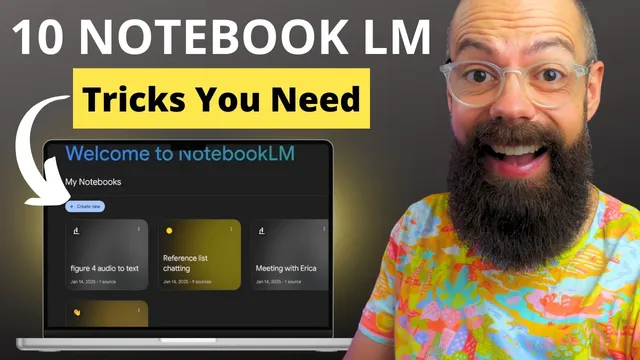
10 Ways NotebookLM Makes Academia Easy (and Fun!)
Based on Andy Stapleton's video on YouTube. If you like this content, support the original creators by watching, liking and subscribing to their content.
NotebookLM supports multi-source notebooks (up to 50 sources), enabling Q&A grounded in the uploaded PDFs, lecture notes, and other materials.
Briefing
NotebookLM is positioned as an “AI tutor” for students and researchers because it can ingest large sets of course materials, papers, and even audio—then answer questions grounded in those sources. The core workflow is multi-document: upload up to 50 sources into a dedicated notebook, ask targeted questions, and get responses that pull from the uploaded PDFs, lecture notes, worksheets, or other materials. That turns static reading into interactive study, including quick summaries of reaction types in organic chemistry and deeper explanations when confusion shows up.
A major emphasis falls on building subject-specific notebooks. One example uses organic chemistry materials—lecture PDFs and a large textbook PDF—to generate both simple overviews and detailed Q&A about “basic types of mechanisms.” The same approach scales to study support: users can create study guides from their own notes and workbooks, then validate understanding by generating answers to past exam questions stored as PDFs. Instead of hunting for explanations across scattered documents, NotebookLM becomes a centralized place to generate structured practice materials.
The transcript also highlights NotebookLM’s usefulness beyond reading—especially for writing and research synthesis. For literature reviews, it’s described as a “YouTube chatting bot” style workflow: multiple YouTube-derived sources can be uploaded, then prompts can request outlines and step-by-step processes for writing a literature review, with answers grounded in the selected materials. For academic writing, audio input is treated as a shortcut to drafting. Users can record voice notes (MP3) while looking at a figure, then ask for a peer-review-ready paragraph that includes the figure’s main conclusion—producing copy that can be refined for accuracy and publication standards.
Audio also extends to research logistics. Recording supervisor meetings (with consent) as MP3 files allows NotebookLM to extract outcomes, key decisions, and next steps—useful when meetings drift into tangents and action items get lost. Another synthesis workflow targets reference management: uploading a full reference list (often 20–50 papers) enables “reference list chatting,” where questions can range from broad summaries to specific claims tied to the uploaded papers. The transcript gives an example of interrogating topics like device efficiency and materials characterization across multiple sources.
Several “one-click” research tools round out the pitch. A timeline view organizes events from the references by period (e.g., pre-2010 versus later investigations), helping researchers place their thesis within the field’s evolution. Briefing Docs generate quick, presentation-ready notes from a paper or a set of references—intended for supervisor meetings or group discussions. Finally, a Facts mode provides scan-friendly question-and-answer snippets drawn from the uploaded materials, useful for presentations, blog writing, or rapid background checks.
Overall, the transcript frames NotebookLM as a practical study-and-research assistant that reduces time spent searching, summarizing, and drafting—by turning large, messy collections of academic material into interactive, source-grounded outputs.
Cornell Notes
NotebookLM is presented as a source-grounded study and research assistant that works with up to 50 uploaded materials per notebook. By uploading lecture PDFs, textbooks, worksheets, past exams, and even MP3 audio, users can ask questions and get answers tied to those specific sources. The workflow supports multiple academic tasks: generating mechanism summaries in organic chemistry, building exam-based study guides, drafting peer-review paragraphs from figure-related voice notes, and extracting action items from supervisor meeting recordings. It also helps with literature review planning, reference-list interrogation across many papers, and field-level synthesis via timeline, briefing documents, and Facts-style Q&A. The practical payoff is faster understanding, drafting, and preparation for meetings or presentations.
How does NotebookLM turn a large set of course materials into an interactive “AI tutor” for studying?
What’s the practical difference between using NotebookLM for general summaries versus exam-focused study guides?
How can audio input speed up academic writing in NotebookLM?
What’s the value of recording supervisor meetings and using NotebookLM to extract outcomes?
How does “reference list chatting” work when many papers are uploaded?
Which built-in tools help with synthesis and presentation prep beyond Q&A?
Review Questions
- What types of uploaded sources (PDFs, MP3s, past exams) map to specific academic tasks in the NotebookLM workflows described?
- How would you design a notebook for a literature review using the transcript’s multi-source Q&A approach?
- Which NotebookLM modes (timeline, briefing docs, facts) would you use to prepare for a supervisor meeting, and why?
Key Points
- 1
NotebookLM supports multi-source notebooks (up to 50 sources), enabling Q&A grounded in the uploaded PDFs, lecture notes, and other materials.
- 2
Subject-specific notebooks can be organized by theme, such as separate notebooks for organic chemistry mechanisms or lecture series.
- 3
Past exam PDFs can be used to generate exam-oriented study guides and practice answers, turning revision into targeted question-and-answer work.
- 4
MP3 voice notes can be recorded while viewing figures, then converted into peer-review-style paragraphs that serve as first drafts.
- 5
Recording supervisor meetings (with consent) as MP3 files allows extraction of decisions, outcomes, and next steps to reduce missed action items.
- 6
Uploading a full reference list enables “reference list chatting,” from broad summaries to specific claims like device efficiency tied to particular papers.
- 7
Built-in tools like timeline views, Briefing Docs, and Facts mode support synthesis and fast preparation for presentations and writing.