2024’s Must-Know AI Upgrades—The Tools Academics Can’t Live Without!
Based on Andy Stapleton's video on YouTube. If you like this content, support the original creators by watching, liking and subscribing to their content.
ChatGPT Playground can generate detailed system instructions that include step-by-step feedback criteria and output formatting, making prompts reusable across different large language models.
Briefing
OpenAI’s ChatGPT Playground is emerging as a practical research upgrade because it turns vague ideas into reusable, highly structured prompts—and even lets users package those prompts into their own GPTs. Instead of starting from scratch in a chat window, users can open OpenAI’s AI Playground (openai.ai.com playground) and use the “chat” panel’s prompt generator to create “perfect prompts” with detailed system instructions. Those instructions break feedback tasks into clear steps—summary, understanding, strengths, areas for improvement, clarity, data and methods, argument support, and actionable suggestions—then specify an output format. The key advantage is portability: the generated instructions can be copied into other large language models (including Perplexity, Claude, ChatGPT, and Bing) or used to build custom GPTs. Users can also create assistants inside the playground by saving generated system instructions, enabling specialized helpers for writing, feedback, or idea generation. The workflow is designed for researchers who repeatedly do the same tasks—like requesting constructive criticism on peer-reviewed papers—while still keeping the prompts detailed enough to drive consistent results across tools.
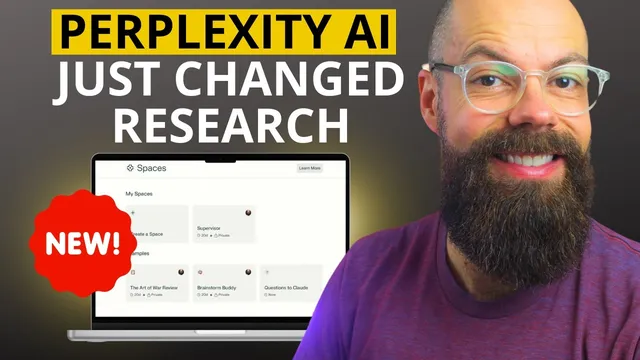
Perplexity’s “Spaces” adds a second layer of utility by turning those prompt workflows into dedicated, task-specific environments. After signing in, users can create a space with a title and optional description, then set custom instructions—often by pasting the system instructions generated in ChatGPT Playground. Spaces can be tailored for narrow academic jobs such as paper writing, reviewing, or editing. With Pro, users can also adjust the underlying AI model, but the core feature is customization: each space can be given uploaded files and examples. For instance, a “supervisor” space can be trained with writing samples (“write like me”) or successful grant applications so the assistant can mirror the style and structure that worked before. The result is a more consistent academic assistant that behaves like a role-based reviewer rather than a generic chatbot.
Claude’s upgrade focuses on experimental features aimed at research workflows, particularly analysis and LaTeX rendering. Users can enable a “feature preview” panel (via a purple tab or the feature preview setting) and toggle options like analysis and LaTeX rendering for new chats. In practice, Claude can ingest data from a CSV file and perform analysis, generate code, and produce visualizations such as bar charts and box plots. The transcript notes a limitation: Excel documents aren’t accepted, requiring conversion to CSV first. Even when a chart doesn’t perfectly reflect specific values in the plotted output, Claude still generates the correct numbers in its analysis and provides interactive controls (like dropdowns to switch chart types). The broader takeaway is that Claude is increasingly suited to research tasks that combine computation, interpretation, and presentation—turning messy datasets into structured tables and visuals that can be exported into materials like PowerPoint for supervisor meetings and symposia.
Cornell Notes
ChatGPT Playground helps researchers generate detailed, step-by-step system instructions and prompts that can be reused across multiple large language models. Those instructions can be copied into other tools (including Perplexity, Claude, ChatGPT, and Bing) or used to create custom GPTs and saved assistants for recurring tasks like peer-review feedback. Perplexity’s Spaces then packages those workflows into role-based, task-specific environments where custom instructions and uploaded files (e.g., “write like me” samples or successful grant applications) shape the assistant’s behavior. Claude’s experimental features add analysis and LaTeX rendering, enabling CSV-based data analysis, code generation, and chart creation—useful for turning raw data into presentation-ready outputs. Together, these upgrades shift AI use from one-off chats toward repeatable research pipelines.
How does ChatGPT Playground turn a simple research request into something reusable across models?
What makes Perplexity “Spaces” different from a standard chat?
Why does the transcript emphasize CSV over Excel when using Claude’s analysis features?
What experimental Claude features are highlighted for research workflows?
How can these tools feed directly into academic deliverables like slides?
Review Questions
- Which parts of ChatGPT Playground’s generated system instructions are designed to make feedback more consistent (name at least three steps)?
- How do Perplexity Spaces use uploaded files to change the assistant’s behavior, and what are two examples given?
- What limitations or setup steps are mentioned for Claude’s analysis workflow before uploading data?
Key Points
- 1
ChatGPT Playground can generate detailed system instructions that include step-by-step feedback criteria and output formatting, making prompts reusable across different large language models.
- 2
Generated ChatGPT Playground instructions can be copied into other tools (Perplexity, Claude, ChatGPT, Bing) or used to create custom GPTs and saved assistants.
- 3
Perplexity Spaces turn prompt workflows into role-based, task-specific environments that can be customized with custom instructions and uploaded files.
- 4
Perplexity Spaces can be tailored for academic tasks like paper writing, reviewing, and editing, including style transfer using “write like me” samples.
- 5
Claude’s feature preview includes experimental analysis and LaTeX rendering, enabling CSV-based analysis, code generation, and chart creation.
- 6
Claude’s analysis workflow in the transcript requires converting Excel to CSV because Excel files aren’t accepted.
- 7
These upgrades support research pipelines that move from raw data and drafts to structured feedback, visuals, and presentation-ready outputs.