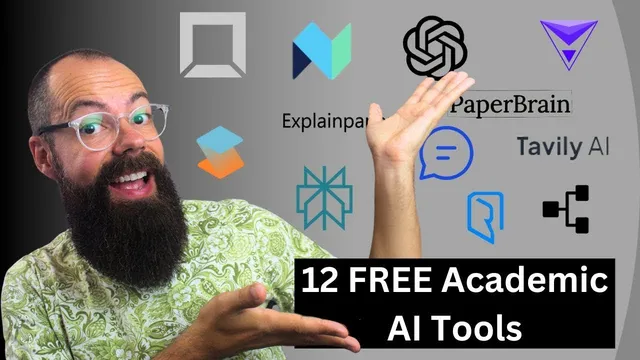
2024 Twelve Best FREE AI tools for Academic Research and Researchers
Based on Andy Stapleton's video on YouTube. If you like this content, support the original creators by watching, liking and subscribing to their content.
Herisa/Urisa uses AI mind mapping to turn a broad research topic into connected concepts, making it easier to start a literature review.
Briefing
Free AI tools for academic research are no longer limited to generic chatbots; several platforms now support literature mapping, paper-level Q&A, chart generation, and even web-based “research agents” that try to reduce hallucinations. The standout early pick is Herisa (spelled “herisa or urisa” in the transcript), an AI-driven mind-mapping tool that helps researchers visualize an entire field. Users enter a topic in the center, then expand it into connected concepts (the transcript uses “organic photovoltaic” as an example), with follow-up prompts like “how” or “energy conversion” generating structured mind maps. The pitch is practical: it’s positioned as a fast way to start a literature review when the research direction isn’t fully formed, because it turns broad themes into an explorable network of subtopics.
Next comes OpenRead, which combines document upload with paper-specific assistance under a generous free tier. After dragging and dropping a PDF, it provides basic metadata (including DOI) and a summary, then enables deeper questioning through an in-app chat. The transcript highlights “Paper Espresso” for bite-sized reading chunks—broken into sections such as achievements/significance, background/context, and discussions/interpretation—plus “Paper Q&A,” which supports targeted questions about a paper (including author-related queries). The free plan is described as including multiple “Paper Espresso” and Q&A credits per month, making it useful for researchers who want to triage long or “chunky” papers without reading end-to-end.
ExplainPaper is presented as a different kind of paper helper: it stays free while letting users upload a paper and select specific text to generate explanations at different education levels (from “middle schooler” to “high schooler” and beyond). Related resources can also appear alongside the explanations, turning dense sections into something easier to digest.
PaperBrain is another paper-focused tool that works by uploading a paper and asking questions about it, returning AI-generated answers tailored to the document. Einblick (spelled “einblick” and tied to “DOI and chart generation AI”) shifts toward data work: users upload or link a spreadsheet, specify the chart type, and generate draft visualizations such as scatterplots (the transcript gives an example comparing N2O versus CH4). Tavali AI (tavali.ai) is framed as a web research assistant that builds an agent from a search question, gathers online sources, and returns an overview with links—useful for staying current, though the transcript notes it may not focus on scholarly databases.
PowerDrill and Typeset DOI (referred to as “space” and “typeset DOI”) extend the workflow by letting users upload datasets or PDFs and then chat with the uploaded material. The transcript emphasizes “too long didn’t read” style outputs—conclusions and structured takeaways—so researchers can extract hours of reading in minutes, within generous limits.
For domain-specific discovery, NextNet is highlighted for drug and health research, offering a searchable graph of recent literature and drug-related effects. Finally, the transcript closes with the “old school” trio—ChatGPT, Perplexity, and Bing—still used daily for broad questions, with Perplexity favored for references and Bing for more control; hallucinations and overly broad answers are treated as manageable by prompting for precision and correction.
Overall, the central claim is that a researcher’s workflow—from mapping a field to interrogating papers, generating charts, and finding recent work—can be supported with free or generous-free tools rather than paid subscriptions.
Cornell Notes
The transcript argues that academic research can be accelerated using free (or generous-free) AI tools that go beyond generic chat. It spotlights Herisa/Urisa for AI mind maps that turn a research field into connected concepts, helping users start literature reviews even when they’re unsure where to begin. OpenRead adds PDF upload plus paper-level features like “Paper Espresso” (bite-sized reading chunks) and “Paper Q&A,” including metadata such as DOI. ExplainPaper and PaperBrain focus on understanding specific papers via selectable text explanations and document-grounded Q&A. The list also includes tools for data visualization (Einblick), web-based research agents (Tavali AI), and general assistants (ChatGPT, Perplexity, Bing) with different strengths like references and response control.
How does Herisa/Urisa help someone begin a literature review when they don’t know the exact starting point?
What does OpenRead add after uploading a PDF, and why is “Paper Espresso” useful?
How do ExplainPaper and PaperBrain differ in how they help with understanding papers?
What workflow does Einblick support for researchers who need charts quickly?
Why is Tavali AI described as a way to reduce hallucinations, and what limitation is mentioned?
How do ChatGPT, Perplexity, and Bing fit into the list despite not being research-specific tools?
Review Questions
- Which tool in the transcript is designed specifically to generate AI mind maps of a research field, and what input does it require to start?
- What are the main paper-level features highlighted for OpenRead, and how does “Paper Espresso” change the reading workflow?
- How do the transcript’s tools split responsibilities between understanding papers (ExplainPaper/PaperBrain) and producing outputs like charts (Einblick)?
Key Points
- 1
Herisa/Urisa uses AI mind mapping to turn a broad research topic into connected concepts, making it easier to start a literature review.
- 2
OpenRead combines PDF upload with DOI/metadata extraction and paper-level Q&A, including “Paper Espresso” for fast, bite-sized reading chunks.
- 3
ExplainPaper improves comprehension by letting users select text and request explanations at different education levels, with follow-up questions and related resources.
- 4
Einblick supports quick chart drafting by generating visualizations from uploaded or linked spreadsheets based on a user’s chart description.
- 5
Tavali AI builds a web-search-based research agent from a question and returns an overview with links, aiming to reduce hallucinations.
- 6
PowerDrill and Typeset DOI emphasize chatting with uploaded datasets/PDFs and producing “too long didn’t read” summaries and conclusions within generous limits.
- 7
ChatGPT, Perplexity, and Bing remain central for general research Q&A, with Perplexity favored for references and Bing for response control.