3 AI Agent Browser Automation Challenges That Keep Getting Harder
Based on All About AI's video on YouTube. If you like this content, support the original creators by watching, liking and subscribing to their content.
The agent can navigate AWS console UIs to complete multi-step infrastructure tasks, including S3 bucket creation and static website setup.
Briefing
Browser automation with AI agents can tackle surprisingly complex AWS console workflows—but the hardest parts aren’t the clicks, they’re the operational edge cases, permissions, and long-running interactive sessions.
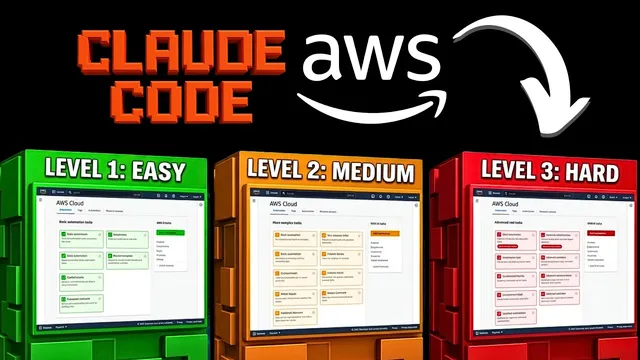
Three escalating challenges tested a Chrome-controlling “cloud code” browser agent against AWS’s most UI-heavy tasks. Level one focused on building a simple static website pipeline in Amazon S3: create an S3 bucket, upload an image and an index.html file, enable static website hosting, and adjust public access settings so the site becomes reachable. The agent navigated directly to the S3 console, filled in a bucket name, created the bucket, uploaded the required files, and edited the bucket’s static website hosting configuration. The workflow hit a snag when it needed to modify the bucket policy/public access controls; instead of repeatedly struggling in the console UI, it switched to CloudShell to run the necessary CLI command. After about 40 minutes, the static site and assets were publicly accessible, demonstrating that the agent can recover from UI friction by changing tactics.
Level two raised the difficulty by requiring a full compute-and-browse loop: launch a Linux VM, expose it with a graphical remote desktop, and then use the VM’s browser to open a YouTube video about “cloud code.” The agent again started by navigating the AWS console to launch an instance. It proceeded to bring up an Ubuntu VM and attempted to use CloudShell to launch Firefox and load the YouTube page. The YouTube playback didn’t fully succeed—likely due to resource or connectivity limitations—but the VM was created and the browser rendering partially worked. The result earned a “pass” because the core objective (provisioning and reaching the browsing step) was achieved, even if the final playback wasn’t perfect.
Level three shifted from infrastructure to application building: create and publish a small web app where users can upload a video and then view it on a public playback page—essentially a lightweight, user-uploaded video platform. The agent produced the front-end (HTML/CSS), implemented the upload flow, and generated a shareable link. Testing from another machine showed the uploaded video could be played back, including with a larger ~200MB file, and refreshes correctly loaded the content. There was some “cheating” in the sense that CloudShell was leveraged heavily during parts of the build, but the end-to-end outcome worked: a functional upload-and-playback service stood up quickly (reported as roughly 5–10 minutes).
Across all three levels, the pattern was clear: the agent handles routine navigation and form-filling well, but the real breakthroughs come when it can switch tools—especially when console UI becomes brittle. The exercise also highlights how quickly these systems can move from “browser automation” to “full-stack deployment” when the right permissions and tooling are available.
Cornell Notes
An AI-driven browser automation agent successfully completed three escalating AWS tasks: creating an S3 static website, provisioning a Linux VM and attempting YouTube playback, and building a small video upload web app with public playback. Level one worked end-to-end but required a detour into CloudShell to fix bucket policy/public access issues after the console UI proved difficult. Level two launched an Ubuntu VM and reached the browsing step, though YouTube rendering wasn’t fully reliable. Level three produced a working upload-and-playback platform quickly, generating a public link and supporting large uploads (around 200MB). The key takeaway is that these agents excel at UI navigation and can deliver real deployments when they can switch from brittle UI interactions to command-line tooling.
What made the S3 static website challenge harder than simple form-filling?
How did the agent approach the VM + YouTube playback challenge, and why did it fall short?
What did the level three web app require, and what evidence showed it worked?
Where did “tool switching” matter most across the three challenges?
What does the overall run suggest about the agent’s strengths and limitations?
Review Questions
- Which specific step in the S3 workflow forced the agent to switch from console interactions to CloudShell, and what was the outcome?
- Why might YouTube playback on a newly launched VM be unreliable even when the VM boots successfully?
- What functional behaviors must a “video upload + public playback” app implement for the level three test to pass?
Key Points
- 1
The agent can navigate AWS console UIs to complete multi-step infrastructure tasks, including S3 bucket creation and static website setup.
- 2
S3 bucket policy/public access changes are a common failure point in UI-only automation; CloudShell/CLI can unblock them.
- 3
Launching a VM is achievable through browser automation, but remote desktop and browser rendering can still fail due to environment constraints.
- 4
A working end-to-end upload-and-playback web app can be generated quickly when the agent has the right tooling and permissions.
- 5
Successful automation depends less on clicking through screens and more on handling permission-sensitive configuration and switching tactics when UI friction appears.
- 6
Large file uploads (around 200MB) can work in the resulting app, indicating the pipeline isn’t limited to trivial test sizes.