3 Notion Devs Use a Kanban To Orchestrate Coding Agents
Based on Notion's video on YouTube. If you like this content, support the original creators by watching, liking and subscribing to their content.
Notion AI meeting notes can be converted into many structured Kanban task cards that trigger parallel coding runs.
Briefing
A Notion-based Kanban board orchestrates a parallel “coding jam” where AI meeting notes turn into ready-to-build tasks, each automatically shipped through Cursor cloud agents and GitHub pull requests—then validated via Cloudflare deploy previews. The core payoff is speed and iteration: multiple game ideas (manual raking, object previews, randomized variants, HD sanding, footsteps, streams/water, atmosphere) move from brainstorm to playable prototypes without leaving the Notion interface.
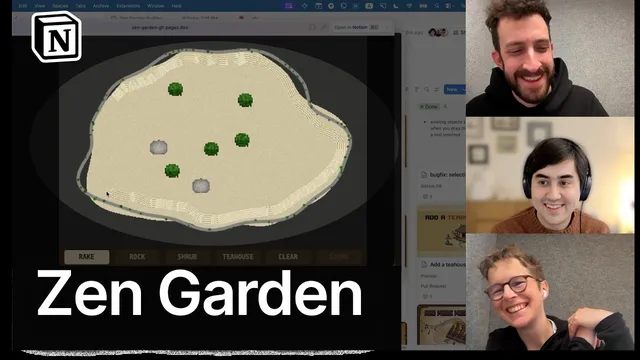
The workflow starts with a Zen garden builder game being played live in-browser. Players surface concrete UX and gameplay tweaks: object placement buttons need clearer “what happens next” cues and previews; rocks/shrubs/tea houses should show size/space before committing; raking should feel more satisfying (smoothing jitter, optional straight-line drawing via Shift); and the visual mood could shift from dark monotony to something more Zen—fog, day/night, rain, or other atmosphere. Others push for mechanics that create meaningful interaction, like manual raking by a tiny character that leaves footsteps, forcing the player to plan routes.
Those ideas get converted into tasks using Notion AI. Each task card gets an image generated through Notion’s built-in image generation and a custom “AI skill” that standardizes the art style and adds distinct accent colors so dozens of simultaneous tasks remain visually distinguishable. The board then acts like a factory: dragging cards into “ready for agent” triggers a custom Notion AI agent (“Zen Garden Builder”) that moves cards to “in progress” and kicks off Cursor cloud agents to implement the changes. Progress bars and status fields update automatically, giving a zoomed-out view of what’s happening across many parallel builds.
Under the hood, the custom agent is configured with triggers, a short prompt, and tools—critically including a Cursor integration (via API key) and GitHub connectivity (via MCP) for pull request handling. Deploy previews are hosted on Cloudflare Pages: for each PR branch, Cloudflare posts a deploy preview URL as a PR comment, and the Notion agent waits for that URL before populating it on the corresponding task card. Review becomes lightweight: instead of reading code, the team plays the deploy preview; if it passes, dragging the card to “done” merges the PR and ships to production. If something is close but not right, comments on the task feed back into the agent, returning the card to “in progress” for another coding pass.
The jam also demonstrates real-world friction and fixes. A merged change initially failed because the agent trigger didn’t fire on “done”; adjusting the trigger resolved future merges. Some builds failed due to Cloudflare issues, while other features landed quickly—like object placement ordering and a streams/water feature with peaceful dripping animation. When a visual change (HD sanding) produced a checkerboard-like texture and reduced Zen feel, the team pivoted to a “playground pattern” approach: parameterize the look with sliders so they can collaboratively tune numeric settings, then finalize.
By the end, the Kanban is complemented with alternative Notion views (grouping by status, focus on review-only items, potential embedding of deploy previews directly in cards). The result is a practical blueprint for orchestrating agent-driven development: brainstorm in natural language, convert to structured tasks, run parallel coding sessions, validate through hosted previews, and iterate—all while staying inside Notion’s collaborative workspace.
Cornell Notes
A Notion Kanban board coordinates a “factory” of AI coding agents: meeting notes become task cards, each card triggers a Cursor cloud coding run, and GitHub pull requests are validated through Cloudflare Pages deploy previews. The system keeps work inside Notion—dragging cards moves them through ready/in-progress/review/done, and “done” merges PRs to production. Task cards include generated images (standardized via a custom Notion AI skill) so many parallel ideas remain distinguishable. Progress and summaries are updated by the managing agent, and comments on a task can send new requirements back into the coding loop. The workflow also shows how to debug agent automation when triggers don’t fire as expected.
How does the Kanban board turn a brainstorm into code changes without leaving Notion?
What makes the deploy-preview step work reliably for each task card?
How does the system handle iteration when a change is “close but not right”?
Why are generated images on task cards more than decoration in this workflow?
What automation bug surfaced during merging, and how was it fixed?
How did the team respond when a visual feature didn’t match the Zen aesthetic?
Review Questions
- If a task card is moved to “done” but no PR merges, what parts of the agent configuration should be checked first?
- Describe the chain from Notion task card → Cursor coding run → GitHub PR → Cloudflare deploy preview. Where does the Notion agent “wait” for information?
- Why might parameterized “playground” sliders be preferable to purely descriptive feedback for visual design changes?
Key Points
- 1
Notion AI meeting notes can be converted into many structured Kanban task cards that trigger parallel coding runs.
- 2
A custom Notion AI agent manages the board by moving cards through states and launching Cursor cloud agents for implementation.
- 3
Cursor cloud sessions and GitHub PRs are integrated so “done” can merge changes to production after preview-based review.
- 4
Cloudflare Pages deploy previews are linked to PRs via PR comments, and the Notion agent populates preview URLs onto task cards.
- 5
Task cards use Notion image generation plus a custom AI skill to create consistent, distinguishable visuals for fast human review.
- 6
Agent automation can fail if triggers are misconfigured; updating triggers (e.g., to include “done”) restores merge behavior.
- 7
When visual output is hard to specify, parameterized sliders (“playground pattern”) make collaborative tuning faster than prose-only iteration.