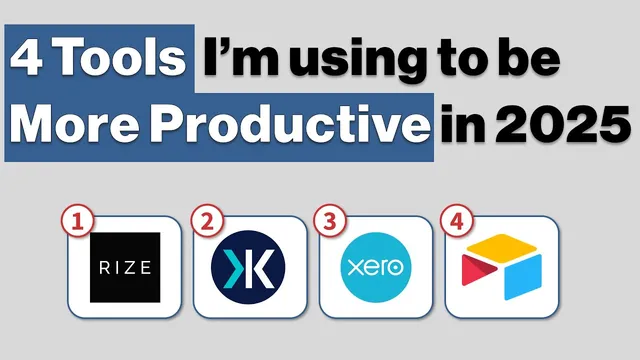
4 Tools I’m Using to be More Productive in 2025
Based on CombiningMinds's video on YouTube. If you like this content, support the original creators by watching, liking and subscribing to their content.
Rise supports focus sessions with a clear goal and optional binaural beats, turning time tracking into a concentration tool rather than a passive log.
Briefing
Four productivity tools anchor a 2025 workflow shift: Rise for time management, Key Suite for Excel/PowerPoint acceleration, Zero for bookkeeping, and Airtable for database-style CRM and lead tracking. The central takeaway isn’t just which apps to install—it’s the mindset behind replacing “good enough” systems with tools that reduce friction, especially for people juggling multiple business tasks or working with ADHD-like attention challenges.
Rise reframes time tracking as a focus aid rather than surveillance. It automatically logs what’s being used across apps and Chrome/browser activity, categorizing the day so users can review where time went. More importantly, it supports short, intentional focus sessions: start a 20-minute “focus” block with a clear goal (like recording a video), optionally pair it with music, and use binaural beats to stay locked in. A key feature is distraction detection—when the session detects activity that falls below a productivity threshold, it can notify the user and offer a quick way to dismiss the interruption (“This is not a distraction”). For hourly consulting, Rise also helps validate billing by letting users look back at what they were doing when time wasn’t tracked in real time.
Key Suite targets a different bottleneck: the repetitive, error-prone work of consulting in Excel and PowerPoint. In Excel, the standout capability is a “precedent tracker” that speeds up spreadsheet auditing. Instead of manually tracing formula dependencies, users can navigate through precedent cells quickly (via a shortcut) and jump between related cells and sheets, then return to the starting point—an especially large time-saver on complex models where tracing precedents is otherwise slow.
On the PowerPoint side, Key Suite streamlines formatting and building structured visuals. It can standardize dimensions across many shapes at once (for example, making multiple objects the same width). It also helps generate timeline-style process tables with configurable slide placement and row/column counts, reducing the grind of building these layouts from scratch.
The second half of the stack is framed as a lesson in tool selection. For bookkeeping, Zero replaces Zoho Books, which the user found clunky and full of “paper cuts.” Zero is described as faster and easier to operate than alternatives like QuickBooks and Sage, with a smoother interface that removes small workflow annoyances that add up.
For CRM and database needs, Airtable replaces a patchwork of tools (including attempts with other CRMs). The approach is to consolidate signups, leads, sources, orders, customer conversions, products purchased, refunds, and unsubscribes into one structured system. The workflow goal is to stop bouncing between multiple platforms and instead manage everything in a spreadsheet-like interface that still behaves like a database—particularly useful when someone is relying heavily on spreadsheet lookups (XLOOKUP, VLOOKUP, INDEX/MATCH). The broader message: “buying cheap is buying expensive,” so choosing the tool that fits the job can save time long after the initial setup.
Cornell Notes
The productivity stack centers on four tools—Rise, Key Suite, Zero, and Airtable—to cut friction across time tracking, spreadsheet/presentation work, bookkeeping, and CRM/database management. Rise turns time tracking into a focus system with automatic app/browser categorization, distraction alerts, and quick “focus sessions” (including music and binaural beats). Key Suite accelerates consulting workflows by speeding up Excel precedent tracing and simplifying PowerPoint formatting and process table creation. Zero replaces Zoho Books due to fewer workflow “paper cuts,” and Airtable consolidates lead/customer data into a spreadsheet-like database that reduces reliance on complex spreadsheet lookups. The practical value is less about novelty and more about choosing tools that match the real bottlenecks in daily work.
How does Rise make time tracking useful instead of burdensome?
What is the “precedent tracker” in Key Suite, and why does it matter for spreadsheet auditing?
What PowerPoint tasks does Key Suite streamline?
Why switch from Zoho Books to Zero for bookkeeping?
How does Airtable replace a multi-tool CRM approach?
Review Questions
- Which specific Rise features help with focus sessions and billing validation, and how do they work together?
- In a complex Excel auditing workflow, how does Key Suite’s precedent tracker change the steps compared with manual precedent tracing?
- What kinds of data relationships (signups → leads → customers → refunds/unsubscribes) does Airtable model, and why is that structure harder to maintain across spreadsheets or multiple CRMs?
Key Points
- 1
Rise supports focus sessions with a clear goal and optional binaural beats, turning time tracking into a concentration tool rather than a passive log.
- 2
Rise’s distraction threshold can flag non-productive activity during a focus block and offers a fast way to dismiss false alarms.
- 3
Key Suite’s Excel precedent tracker speeds up spreadsheet auditing by enabling rapid navigation through referenced cells and sheets.
- 4
Key Suite streamlines PowerPoint formatting (like equalizing shape widths) and accelerates timeline/process table creation with configurable rows and columns.
- 5
Zero is favored over Zoho Books because it removes workflow “paper cuts” and offers a smoother interface than other bookkeeping tools mentioned (QuickBooks, Sage).
- 6
Airtable consolidates CRM and database needs into one spreadsheet-like system, reducing reliance on multiple platforms and complex spreadsheet lookup formulas.
- 7
The overall selection principle is to choose tools that fit the job—avoiding the “buying cheap is buying expensive” trap that creates long-term inefficiency.