5 Simple Changes That Made My Meetings 10x More Productive (ft. Otter.ai)
Based on Tiago Forte's video on YouTube. If you like this content, support the original creators by watching, liking and subscribing to their content.
Reduce meeting volume by defaulting to the simplest, fastest communication method unless sensitivity, scope, or stakes justify a meeting.
Briefing
Meetings become dramatically more productive when they’re treated as decision-making sessions with tight inputs and disciplined follow-through—not open-ended discussions. The core prescription is simple: cut unnecessary meetings, then run the ones that remain with a clear objective, pre-supplied context, AI-assisted note capture, a structured close, and immediate post-meeting follow-up. The payoff is less wasted time and better alignment, because participants arrive knowing what will be decided and leave with accountable next steps.
A major starting point is deciding whether a meeting is needed at all. A Harvard Business Review study cited in the discussion reports that reducing meetings by 40% boosted productivity and employee satisfaction by over 70%. The recommended rule is to default to the simplest, fastest communication method unless the situation demands more. A quick 3S test helps determine when a meeting is warranted: sensitivity (how emotionally charged or easy to misinterpret the topic is), scope (how many people are involved and how complex it is), and stakes (what’s at risk if the issue is misunderstood or delayed). Higher sensitivity, broader scope, or greater stakes make a meeting more valuable.
Once a meeting is justified, the biggest mistake to eliminate is starting without a clear objective. Before sending a calendar invite, the organizer should specify the decision that must be made and the exact outcome expected—framing the problem, obstacle, or challenge the meeting is meant to solve. The objective should be written directly into the invite so participants show up focused and prepared. If someone isn’t hosting, the advice is to proactively ask what the meeting’s purpose is; that single question can improve outcomes and sometimes reveals the meeting isn’t necessary.
Even with a solid goal, meetings often stall when participants spend the first minutes figuring out what’s going on. The fix is to send context ahead of time—ideally a day or two before—such as a concise agenda with key questions, a link or summary of a project brief, and clearly stated decisions to be made during the meeting. For recurring meetings, an AI meeting agent can streamline this preparation by pulling key reminders from prior conversations or acting as a thought partner.
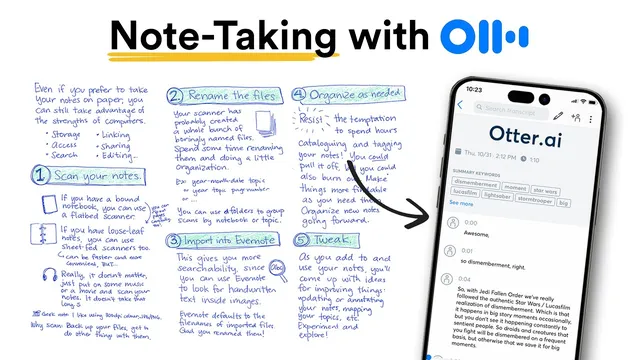
During the meeting, attention is the limiting factor. Multitasking—listening, engaging, and frantic note-taking—tends to degrade both. The proposed solution is to let an AI notetaker handle notes so participants can stay present and ask better questions. Otter.ai is positioned as the tool for this workflow: it can auto-join via calendar integration, connect with Zoom, Google Meet, or Microsoft Teams, and produce summaries, actionable highlights, and custom note templates. The discussion also notes that Otter doesn’t record video; it captures audio and screenshots of shared screens for later reference.
Finally, productivity collapses at the finish line unless the meeting ends and continues with clarity. The close should explicitly summarize decisions and assign action items, typically taking one or two minutes. Then follow up immediately every time: review the AI-generated meeting summary, share it with attendees and stakeholders right away, ask the AI chatbot to clarify anything unclear using the meeting notes, and convert assigned items into real tasks with deadlines in a personal task manager or calendar. The overall message is that meetings only create value when decisions are captured and execution is made unavoidable.
Cornell Notes
Productive meetings start with fewer meetings and end with guaranteed follow-through. The workflow begins by deciding whether a meeting is necessary using the 3S test—sensitivity, scope, and stakes—and defaulting to faster communication when possible. For meetings that do happen, organizers should set a clear objective in the invite and send context in advance (agenda, brief, and decisions to be made) so the first minutes aren’t wasted. During the meeting, AI note-taking (Otter.ai) helps participants stay present instead of multitasking. The meeting should close with explicit decisions and action items, followed by immediate AI-assisted summaries and task creation with deadlines.
How does the 3S test determine whether a meeting is worth it?
What should be included in a calendar invite to prevent the “unclear objective” meeting problem?
What context should be sent ahead of time to stop meetings from wasting the first 15 minutes?
How does AI note-taking change what participants can do during the meeting?
What does a “clear ending” require, and why does it matter?
What does immediate follow-up look like after the meeting?
Review Questions
- What are the three components of the 3S test, and how would you apply them to decide between a meeting and a message?
- List the pre-meeting materials that should be sent to participants and explain how each one reduces wasted time.
- After a meeting ends, what four-step follow-up process turns decisions into tasks with deadlines?
Key Points
- 1
Reduce meeting volume by defaulting to the simplest, fastest communication method unless sensitivity, scope, or stakes justify a meeting.
- 2
Use the 3S test—sensitivity, scope, and stakes—to decide when a meeting is truly necessary.
- 3
Never schedule a meeting without a clearly defined objective and the specific decision/outcome to be reached, written directly in the invite.
- 4
Send context ahead of time (agenda, brief/background, and planned decisions) so participants can start productive discussion immediately.
- 5
Let an AI notetaker handle note capture so participants can stay present and ask better questions during the meeting.
- 6
End every meeting with explicit decisions and assigned action items to prevent momentum loss and misalignment.
- 7
Follow up immediately after the meeting by sharing the AI summary, clarifying open questions with AI chat, and converting action items into tasks with deadlines.