5 Tana Commands You Need To Know
Based on CortexFutura Tools's video on YouTube. If you like this content, support the original creators by watching, liking and subscribing to their content.
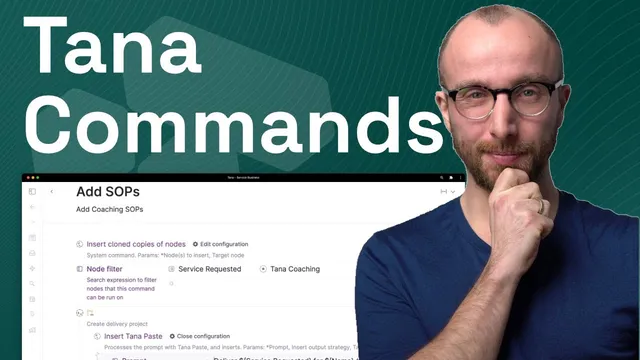
Use an “add SOPs” command to clone predefined task notes into new tasks for each incoming service inquiry, keeping intake steps consistent.
Briefing
Tana commands can turn routine service workflows—like handling daily coaching inquiries—into one-click, repeatable operations that automatically create tasks, projects, and follow-up timelines. Instead of manually copying the same steps into every new inquiry, the system uses commands to insert standardized SOP tasks, prefill fields, and route work based on what the client requested. That matters because service businesses lose quality and speed when intake, payment, scheduling, and status tracking depend on individual effort rather than automation.
The workflow starts when a service inquiry lands in Tana (for example via an input API connected to a website form). Each inquiry is tagged with details such as the service requested, the client identity, the context, and the chosen package (coaching or workspace setup). From there, one command—built as an “add SOPs” action—clones a set of predefined notes into new tasks. In the coaching case, those inserted tasks include sending a payment link and scheduling the coaching call after payment. The command is created by defining a command node that inserts cloned copies of referenced notes, then running it from the inquiry node.
To make this usable without memorizing command names, the setup adds a button to the inquiry configuration. Clicking the button runs the command and inserts the correct tasks. When there are multiple service types, the approach scales by using node filters: the same “add SOPs” button can insert different SOP tasks depending on fields like “service requested.” For coaching inquiries, the filter selects nodes where the service requested equals “Tana coaching,” while workspace setup uses a different filter (e.g., “Tana workspace setup”). This avoids cluttering the interface with multiple buttons that do the same structural job.
Next comes project creation. A second key command (“insert Tana paste,” used via a construction crane button) sets the service status to “in progress” and generates a delivery project automatically. Under that project, it creates coaching call nodes and populates the attendee field with the client’s name. It also builds live searches for prior coaching calls with the same attendee, so the system automatically surfaces what was discussed in earlier engagements. The command uses parameterized references to fields on the current inquiry node (using the dollar-sign and curly-brace syntax) so each new client gets correctly prefilled projects and searches.
The automation extends beyond structure into time management. A “complete” action sets a follow-up date relative to the current day—using an “insert relative date” operation—so fields can be set to “in two weeks,” “this week,” “tomorrow,” or “in two months” without manual date calculations.
Finally, commands can be composed together. By nesting one command inside another, a single button click can trigger both SOP task insertion and the deeper project-building logic from the construction crane command. The result is a layered workflow where intake, task execution, project tracking, historical context, and follow-up scheduling all snap into place with minimal repeated work.
Cornell Notes
Tana commands let service workflows run on one click by inserting standardized SOP tasks, creating structured projects, and updating fields automatically. For coaching inquiries, an “add SOPs” command clones predefined task notes (like sending a payment link and scheduling a call) and can be shown as a button on the inquiry. Node filters route the same command to different SOP sets depending on whether the client requested “Tana coaching” or “Tana workspace setup.” A separate “insert Tana paste” command builds a delivery project, sets service status to “in progress,” creates coaching call nodes with the attendee prefilled, and generates live searches for prior calls with that attendee. Commands can also set relative dates (e.g., follow-up in two weeks) and be nested to combine multiple automations into a single workflow step.
How does an “add SOPs” command reduce repetitive work when new service inquiries arrive?
Why use node filters on commands when there are multiple service packages?
What does the “insert Tana paste” command accomplish beyond adding tasks?
How are relative dates handled for follow-ups?
How can multiple commands be combined into a single workflow step?
Review Questions
- When would you choose node filters over creating separate buttons for each service type?
- Describe how the system pre-fills attendee information and generates prior-call context during delivery project creation.
- What is the advantage of using relative date insertion for follow-up fields compared with typing fixed dates?
Key Points
- 1
Use an “add SOPs” command to clone predefined task notes into new tasks for each incoming service inquiry, keeping intake steps consistent.
- 2
Add buttons to inquiry nodes so staff can run commands without remembering command names.
- 3
Use node filters tied to fields like “service requested” to route the same command to different SOP sets (e.g., coaching vs workspace setup).
- 4
Use “insert Tana paste” to generate structured delivery projects, set service status, create coaching call nodes, and build live searches for prior engagements.
- 5
Set follow-up timelines with relative date insertion (e.g., “in two weeks”) so dates update automatically.
- 6
Nest commands to compose multi-step workflows where one button click triggers multiple automations at once.