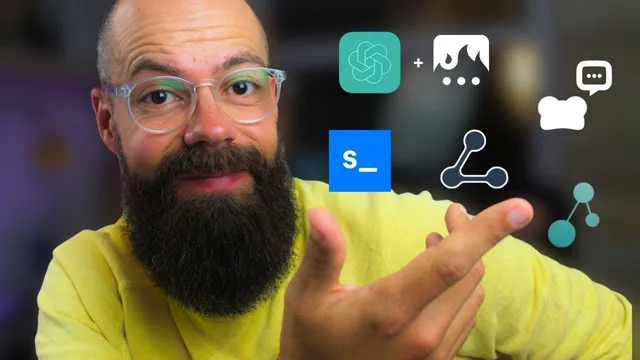
6 AI Tools You'll ACTUALLY Use For Research
Based on Andy Stapleton's video on YouTube. If you like this content, support the original creators by watching, liking and subscribing to their content.
Use ChatGPT Plus with GPT-4 for daily research tasks like summarizing provided text and generating tables from information you supply.
Briefing
For researchers drowning in PDFs, spreadsheets, and literature searches, the most practical AI advantage is speed: turning messy inputs into usable summaries, tables, and citation trails. The core daily workflow centers on ChatGPT Plus, largely because it provides access to the GPT-4 model and can work without automatically browsing the internet—useful when a researcher feeds it specific text, then asks for summaries, structured outputs, or formatted tables that would otherwise take hours.
ChatGPT Plus becomes even more effective when paired with Text Blaze, a tool for reusable writing and editing templates. The transcript describes using Text Blaze to route different tasks—such as drafting introductions, rewriting sections, or handling YouTube- and language-learning-related prompts—by feeding the relevant text into ChatGPT and then requesting targeted transformations. A key upgrade mentioned is GPT-4’s Code Interpreter, which is used for data-heavy work like extracting information from Excel documents and converting raw information into Excel-ready tables. For anyone pulling data from multiple sources, the appeal is straightforward: AI handles the formatting and tabulation pain that typically slows researchers down.
For the “science-first” literature layer, the transcript recommends SciSpace’s Site Assist (referred to as “site assist assistant”). The emphasis is on asking simple questions and receiving full-text support drawn from millions of research articles, plus help with writing and using evidence to strengthen research. When input limits hit—ChatGPT’s character limits—the workflow shifts to a more flexible approach: using ChatGPT in ways that support audio, YouTube, websites, and file uploads, including local, temporary storage of files. The goal is to keep research inputs close at hand without building a complex vector database (the transcript specifically notes rarely needing tools like Pinecone).
Another near-daily tool is Elicit, described as free and frequently used for quick “what does the evidence say?” checks. Elicit can upload PDFs and, in a newer version being trialed, adds the ability to build a personal library of papers and then run workflows such as extracting information from PDFs, generating tables of synthesized concepts, and adding custom columns like summary fields. The tradeoff is cost: extracting and processing papers consumes credits, though the free tier is portrayed as sufficient for many researchers.
Once a seed paper is selected, the transcript shifts from extraction to navigation. Litmaps and Connected Papers are used to map derivative and prior work—especially to see what has cited a paper and to identify what’s changed since the original publication. The practical pattern is: use Elicit or Site Assist to find a relevant starting point, then use citation and network tools to locate the leading edge of the field.
Overall, the message is less about chasing the newest AI and more about building a personal toolkit: try tools, keep what fits the workflow, and drop what doesn’t. The productivity gains only matter if they translate into faster evidence gathering, clearer synthesis, and better direction in the literature.
Cornell Notes
ChatGPT Plus (GPT-4) is positioned as a daily research workhorse because it can summarize provided text, generate tables, and—via GPT-4 Code Interpreter—extract and restructure data from Excel into usable spreadsheets. Reusable prompt workflows are made practical by pairing ChatGPT with Text Blaze for consistent drafting and editing tasks. For literature discovery and evidence gathering, SciSpace’s Site Assist helps answer questions using full-text from large research corpora, while Elicit supports frequent “evidence check” queries and can upload PDFs to extract information into tables (with credit-based processing). After finding a seed paper, Litmaps or Connected Papers help trace derivative work through citation networks so researchers can quickly identify what’s new in the field. The payoff is faster synthesis and better navigation of research direction.
Why does ChatGPT Plus get singled out as a daily research tool?
How does Text Blaze change the usefulness of ChatGPT for research writing?
What role does SciSpace’s Site Assist play in the literature workflow?
How does Elicit support researchers who want to work from their own PDFs?
What do Litmaps and Connected Papers add after selecting a seed paper?
Review Questions
- Which specific ChatGPT Plus capabilities are most useful for research data work, and how do they reduce manual effort?
- How do Elicit and Site Assist differ in the way they support evidence gathering and literature discovery?
- After finding a seed paper, what is the purpose of Litmaps/Connected Papers in the workflow, and what signal are researchers trying to extract?
Key Points
- 1
Use ChatGPT Plus with GPT-4 for daily research tasks like summarizing provided text and generating tables from information you supply.
- 2
Pair ChatGPT with Text Blaze to standardize repetitive writing, editing, and formatting workflows.
- 3
Leverage GPT-4 Code Interpreter to extract data from Excel documents and convert raw inputs into Excel-ready tables.
- 4
For evidence-driven literature search, use SciSpace’s Site Assist to answer questions with full-text support from large research corpora and to locate sources.
- 5
Use Elicit for frequent “evidence check” questions and for extracting structured information from uploaded PDFs, including building a personal paper library.
- 6
After selecting a seed paper, use Litmaps or Connected Papers to trace citations and identify what has changed since the original publication.
- 7
Build a personal AI toolkit by testing tools in your own workflow and keeping only what produces real productivity gains.