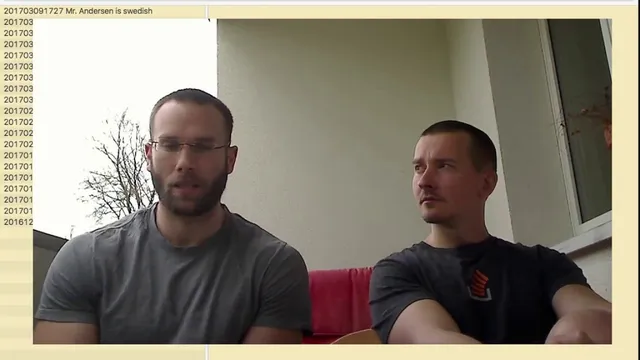
#6 Automation, Dumbing-Down, Business Models, & 2 Idiots on the Balcony • Zettelkasten Live
Based on Zettelkasten's video on YouTube. If you like this content, support the original creators by watching, liking and subscribing to their content.
Automation that suggests tags, links, or other decisions can transfer judgment from the user to the software and weaken long-term skill-building.
Briefing
Automation is a double-edged sword for digital knowledge work: offloading “thinking” to software can drain the user’s competence, increase error rates when concentration drops, and ultimately make people worse at the very craft they’re trying to improve. The central claim coming out of the discussion is that knowledge work needs an environment that keeps the user responsible for judgment—while still letting tools handle small, helpful actions—so the work stays a skill-building exercise rather than a button-pushing routine.
The disagreement begins with feature requests for automation inside writing software (including automated suggestions for links and tags). Christian’s critique, as summarized in the conversation, is that automation transfers intelligence from the person to the program. That transfer becomes a structural obstacle: when tagging, linking, or other decisions are delegated, the user stops practicing the judgment that makes the system useful in the first place. The practical warning is also blunt—when people are tired, they’re more likely to make mistakes, and a long day can unravel after a bad run. The proposed countermeasure is not “no automation,” but an interface and workflow that force deliberate decision-making while using software to make actions easier and more pleasant.
A second principle targets “clever” software design that becomes hard to escape. The approach being advocated is software agnosticism: even if the developers build their own tools, the underlying workflow should remain portable. The conversation repeatedly returns to plain text as the anchor—writing in text files, using external editors, and relying on widely available tools—so users aren’t boxed into a proprietary ecosystem. This portability isn’t framed as ideology alone; it’s positioned as business risk management. If a service like Evernote disappears, users can be left with missing data or dead workflows. In contrast, text-based archives can survive software churn.
The discussion also broadens into a critique of management-style “pre-canned solutions.” Drawing on Matthew Crawford’s Shop Class as Soulcraft, the argument is that centralizing process knowledge in manuals and systems lets organizations discard experts and replace them with cheaper labor. Applied to knowledge tools, the fear is similar: if software dictates the process, users don’t need to be intelligent, and the work becomes a degraded routine—like manipulating documents and spreadsheets without real understanding. The goal is to preserve “teeth” in the learning process: environments that show possibilities and best practices without forcing one rigid path.
The conversation then adds a real-world business-model angle. There’s news about a Ulysses writing-app clone allegedly copying Ulysses’ look, feel, and user experience—an example used to argue that copying a polished interface is a fragile strategy. The more durable strategy, the participants suggest, is building capabilities on top of simple, replaceable foundations (plain text and interoperable tooling), so the business doesn’t rely on a single proprietary experience.
Finally, the long-term plan is laid out: build a “scholarly machine” (a multi-tool system) that supports the full arc of knowledge work—from information gathering through publishing—without locking users into one tool. The project is framed as boring-but-serious business planning, with an emphasis on replaceability, community around text-based workflows, and cognitive surplus used for building tools that improve others’ lives rather than chasing maximum profit.
Cornell Notes
The discussion argues that automation in knowledge work can undermine the user’s judgment by shifting competence from the person to the software—especially when fatigue leads to mistakes. The proposed remedy is a workflow that keeps users responsible for decisions while letting tools handle small, convenient actions. A second pillar is software agnosticism: plain text archives and interoperable editors prevent lock-in and reduce business fragility if a service shuts down. The conversation links this to a broader critique of “pre-canned” processes that replace experts with cheap labor, warning that rigid software workflows can make people worse at thinking. The long-term goal is a “scholarly machine” that supports the full knowledge-work pipeline while staying replaceable and portable.
Why is automation treated as risky in digital knowledge work, even when it seems helpful?
What balance is proposed between tool assistance and human decision-making?
How does software agnosticism connect to plain text and long-term user freedom?
What does the conversation borrow from Matthew Crawford’s Shop Class as Soulcraft?
Why is copying a polished writing app interface described as a weak business strategy?
What is the “scholarly machine” intended to do, and how is it meant to avoid lock-in?
Review Questions
- How does delegating tagging or linking decisions to automation risk weakening the user’s competence over time?
- What specific role does plain text play in preventing software lock-in and reducing business fragility?
- In what way does the critique of “pre-canned solutions” apply to knowledge-work software workflows?
Key Points
- 1
Automation that suggests tags, links, or other decisions can transfer judgment from the user to the software and weaken long-term skill-building.
- 2
A knowledge-work tool should support actions while still requiring the user to make key decisions, especially to avoid fatigue-driven mistakes.
- 3
Software agnosticism is treated as a core design requirement: workflows should remain portable even if users change apps.
- 4
Plain text archives are positioned as the portability layer that keeps work accessible across different editors and operating systems.
- 5
Rigid, process-driven software risks turning knowledge work into routine document manipulation rather than real thinking.
- 6
Business risk matters: reliance on proprietary services can strand users if a platform shuts down, so replaceable foundations are a safer strategy.
- 7
The long-term product vision is a multi-tool “scholarly machine” that spans gathering to publishing while staying replaceable and user-controlled.