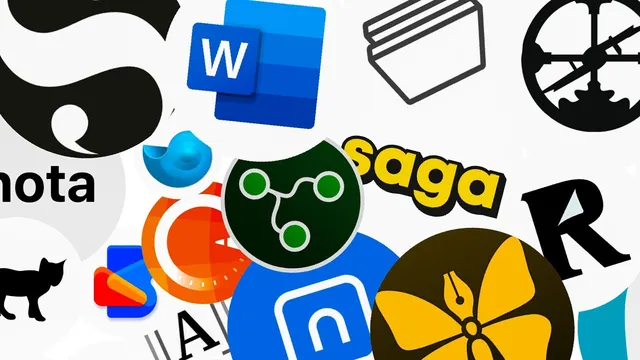
68+ Note-Taking Apps: Find Your Perfect Digital Brain!
Based on Tiago Forte's video on YouTube. If you like this content, support the original creators by watching, liking and subscribing to their content.
Match an app to a note-taking archetype—librarian, architect, gardener, or student—rather than choosing by feature count alone.
Briefing
The central takeaway is that “the perfect digital brain” isn’t one app—it’s a match between note-taking behavior and the right tool. The guide sorts dozens of options into distinct note-taking archetypes, then recommends specific apps that fit each workflow, from capture-and-search systems to database-like knowledge architecture and networked “backlinking” for idea exploration. The practical value is straightforward: choosing based on how someone thinks and works can prevent the common trap of adopting a powerful app that doesn’t match daily habits.
For pragmatic, information-handling “librarian” note-takers, the top picks are Evernote, OneNote, and Google Keep. Evernote is positioned as a high-throughput capture system for almost any input—notes, transcripts, videos, and emails—paired with strong search, including PDF storage and character recognition that lets users search text inside images. Files are stored locally for quick access across phone, tablet, and computer. OneNote targets corporate and Windows users who want tight integration with Microsoft 365 and OneDrive, offering fast search, character recognition, image handling, and stylus-friendly tablet features for drawing and sketching. Google Keep is framed as lightweight “post-it” style capture that integrates smoothly with Google Docs and Google Calendar, with an easy path to link notes into documents.
For “architect” note-takers who want to structure knowledge like a system, Notion and Craft lead the list. Notion is described as a flexible workspace for turning notes into reusable data views—databases, galleries, tables, lists, and kanban boards—so captured information can be reorganized and repurposed like a coding environment. Craft is similar but tailored to the Apple ecosystem, emphasizing clean structure without forcing users into heavy database workflows. The architect section also flags Obsidian and its developer-focused cousin Dendron, plus collaborative or ecosystem variants like Microsoft Loop, and other organizational tools such as Wally, UpNote, Clover, and Bundled.
For “gardener” note-takers—people who explore ideas and make unexpected connections—the guide elevates networked note-taking built around bi-directional links. Roam Research is credited with popularizing backlinking: mentioning a topic in text automatically links to every other note that references the same topic, enabling structure to emerge “out of thin air.” Obsidian is recommended next for similar linking benefits, with added emphasis on security, speed, local markdown storage, and clean folder-like hierarchies as thoughts mature. Alternatives include Logseq (offline-first with plugins), Mem (AI-leaning organization and desktop capture), Athens Research, Reflect, Saga, and others, plus specialized tools for spaced repetition and serendipity such as Drem Note and Readwise.
Finally, “student” note-takers are treated as project-driven users who mainly want to get notes done without over-engineering. Apple Notes is recommended for Apple users due to straightforward capture, media insertion, and iCloud collaboration and syncing. For minimalists outside Apple’s ecosystem, SimpleNote is suggested. Google Docs is offered as a practical default for interlinking with Sheets, Slides, and Drive, plus easy commenting and collaboration. The guide closes by pointing writers toward specialized tools like Scrivener, Ulysses, and iA Writer, while noting that many general-purpose apps can handle writing tasks too.
Cornell Notes
The guide’s core message is that the right note-taking app depends on a person’s note-taking archetype, not on feature lists alone. It groups tools into librarian (capture and search), architect (structure and reuse as data), gardener (exploration via bi-directional links), and student (get projects done fast). Evernote, OneNote, and Google Keep anchor the librarian category with strong capture and search. Notion and Craft lead the architect category by turning notes into databases, boards, and reusable views. Roam Research and Obsidian define the gardener approach through backlinking and fast linking, with local markdown storage and security as major advantages.
What makes an app “librarian-style,” and why are Evernote, OneNote, and Google Keep treated as top matches?
How do “architect” note-takers use their notes differently than librarian users?
What is bi-directional linking, and why is it central to the “gardener” category?
Why does Obsidian get recommended as a gardener alternative to Roam Research?
Which tools target students who want “note-taking done” without deep complexity, and what’s the logic behind the picks?
Review Questions
- Which category best fits someone who needs fast capture of many input types plus reliable search inside PDFs, and what specific features support that match?
- How do bi-directional links change the way a knowledge structure forms compared with folder-based organization?
- What differentiates architect-style tools like Notion from librarian-style tools like Evernote in how notes are reused?
Key Points
- 1
Match an app to a note-taking archetype—librarian, architect, gardener, or student—rather than choosing by feature count alone.
- 2
Evernote is positioned as a capture-and-search powerhouse, including PDF storage and character recognition for searching text inside images.
- 3
OneNote’s strength is tight Microsoft 365 and OneDrive integration, plus stylus-friendly tablet features for sketching and drawing.
- 4
Notion and Craft are recommended for architect-style users who want notes reorganized into databases, boards, and reusable views.
- 5
Roam Research and Obsidian define the gardener approach through bi-directional linking, enabling relationships to emerge as writing happens.
- 6
Obsidian’s local markdown storage is a major selling point for security and portability.
- 7
For students, Apple Notes, SimpleNote, and Google Docs are suggested as low-friction options that support capture, collaboration, and practical organization.