7 Obsidian Templates That Supercharge My Second Brain
Based on Prakash Joshi Pax's video on YouTube. If you like this content, support the original creators by watching, liking and subscribing to their content.
Use Templater instead of the built-in Templates plugin to automate note creation with more flexible “toolkit” behavior.
Briefing
Obsidian templates are positioned as the fastest route to a “second brain” that stays organized without constant manual upkeep. The core idea is that templates remove repetitive friction—auto-filling metadata, enforcing consistent note structure, and routing new notes into the right folders—so knowledge capture feels easier and more sustainable over time.
A key setup choice is swapping Obsidian’s built-in Templates plugin (disabled) for the community plugin Templater, described as a “whole toolkit” rather than a simple “hammer.” Templater’s power comes from automation triggered at file creation. The workflow depends on configuring a template folder location (stored in a dedicated templates directory) and enabling the option to trigger templates when a new file is created. From there, each template becomes a standardized entry point for different kinds of notes—literature, books, permanent atomic notes, daily/weekly reflections, newsletters, and people records.
For literature nodes, the template standardizes how sources are recorded and how notes progress. It uses a filename/title replacement mechanism and supports aliases, then stores a Source field that links back to the original material. A Type field tags the note as a literature node, while a Status field marks whether the item still needs processing (e.g., “to develop”). A templated function then automatically moves the newly created note into a Resources folder when the template is used.
Books build on the literature-node pattern but add richer metadata to avoid manual entry. The workflow relies on the Book Source plugin to fetch details such as title, author, category, publisher, and numeric fields like total pages. When a book note is created (via a hotkey such as Alt+B), the template pulls in the selected book’s metadata and sets a Status like “to read,” which then feeds a prepared reading tracker. The example given places “Think and Grow Rich” into a “to read” list and shows how the template’s fields support the tracker.
Permanent notes are handled through an “atomic node” template that automatically moves files into an Atomic Nodes folder. It includes Topics (including links to other nodes) and a Reference field that records which literature node the atomic note was extracted from—aimed at preserving provenance and improving retrieval.
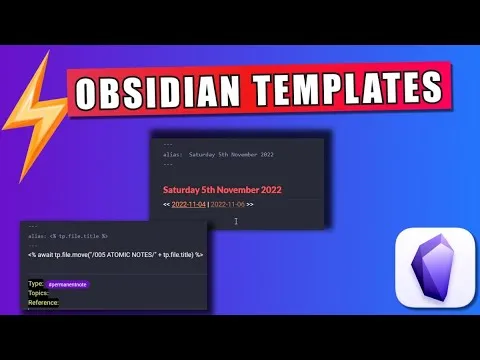
Daily and weekly templates focus on connection-building and reflection. The daily note template generates a date-based alias and creates links to previous and next daily notes, plus prompts for an evening review (“What did you get done today?”). The weekly template links to all seven daily notes, then prompts for end-of-week review: five biggest accomplishments, goals for next week, book learnings, and “memories worth remembering.” A “Table of Life” concept is mentioned as an optional idea for balancing career, wealth, health, relationships, and personal development.
Beyond personal knowledge capture, templates support publishing and relationship management. A newsletter template (e.g., “Timeless insights”) includes a to-do list, prompts for the week’s best work, and a Data View query that lists nodes created in the past seven days. A people template captures aliases, contact details, location, and birthday, and includes sections for related people and key shared moments.
Overall, the system treats templates as infrastructure: consistent structure, automated routing, and metadata capture that keeps a second brain usable without constant maintenance.
Cornell Notes
The workflow centers on using Templater in Obsidian to automate note creation so a “second brain” stays organized with less manual work. Templates standardize how literature sources, book metadata, atomic notes, daily/weekly reflections, newsletters, and people records are created and filed. Literature and book templates capture source information and processing status, then automatically move notes into the right folders and feed trackers (like a reading list). Atomic note templates preserve provenance by recording which literature node each atomic note came from. Daily and weekly templates build navigation links across time and provide structured prompts for reflection and review, while newsletter and people templates support publishing and relationship memory.
Why switch from Obsidian’s built-in Templates plugin to Templater, and what configuration makes automation work?
How does the literature node template reduce future work after capturing a source?
What role does the Book Source plugin play in the book template, and what metadata gets pulled in?
How do atomic (permanent) notes maintain context and traceability?
What do the daily and weekly templates automate besides writing prompts?
How do the newsletter and people templates extend the second brain beyond reading and note-taking?
Review Questions
- How does enabling Templater’s “trigger template around new file creation” change day-to-day note capture?
- What fields and folder-routing logic make the literature and book templates feed downstream trackers like a reading list?
- In what way does the atomic note template’s Reference field support long-term retrieval and provenance?
Key Points
- 1
Use Templater instead of the built-in Templates plugin to automate note creation with more flexible “toolkit” behavior.
- 2
Configure Templater to trigger templates on new file creation and set a dedicated template folder location.
- 3
Create literature node templates that capture Source links, tag Type, track Status (e.g., “to develop”), and auto-move notes into Resources.
- 4
Use the Book Source plugin to pull book metadata automatically, then set Status fields that integrate with a reading tracker.
- 5
Build atomic note templates that preserve provenance via a Reference field pointing back to the originating literature node.
- 6
Make daily and weekly templates generate time-based navigation links and structured prompts for reflection and review.
- 7
Extend the system with newsletter templates (Data View over the last seven days) and people templates (contact details plus shared moments).