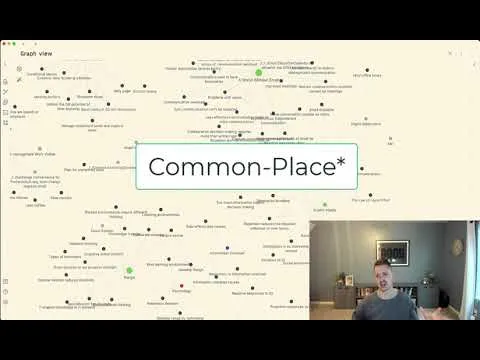
A Common Place for Remembering, Organizing and Using Everything You Read
Based on Joshua Duffney's video on YouTube. If you like this content, support the original creators by watching, liking and subscribing to their content.
Use a commonplace book only for books worth analytical effort, aligning with Adler’s “pyramid of books” so the system stays manageable.
Briefing
A digital commonplace book in Obsidian is being built to capture “analytical reading” artifacts—bibliographic details, re-outlined arguments in the reader’s own words, future rabbit holes, and selected quotes—so knowledge can be found and reused later without forcing every note into a rigid writing workflow. The core idea is simple but consequential: full ownership of a book comes from making it part of one’s thinking, and the most reliable way to do that is to write—first while marking and digesting the text, then again by re-outlineing it after a short pause.
The system is grounded in Mortimer Adler’s advice from *How to Read a Book*, paired with a reading framework from Adler’s “pyramid of books.” Most reading falls into low-effort categories (glancing or inspectional reading), but only a small top slice merits the kind of deep, repeatable engagement the method targets. The commonplace book is reserved for those higher-value works—roughly the “top 10%” that justify an analytical read one pass or more—so the notes don’t become an unmanageable dump of everything consumed.
In Obsidian, the structure starts with a theme (“Typewriter” in light mode) and a root folder organized primarily by genre. Each genre folder contains a “folder note” index, implemented via the community plugin “folder note,” which turns a folder into a navigable note while preserving backlinks and a clean hierarchy. Tags add another layer of filtering; the notes use a “genre” tag so graph views can visually separate categories.
Inside each book’s note, the workflow is designed to preserve three kinds of outcomes. First is knowledge acquired: an analytical outline created after reading and re-reading. The process includes marking the book during the first pass, letting it sit for about a week or two, then extracting notes and reorganizing them into a re-outline that follows the book’s argument sequence—an approach meant to mirror the reader’s “intellectual ownership.” Second is future reading: a place to record follow-on books or papers sparked by the original text, including “desired difficulties” as a recurring interest. Third is quotable material: pithy lines captured with a “greater than” marker and, when possible, page numbers for retrieval.
A key design choice is how the notes are browsed. The system uses embedded “card-like” previews (via Obsidian’s embedded note syntax with an exclamation mark) so the reader can flip through notes as if laying index cards on a table. At the same time, the folder-based view supports quick scanning of all notes tied to a concept. The author also highlights a limitation: the embedded cards can’t easily be reorganized or sorted, though a future workspace could enable temporary rearrangement.
Over time, the payoff is expected to come from linking ideas across books. Instead of building elaborate external knowledge structures, the notes are meant to connect concepts by their shared themes—such as “learning environments” and “range”—when multiple books discuss overlapping practices. The result is a visual, searchable archive that supports writing by “pillage” of prior learning artifacts, while reducing the friction of deciding where every note must go next.
Cornell Notes
A digital commonplace book built in Obsidian is designed for books worth deep, repeatable engagement. It captures analytical-reading artifacts: bibliographic metadata, an outline rewritten in the reader’s own words after a short delay, future reading leads, and selected quotes (often with page numbers). The system is intentionally selective—reserved for the “top 10%” of books that justify analytical effort—so it stays usable. Navigation blends folder-based indexing (using the “folder note” plugin) with embedded “card” previews that mimic flipping through index cards. The long-term goal is to link overlapping ideas across books (e.g., learning environments and range) to support future writing and research.
What makes a commonplace book different from simply taking notes while reading?
Why is the system selective about which books get added?
How does Obsidian’s structure help the reader browse notes like index cards?
What are the three main “artifacts” captured from each book?
How does the system plan to connect ideas across different books over time?
What limitation does the card-based approach introduce?
Review Questions
- How does the method transform reading notes into “ownership” of a book, and why is the delay step important?
- What role does Adler’s “pyramid of books” play in deciding which books enter the commonplace book?
- Describe how embedded note previews (with the exclamation mark) change browsing compared with folder-only navigation.
Key Points
- 1
Use a commonplace book only for books worth analytical effort, aligning with Adler’s “pyramid of books” so the system stays manageable.
- 2
Capture bibliographic metadata first, then build an analytical outline rewritten in your own words after a short pause (about one to two weeks).
- 3
Store three book outcomes separately: knowledge acquired, future reading leads, and quotes (often with page numbers).
- 4
In Obsidian, combine folder-based indexing (via the “folder note” plugin) with embedded note “card” previews to browse like index cards.
- 5
Keep navigation flexible: browse from the outline sequence when argument order matters, and browse from the folder structure when scanning all related notes.
- 6
Plan for cross-book linking by recording shared concepts (e.g., learning environments and range) so future writing can draw from connected ideas.
- 7
Accept the embedded-card limitation (hard to reorder) and consider using workspaces for temporary reorganization.