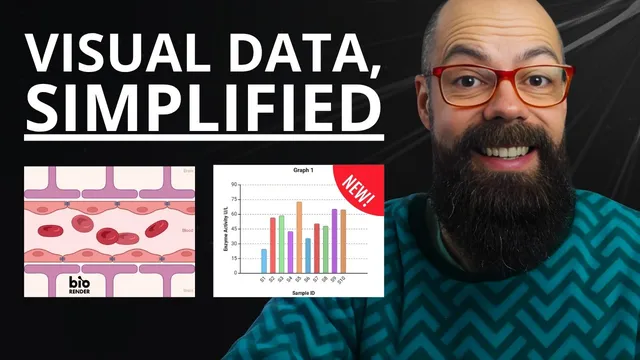
Academics Are Ditching PowerPoint for This Poster Tool
Based on Andy Stapleton's video on YouTube. If you like this content, support the original creators by watching, liking and subscribing to their content.
BioRender streamlines scientific figure creation by combining drag-and-drop icons with immediate visual customization (color overlays, transparency, saturation, glow).
Briefing
BioRender is positioned as a faster, more design-friendly way for researchers to create publication-ready scientific figures, posters, and simple graphs—without relying on the slow, formatting-heavy workflow of Word and PowerPoint. After logging in, users land in a template-and-gallery-driven workspace where illustrations can be assembled through drag-and-drop, then customized with visual controls like color overlays, transparency, saturation, and glow effects.
The core workflow centers on building schematics from a large library of icons and scientific elements. Users can search through categories such as cells, species (including fish), and human anatomy, then drop selected icons onto a canvas and immediately tweak their appearance. The transcript highlights that customization options appear after selecting an element, letting users quickly produce polished graphical abstracts or figures. Beyond icons, BioRender includes brushes for drawing membrane-like structures—useful for cell-focused diagrams—and supports additional assets such as graphs, templates, favorites, uploads, and a “PDB” protein-related builder.
For poster creation, the “Poster Builder” feature is presented as the most broadly useful tool across academia. It offers multiple poster templates, including layouts inspired by popular poster design styles (notably a “Better Poster Classic” layout with a large central main finding and structured side sections). Once a template is selected, the interface guides users through inserting content blocks—title, sections, text, images, padding, headers, and captions—while enabling drag-and-drop placement. The layout is largely pre-structured, so the first draft can be assembled quickly using built-in images and the ability to import custom schematics.
A standout addition is the graph generator, which uses AI to detect variables and column names from uploaded spreadsheet data (CSV). Users choose a graph type—such as column charts, scatter plots, line plots, dose-response analysis, or heat maps—then map independent and dependent variables. The system generates a formatted graph automatically, aiming to remove the tedious styling work typical of tools like Excel. The transcript notes that the AI works best with simple CSV structures; more complex formats can cause trouble. Once generated, the graph can be edited interactively (e.g., adjusting line thickness, axis formatting, grid lines, and colors), with changes updating in real time.
Finally, BioRender supports integration with PowerPoint via an add-in. After generating assets in BioRender, users can insert images into PowerPoint from their gallery, reusing figures across slides. The overall message is that BioRender streamlines the end-to-end process—figures, posters, and basic graphs—so researchers can spend less time wrestling with formatting and more time producing clear, professional visuals. The transcript also mentions pricing concerns (a paid monthly cost after a free trial) while pointing to team and university subscriptions that may cover access.
Cornell Notes
BioRender is presented as a design tool that helps researchers create scientific figures, posters, and simple graphs quickly using drag-and-drop building blocks. Users can assemble icons (cells, species, anatomy), then customize them with visual controls like transparency, saturation, and glow. Poster Builder provides ready-made poster layouts—often with a large central finding and structured side sections—so a first draft can be assembled by inserting text and images into predefined areas. A graph feature uses AI to read simple CSV files, detect column names/variables, and generate formatted charts automatically, with real-time styling edits afterward. Integration with PowerPoint lets users insert BioRender outputs directly into slides from a gallery.
How does BioRender speed up figure creation compared with typical office tools?
What makes Poster Builder especially useful for academic posters?
How does the AI graph generator work, and what data format does it require?
What kinds of graphs can be generated automatically?
How does BioRender connect to PowerPoint workflows?
Review Questions
- What visual customization options appear after selecting an icon in BioRender, and how do they change the figure’s look?
- Why does the AI graph generator prefer simple CSV files, and what happens when the data format is more complex?
- How does Poster Builder’s template layout reduce the effort needed to create a poster’s first draft?
Key Points
- 1
BioRender streamlines scientific figure creation by combining drag-and-drop icons with immediate visual customization (color overlays, transparency, saturation, glow).
- 2
Brush tools can generate membrane-like structures, reducing manual diagram drawing for cell-focused schematics.
- 3
Poster Builder provides pre-structured poster templates (including layouts with a large central finding), letting users assemble a first draft by inserting content blocks into defined areas.
- 4
The AI graph generator reads simple CSV files, detects variable/column names, and produces formatted charts with interactive, real-time styling edits.
- 5
PowerPoint integration via an add-in enables inserting BioRender outputs directly from a gallery into slides.
- 6
The AI graph feature is most reliable with straightforward spreadsheet structures; complex CSV formats may reduce accuracy.
- 7
Access may require a paid subscription after a trial, though team and university subscriptions can offset cost.