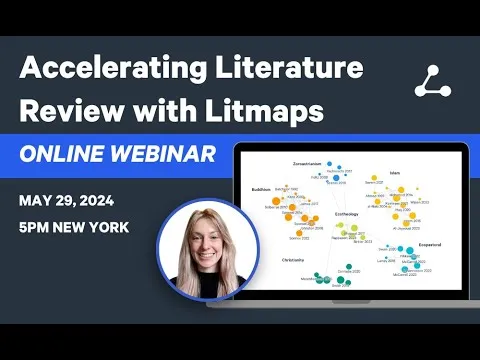
Accelerating Literature Review with Litmaps, May 2024 Webinar
Based on Litmaps's video on YouTube. If you like this content, support the original creators by watching, liking and subscribing to their content.
Litmaps accelerates literature reviews by generating recommendations from a small set of starting papers using citation-network connections.
Briefing
Litmaps is positioned as a practical way to accelerate literature reviews by turning a handful of “starting papers” into a curated, visual map of related research—using citation networks to recommend what to read next and using organization tools to keep large collections from becoming unmanageable. The central pitch is that literature review work is rarely linear: researchers bounce between searching, evaluating relevance, organizing hundreds or thousands of papers, and then writing and citing. Litmaps aims to reduce the search and organization burden early, so later writing and referencing is less chaotic.
The webinar lays out a standard literature review workflow—define a research question, search for literature, evaluate which sources are truly relevant, stay organized as the paper pile grows, and then write with proper citation and referencing. It emphasizes that the hardest parts are often not “finding papers” but filtering them critically and keeping them organized when the volume explodes. Litmaps is mapped directly onto those pain points: it provides metadata during search (title, journal, year, citation counts), recommends related papers based on how papers cite and reference one another, and visualizes results as a literature map where researchers can quickly spot which works are older and highly cited versus newer and less cited.
Three use cases anchor how Litmaps fits into different stages of review work. First, starting a brand-new literature review: users begin with one to a few known papers (or keyword-based paper lookups), then click “explore related articles” to generate recommendations. In the demo, the map’s axes help triage attention—older, highly cited works tend to cluster toward one corner, while very recent, low-citation papers cluster toward another—so newcomers can find foundational studies without getting lost in the newest papers.
Second, comprehensive searching (the “Monk mode” persona): this is for systematic or umbrella-review-style coverage where missing an important paper is costly. Litmaps supports this by letting users upload an existing library from a reference manager (via BibTeX/CSV exports and connectors), deduplicate duplicates, and then rerun the recommendation search to surface potentially missing or more recent papers. The tool also includes filters (including date filters) to narrow results and reduce reading load, plus “Monitor” alerts that email users when new, relevant papers appear as the database updates weekly.
Third, finding research gaps: the webinar treats gaps as intersections where evidence is missing or hard to locate, not just “something that seems unexplored.” Litmaps helps by combining curated collections, keyword filtering, and visualization to test whether an intersection truly lacks relevant literature. It also notes a more advanced approach: switching recommendation logic from citation-connection-based ranking to semantic content similarity (abstract/title-based), which can reveal missing links when citation networks don’t connect the relevant work.
Finally, the webinar addresses practical constraints: Litmaps is freemium, with the free tier covering much of the core workflow, while premium unlocks heavier comprehensive-search features (like larger uploads and Monitor alerts). Pricing is described as country-parity based, and institutional trials are offered. Coverage and data sourcing are also quantified at a high level: Litmaps draws open-access metadata from Semantic Scholar, Crossref, and OpenAlex, totaling 270 million+ articles with tens to hundreds of thousands of new items added weekly, aiming for broad domain coverage even though access to full text depends on institutional subscriptions.
Cornell Notes
Litmaps is built to speed up literature reviews by converting a small set of starting papers into a visual, citation-network-based map of related research. It helps users filter and organize early—when the review is most likely to become overwhelming—by showing paper metadata, recommending interconnected works, and letting users save and tag papers. For comprehensive searching, users can upload an existing library (e.g., from Zotero via BibTeX) and rerun recommendations to catch duplicates and potentially missing or newly published papers, with date filters to focus on recent work. For research gaps, Litmaps supports intersection-finding through curated tags/collections, keyword filtering, and visualization; it can also switch to semantic-content similarity to surface connections that citation links may miss. These capabilities matter because literature reviews are messy and iterative, and the biggest time sink is often evaluation and organization, not just discovery.
How does Litmaps reduce the “overwhelming” feeling that comes from searching and reading hundreds of papers?
What does “comprehensive search” mean in this context, and how does Litmaps support it?
What is “Monitor,” and why does it matter for staying current during a long review?
How does Litmaps help identify research gaps without relying on intuition alone?
Why does the webinar emphasize that Litmaps is not a full replacement for reference managers?
Review Questions
- When starting a new literature review in Litmaps, what is the role of “starting papers,” and how does the map help decide what to read first?
- In comprehensive searching, how does uploading an existing library change what Litmaps can recommend, and what filters can be used to focus results?
- What two different mechanisms does Litmaps offer for surfacing potential research gaps, and how might each succeed when citation links are weak?
Key Points
- 1
Litmaps accelerates literature reviews by generating recommendations from a small set of starting papers using citation-network connections.
- 2
The literature map visualization helps triage by showing how recommended papers relate to publication date and citation counts, reducing time spent scanning long lists.
- 3
Comprehensive searching is supported by uploading an existing library (with deduplication) and rerunning recommendations to find potentially missing or newly published work.
- 4
Date filters and iterative “add to map” steps help keep comprehensive searches targeted and manageable instead of exhaustive and unreadable.
- 5
Monitor provides email alerts when new, relevant papers appear as the database updates weekly, helping reviews stay current.
- 6
Research gap detection relies on testing intersections using curated tags/collections, keyword filtering, and visualization—plus an optional semantic-content similarity mode when citation connections don’t reveal relevant links.
- 7
Litmaps is freemium, with premium features aimed at heavier workflows (like larger comprehensive searches and Monitor), and pricing varies by country parity and institutional licensing.