AI Agent to Automate Your Computer! | Microsoft Windows Co Pilot
Based on MattVidPro's video on YouTube. If you like this content, support the original creators by watching, liking and subscribing to their content.
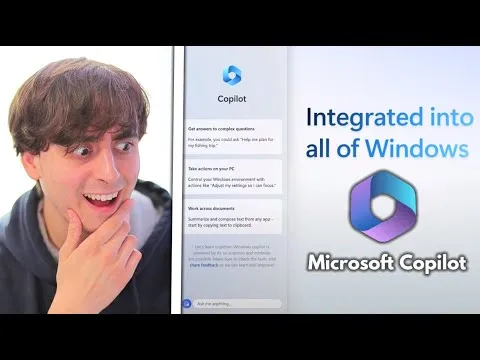
Microsoft is integrating Bing Chat–powered assistance into Windows 11 via a centralized “Windows co-pilot” interface.
Briefing
Microsoft is pushing AI from the browser into everyday work by integrating Bing Chat–powered assistance directly into Windows 11 and expanding it across Microsoft apps, developer workflows, and business analytics. The pitch is simple: a centralized “Windows co-pilot” can help users adjust system settings, summarize documents, recommend and launch apps, and even coordinate tasks across tools—turning the PC into something closer to an always-on assistant rather than a collection of separate programs.
The Windows integration is demonstrated through a side-by-side co-pilot interface that can modify Windows settings in real time and work with user content. Users can drag documents into the assistant to get summaries of PDFs, and the assistant can connect to third-party services—such as recommending Spotify playlists and then opening Spotify to play them. Microsoft also highlights automation inside Microsoft Teams, including sending items (like a logo) to a design workflow. Beyond consumer tasks, the assistant is positioned as a cross-app layer: Microsoft Word and Excel are mentioned as targets, alongside web browsing and even gaming-related help.
A major practical constraint appears alongside the excitement: the Windows co-pilot experience is tied to Windows 11, meaning users may need to upgrade to access the new features. The transcript also notes that Windows 11 can be troublesome for some people, implying that adoption may hinge on stability and user experience as much as capability.
Under the hood, the assistant’s usefulness is framed as a combination of AI reasoning and “plugins” that let it take actions in real tools. Microsoft and OpenAI are described as collaborating on plugin availability, with examples including Expedia, Kayak, Zillow, and Wolfram Alpha. Adobe is also named as a plugin partner, and Microsoft’s own developer tooling—“Dev home”—is presented as another automation win. Dev home is pitched as a guided setup for GitHub repositories: it can clone repositories, install required packages and dependencies (including language runtimes like Python and node.js), and help configure environments so users can run complex software without manually following multi-step tutorials.
Microsoft also expands the AI footprint beyond the desktop with “Microsoft Fabric,” an AI-powered analytics platform aimed at unifying data and accelerating decision-making. Fabric is described as a single experience built around a unified data lake, open-format storage, and integrated tools for pipelines, machine learning training, semantic models, and SQL querying. Copilot features are positioned for both data professionals (writing SQL, building reports, setting up automations) and business users (collaborating and doing ad hoc analysis in Microsoft 365), with governance and compliance built in.
Legal and enterprise use cases are used to underline the stakes. A demo references Thomson Reuters plugins (Practical Law and Westlaw) and Microsoft’s Document Intelligence to edit a legal contract, analyze enforceability under California law, and produce a table summarizing changes. The transcript further connects the rollout to broader infrastructure: greater availability of Azure OpenAI Services (including access to GPT-4–powered copilots across Dynamics 365, Microsoft 365, and Power Platform), plus collaboration with Nvidia for AI compute.
Taken together, the message is that AI is becoming embedded across operating systems, productivity suites, developer platforms, and analytics—raising both productivity expectations and concerns about how quickly these systems will reshape work.
Cornell Notes
Microsoft is rolling out a centralized AI assistant—Windows co-pilot—powered by Bing Chat technology, with capabilities that reach beyond chat into Windows settings, documents, and connected apps. Demos highlight real-time system adjustments, PDF summarization, and plugin-driven actions like launching Spotify or coordinating work in Microsoft Teams. The assistant is also tied to developer automation through Dev home, which can set up GitHub repositories by installing dependencies and configuring environments. Separately, Microsoft Fabric brings AI into business analytics by unifying data storage, governance, and tools for SQL, machine learning, and reporting. The rollout depends on Windows 11 and is backed by Azure OpenAI Services and Nvidia compute.
What does “Windows co-pilot” actually do on a Windows 11 machine, beyond answering questions?
How do plugins change the assistant from a passive helper into an active workflow tool?
Why is Dev home positioned as a big deal for non-developers as well as developers?
What is Microsoft Fabric, and how does it connect AI to business decision-making?
What infrastructure and ecosystem partners are repeatedly tied to these AI rollouts?
Review Questions
- What specific Windows tasks are demonstrated as co-pilot actions (not just chat responses), and what inputs does it use (e.g., documents)?
- How does the plugin model enable the assistant to perform tasks across third-party services, and what does the legal demo illustrate?
- What problem does Dev home aim to solve for GitHub-based projects, and which dependencies are mentioned as part of that setup?
Key Points
- 1
Microsoft is integrating Bing Chat–powered assistance into Windows 11 via a centralized “Windows co-pilot” interface.
- 2
Windows co-pilot is demonstrated as capable of real-time Windows setting changes, document/PDF summarization, and app-driven actions through plugins.
- 3
Plugin support is positioned as the bridge between AI conversation and real-world workflows across services like Spotify, travel/knowledge tools, and enterprise systems.
- 4
Dev home is pitched as automated GitHub repository setup—cloning repos, installing dependencies (including Python and node.js), and configuring environments—reducing reliance on complex tutorials.
- 5
Microsoft Fabric extends AI into business analytics by unifying data storage and providing integrated tools for pipelines, machine learning, SQL, and reporting with governance built in.
- 6
Access to these capabilities is tied to Windows 11 and broader availability of Azure OpenAI Services, with Nvidia named as a compute partner.
- 7
Enterprise legal and compliance use cases are highlighted through Thomson Reuters plugins and Microsoft Document Intelligence, including state-specific analysis (California).