AI Agents with LangGraph & Llama 3 | Control the Execution Flow and State of Your Agent Apps
Based on Venelin Valkov's video on YouTube. If you like this content, support the original creators by watching, liking and subscribing to their content.
LangGraph enables explicit control over agent execution order using nodes and edges, including loops and conditional branching.
Briefing
LangGraph is positioned as a way to control both the execution order and the evolving state of agentic applications—down to loops, branching, and persistence—rather than relying on a model-driven “do this then that” flow. That control matters for building reliable agent apps, because the system can keep a structured state (like chat history and habit data), pause for human input if needed, and repeat tool calls until a task is truly complete.
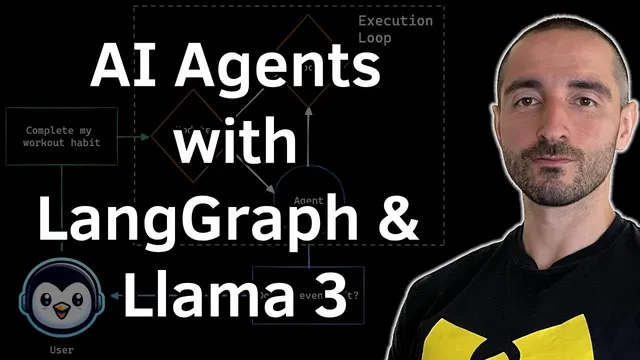
The walkthrough builds a small habit-tracker agent to demonstrate those capabilities. The app uses three nodes arranged in a loop: an “update habits” node that refreshes the current habit list into state, an “agent” node that reads the user’s latest request along with a system prompt containing the current habits, and a “tools” node that executes whichever tool the model selects. A conditional edge named “should continue” checks whether the agent output includes a tool call; if it does, execution routes to the tools node, then returns to “update habits.” If no tool call is needed, the graph ends and returns a final response. This creates a cycle where the agent can iteratively update or verify progress until completion.
On the data side, the habit tracker is backed by persistence using SQLite. The code defines tables for habits and completion status, then seeds initial habits such as “Feed Damas” (weekends) and “Hit the gym” (Monday, Wednesday, Friday), each with associated tasks. The app exposes tool functions for (1) listing habits for a specific date and (2) adding a new habit with a day-of-week schedule and optional tasks. Each tool is wrapped with parameter schemas and docstrings so the model can call them with structured arguments like day, month, year, habit name, repeat frequency, and task lists.
For the language model, the agent uses Llama 3 via the Groq API (temperature set to 0) and injects a system template that includes the current habits pulled from state. When the user asks to “complete the workout for August 14 2024,” the agent selects the correct habit ID (the gym habit rather than the weekend habit), calls the completion tool with arguments like habit_id=2 and date fields, and then returns a confirmation message. A second call verifies the database state reflects the completion.
The example then scales up: the user adds a new habit—“reading a book every weekday” with a task tag “learning”—and the agent successfully creates it in the database with the expected weekday schedule. Finally, the user requests “scheduled habits for 14th of August 2024,” and the app returns the habits that match that date (including the newly added weekday habit). The key takeaway is that LangGraph’s explicit state and graph edges let the agent reliably map user intent to the right persistent records, while the loop-and-conditional routing ensures tool use happens only when needed and repeats until the job is done.
Cornell Notes
LangGraph is used to build a habit-tracker agent where execution flow and state are explicitly controlled. The graph cycles through three nodes: “update habits” (loads current habits into state), an “agent” node (reads chat history plus a system prompt listing current habits), and a “tools” node (runs the tool the model selects). A conditional edge (“should continue”) routes to tools only when the agent output includes a tool call; otherwise the graph ends and returns a response. Persistence is handled with SQLite, and tools are defined with structured argument schemas so the model can call them with fields like habit_id and date (day/month/year). The result is an agent that can iteratively update and verify habit completion, add new habits, and list scheduled habits for a given date.
How does LangGraph’s graph design differ from simpler agent execution patterns?
What role does state play in the habit-tracker agent?
Why are tool schemas and docstrings important here?
How does the agent decide whether to call a tool or finish?
What concrete examples show the loop working correctly?
How is persistence implemented and validated?
Review Questions
- In the habit-tracker graph, what exact condition determines whether execution goes from the agent node to the tools node versus ending the run?
- How does the system prompt get constructed, and why does including the current habits from state improve the model’s ability to select the correct habit ID?
- What fields are required by the tools for listing habits for a date and for adding a new habit, and how do those schemas guide the model’s tool calls?
Key Points
- 1
LangGraph enables explicit control over agent execution order using nodes and edges, including loops and conditional branching.
- 2
The example habit-tracker graph uses a three-node cycle: update habits → agent → tools (or end), then returns to update habits after tool execution.
- 3
State management is central: chat messages are appended, and the current habits list is refreshed from persistence so the agent always reasons over up-to-date data.
- 4
Tool functions are wrapped with structured argument schemas and docstrings, making model-to-tool calls reliable for fields like habit_id and day/month/year.
- 5
SQLite persistence stores habits and completion dates, allowing the agent to verify outcomes across multiple invocations using the same thread ID.
- 6
Conditional routing (“should continue”) prevents unnecessary tool calls by ending the graph when the agent output contains no tool request.