AI Avatar Models Are Getting INSANE Powerful - Testing Workflows
Based on All About AI's video on YouTube. If you like this content, support the original creators by watching, liking and subscribing to their content.
Character swap workflows can generate convincing avatar videos from a short source clip plus a single replacement image, with lip movement and speech timing often holding up well.
Briefing
AI avatar models are rapidly improving to the point where full character swaps and voice-matched “product ad” videos can be generated from a short source clip plus a target image and audio. The most striking takeaway from the workflow tests is how well mouth movement and overall timing hold up—even when the character changes—making these tools increasingly usable for practical content pipelines rather than just demos.
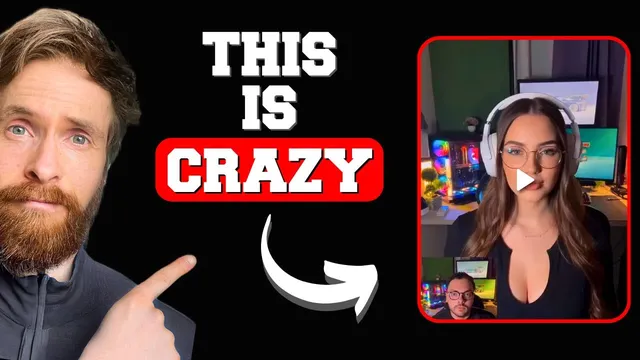
The walkthrough starts with Nvidia’s “character swap” style workflow using a short, roughly six-to-eight-second clip recorded in Korea. A single image of a woman in a dress is used as the replacement character, and the resulting transformed footage keeps the speech cadence and lip motion surprisingly consistent. The creator notes the output isn’t perfect, but the mouth movement and audio alignment are strong enough to feel “impressive,” especially given the simplicity of the inputs.
A second example uses a similar source clip and replacement image, again producing a convincing character overlay with recognizable timing. The emphasis then shifts from trying models in isolation to building an end-to-end script-based workflow that can be reused.
For automation, the process is broken into steps: pull model documentation, prepare a video-to-video generation request using the replacement image, and handle voice transformation through a speech-to-text step followed by voice generation. The workflow also integrates 11 Labs for voice creation using a voice ID, with OpenAI used for speech-to-text and translation/transformation of the audio content. The result is a “plug-and-play” pipeline intended to take a source video, a target character image, and an audio file, then generate a new video—though generation can take up to around 20 minutes or longer.
To stress-test the system, a deliberately simple “Nvidia mug” ad-style clip is used as the source. The replacement character is a woman holding the mug, and the audio is transformed to sound like the target voice. When the voice replacement is performed incorrectly (or without proper lip-sync alignment), the output can look off for product presentation. But once the audio replacement is handled in a way that avoids mismatch, the character swap looks notably better.
The workflow is then extended to ByteDance’s updated BiteDance Omnihuman model. Using the same mug concept, the model produces a clearer image and a more natural moment of action—when the character appears to move in for the “sip,” the timing makes the scene feel more engaging. The creator flags this as a key improvement worth exploring further, especially for product-style videos where object handling and timing matter.
Overall, the tests point to a near-term reality: avatar models are becoming strong enough for iterative production workflows—character swap, object-focused scenes, and voice transformation—while still leaving open challenges around object capture and perfect lip-sync in every scenario. The next steps are framed as continued experimentation with the upgraded Omnihuman model and refining voice replacement so the final output looks coherent for real-world marketing use cases.
Cornell Notes
Avatar models are advancing from impressive demos into repeatable workflows for generating character-swapped videos with voice transformation. Using a short source clip plus a replacement image, character swap outputs keep mouth movement and speech timing relatively consistent, even when the character changes. The pipeline becomes practical when it’s scripted: model documentation is converted into usable inputs, speech-to-text is used to transform audio content, and 11 Labs voice generation (via voice ID) produces the target voice. ByteDance’s updated Omnihuman model adds stronger clarity and more convincing action timing (e.g., moving in for a “sip”), though object capture can still be imperfect. These improvements matter because they reduce the friction between experimentation and producing usable product-style content.
What inputs drive the character swap results, and what quality signals matter most?
How does the workflow turn into something reusable rather than a one-off experiment?
Why did voice replacement sometimes look wrong, and what fix improved the outcome?
What did the Omnihuman update improve in the mug-and-sip scenario?
What remains challenging even with strong character swap quality?
Review Questions
- Which combination of inputs (video, image, audio) produces the character swap results, and which output quality metric is emphasized most?
- Describe the scripted workflow at a high level: how speech-to-text and voice generation are used to produce the final audio for the avatar video.
- What specific improvement is credited to the updated Omnihuman model in the mug-and-sip example, and what limitation still shows up?
Key Points
- 1
Character swap workflows can generate convincing avatar videos from a short source clip plus a single replacement image, with lip movement and speech timing often holding up well.
- 2
A practical production pipeline requires scripting: model documentation is converted into usable inputs and generation is automated rather than done only through a browser UI.
- 3
Voice transformation is handled in stages—speech-to-text (OpenAI) followed by voice generation in 11 Labs using a voice ID—so the avatar speaks with a target voice.
- 4
Voice replacement quality depends heavily on lip-sync alignment; avoiding audio/video mismatch can turn a “strange” result into a more coherent one.
- 5
ByteDance’s updated Omnihuman model improves clarity and action timing, including more natural moments like moving in for a “sip.”
- 6
Object capture remains imperfect; product-style scenes may require additional iteration to keep the object consistent throughout motion and speech.