AI Genius Unleashed: ChatGPT Hacks Every Academic Needs to Know!
Based on Andy Stapleton's video on YouTube. If you like this content, support the original creators by watching, liking and subscribing to their content.
Treat ChatGPT as a conversation for academic writing: use multiple prompts and follow-ups rather than a single instruction.
Briefing
Getting reliable, high-quality output from ChatGPT for academic work often fails when people rely on a single prompt. Consistent results come from treating the interaction like a conversation—using follow-up instructions to critique, score, and refine drafts rather than accepting the first response.
A core tactic is to force self-correction. If the generated text isn’t “100%” right, the user can ask ChatGPT to “critique the above response” and then produce a fully improved version based on that critique. Two closely related prompts—“why was this wrong?” and “what can we improve?”—push the model to look past obvious answers and dig into what’s missing or incorrect. The practical payoff is fewer drafts that later require repeated manual editing, especially for essays and other generated academic text.
Hallucinations—plausible-sounding claims that are false—are another major risk in academic research. One prompt-based mitigation is to instruct ChatGPT to begin its answer with a specific framing phrase: “my best guess is an answer step by step.” The transcript claims research supports this approach, suggesting it can reduce hallucinations by up to 80%. The underlying idea is to make uncertainty and reasoning more explicit at the start, which discourages confident fabrication.
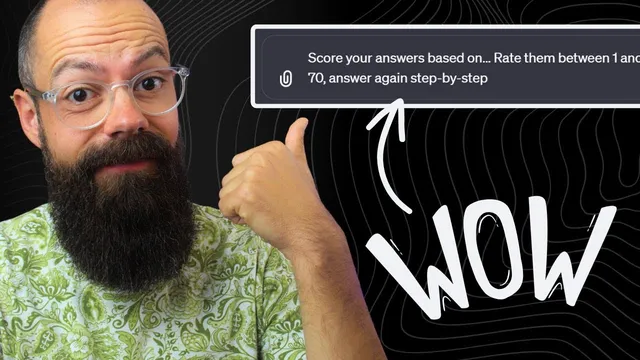
For quality control, the transcript recommends self-assessment using numbers. Instead of providing a full rubric, the user can ask ChatGPT to “score your answers based on” a defined target and then rate the result between 1 and 100. If the score falls below 70, the model should try again step by step. This can be repeated multiple times (the transcript suggests up to three rounds) to converge on a stronger draft. The method works even when the user doesn’t know how to design a rubric in advance, because the model can evaluate its own output against the stated criteria.
When users don’t know what prompt to write, the transcript offers a meta-approach: ask ChatGPT to help create its own prompt. A “prompt engineering process” workflow is described where ChatGPT acts as a guide, asking what the prompt should be about and then iterating toward a better prompt in collaboration with the user. The same concept is presented as a way to get started quickly for researchers and PhD students who struggle with where to begin.
To make these techniques easier to use daily, the transcript recommends using a shortcut tool like Text Blaze to store and reuse common prompt templates. The overall message is straightforward: keep prompts simple, but use them in cycles—critique, improve, constrain uncertainty, and score—so academic drafts become progressively more accurate and usable rather than one-off outputs that require heavy cleanup later.
The transcript also points viewers to additional resources on AI agents for advanced research and science, plus newsletters and academic-focused materials for writing and research workflows.
Cornell Notes
Reliable academic output from ChatGPT improves when prompts are used as an iterative conversation, not a one-shot instruction. The transcript highlights self-correction prompts: ask for critique of the response, then request a full improved version; also use “why was this wrong?” and “what can we improve?” to force deeper revision. To reduce hallucinations, it recommends starting answers with a specific uncertainty-and-reasoning phrase: “my best guess is an answer step by step,” claiming research support for up to an 80% reduction. For quality control, ChatGPT can self-score outputs between 1 and 100 against user-defined criteria, retrying when the score is below 70. Finally, users can ask ChatGPT to help generate its own best prompt through a prompt-engineering process.
How can a user turn a weak ChatGPT draft into a stronger one without rewriting everything manually?
What prompt technique is suggested to reduce hallucinations in academic-style answers?
How can ChatGPT help with quality control when no rubric is available?
What should a researcher do when they don’t know what prompt to write in the first place?
How can these prompt strategies be made easier to use repeatedly during academic work?
Review Questions
- Which two follow-up prompts are recommended to force ChatGPT to identify what’s wrong and propose improvements?
- What exact phrase is suggested to start answers with to reduce hallucinations, and why does that matter for academic research?
- How does the 1–100 self-scoring method work when the target score threshold is 70?
Key Points
- 1
Treat ChatGPT as a conversation for academic writing: use multiple prompts and follow-ups rather than a single instruction.
- 2
Use self-critique to improve drafts: ask for critique of the response, then request a full improved version.
- 3
Reduce hallucinations by requiring answers to begin with “my best guess is an answer step by step.”
- 4
Force deeper revision with “why was this wrong?” and “what can we improve in this answer?”
- 5
Enable self-evaluation by asking ChatGPT to score outputs from 1 to 100 against user-defined criteria.
- 6
If the self-score is below 70, instruct ChatGPT to retry step by step; repeat several rounds to converge on better text.
- 7
When unsure how to prompt, use a prompt-engineering process that iterates with ChatGPT to build the best prompt for the topic.