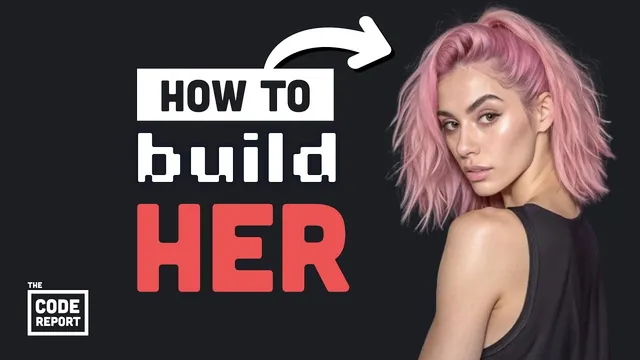
AI influencers are getting filthy rich... let's build one
Based on Fireship's video on YouTube. If you like this content, support the original creators by watching, liking and subscribing to their content.
Stable Diffusion XL can be used for AI influencer creation without training from scratch by relying on community checkpoints such as Juggernaut XL.
Briefing
AI influencer accounts are becoming a lucrative business because open-source image models can generate realistic, monetizable photos without paying for closed platforms or writing code. The core takeaway is that a person can build an “artificial influencer” pipeline for free by combining Stable Diffusion XL with ready-made model checkpoints, then using an open web UI to generate images and refine them with face-swapping and inpainting—turning a generic AI portrait into a consistent, social-media-ready persona.
The workflow starts with Stable Diffusion XL, a high-capacity generative image model released in late July 2023. While training such a model from scratch is computationally expensive, the process becomes practical through checkpoints—specialized variants trained on additional data for different aesthetics, including photo-realism. Instead of building those checkpoints, the pipeline pulls them from community sites such as Civit AI.
Next comes the user interface layer, which determines how easily someone can work with the model. Several options exist, including Stable Diffusion Web UI and Comfy UI, but the walkthrough focuses on a Gradio-based interface called Focus (spelled “fucus” in the transcript). The setup is straightforward: clone the repository, create a Python virtual environment, install dependencies, and run a script that downloads the required model files in the background. The base model used is “Juggernaut XL,” described as stable-diffusion-based and tuned for realistic images.
Once running, image generation can be done with prompts and optional “advanced” controls such as aspect ratio, number of images, and style mixing. The influencer creation step uses a two-stage approach. First, a base portrait is generated with a highly specific prompt and deliberate imperfections (for example, rough skin and no makeup) to avoid the overly polished look that can break realism. The result is saved as the base image.
Then the pipeline adds continuity and specificity by blending a new prompt into the base image using an input-image feature. A face-swap style refinement is applied while prompting for a scene—such as “doing yoga at the beach”—to produce a coherent final image where faces and hands remain consistent. When artifacts appear, the workflow uses inpainting or outpainting to regenerate only the problematic regions, guided by a targeted instruction to fix what looks wrong.
The transcript frames this as a path to monetization by referencing an Instagram model persona described as artificial, with a subscription tier bringing in roughly $10,000 per month. It also points to the next frontier: text-to-video. While a separate text-to-video system is described as closed-source, Stability AI’s introduction of “Stable Diffusion Video” is presented as the open-source bridge that could extend the same influencer pipeline into motion—raising the stakes for realism and scale.
Overall, the message is practical rather than speculative: realistic AI influencer imagery is achievable today using open models, community checkpoints, and a Gradio-based UI, with refinement tools like face swapping and inpainting to keep outputs consistent enough for social platforms—and potentially for video next.
Cornell Notes
Open-source generative image tools can be combined into a repeatable pipeline for creating an “artificial influencer” persona. The approach uses Stable Diffusion XL plus community checkpoints (such as Juggernaut XL) to generate realistic images without training from scratch. A Gradio-based UI (Focus) provides an accessible interface: generate a base portrait with a detailed prompt, then blend in a new scene using input-image features and face swap. Inpainting/outpainting fixes artifacts by regenerating only the damaged parts. The workflow matters because it lowers the cost and technical barrier to producing consistent, monetizable social-media content, and it sets up a natural next step toward text-to-video with Stability AI’s Stable Diffusion Video.
Why does Stable Diffusion XL make AI influencer creation feasible without heavy training?
What role does the UI play, and why is a Gradio-based interface highlighted?
How does the pipeline keep an AI influencer’s identity consistent across different scenes?
What are inpainting/outpainting used for in the influencer workflow?
What hardware and performance expectations are given for running the system?
How does the transcript connect image influencers to video generation?
Review Questions
- If you wanted a more photo-real influencer look, what would you change first: the base model, the checkpoint, or the prompt—and why?
- Describe the sequence of steps used to transform a base portrait into a new scene while preserving face and hand continuity.
- How do inpainting/outpainting differ from simply generating a new image from scratch in this workflow?
Key Points
- 1
Stable Diffusion XL can be used for AI influencer creation without training from scratch by relying on community checkpoints such as Juggernaut XL.
- 2
A Gradio-based UI (Focus) lowers the barrier to running models through a guided interface with advanced controls and style options.
- 3
The workflow starts with generating a base portrait using a highly specific prompt and realism-oriented imperfections (e.g., rough skin, no makeup).
- 4
Identity continuity across scenes is achieved by blending new prompts into the base image using input-image features and face swap.
- 5
Inpainting/outpainting fixes localized artifacts by regenerating only the regions marked by the user, improving realism without restarting the whole image.
- 6
Running the system is presented as practical on a modest Nvidia 370 GPU, with roughly 45 seconds for two quality images.
- 7
Text-to-video is positioned as the next step, with Stability AI’s Stable Diffusion Video offering an open-source route beyond still images.