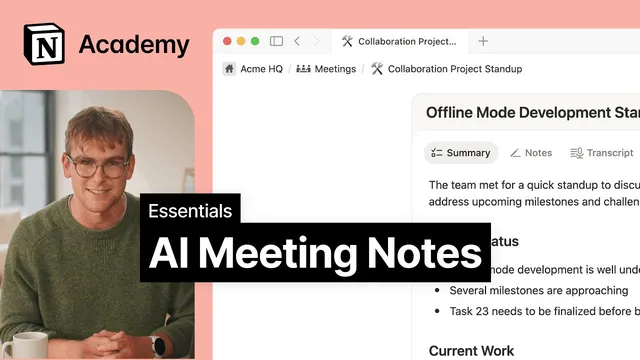
AI Meeting Notes
Based on Notion's video on YouTube. If you like this content, support the original creators by watching, liking and subscribing to their content.
Create an AI meeting notes block in Notion by typing “/me,” then add an agenda with placeholders for progress, blockers, and action items.
Briefing
AI Meeting Notes turns live meetings into searchable Notion records by transcribing audio during the call and then packaging the results into a usable summary, transcript, and follow-up material. The core value is simple: instead of manually capturing decisions and action items, participants can focus on the discussion while Notion AI records the details and later makes them easy to find.
The workflow starts inside Notion. Users create an “AI meeting notes” block by typing “/me,” then set up an agenda with placeholders for progress, blockers, and action items. That agenda can be shared with the team ahead of time so updates are added before the meeting begins. Once everyone provides consent, recording starts. Transcription runs using the user’s microphone and computer audio, which is designed to work for both in-person and remote meetings—explicitly including video conferencing tools such as Zoom, Google Meet, and Teams.
During recording, the system keeps track of insights, decisions, and action items as the conversation happens. A separate “notes” tab remains available for any additional manual input, and those entries are incorporated into the meeting summary afterward. Users can also use @mentions to link relevant pages or people—such as a product roadmap or a teammate to follow up with—so the meeting output connects directly to the rest of the workspace.
After the recording stops, AI Meeting Notes generates three deliverables: a summary of key points, any manual notes, and a full transcript for later reference. From there, Notion AI can draft a follow-up message in a chosen style, turning raw meeting content into next-step communication without starting from scratch. Meeting format and language can also be configured in settings, which changes how the summary is structured to fit the meeting type (the example uses a standup).
Beyond the single meeting block, the transcript emphasizes building a broader meeting management system in Notion. A meetings database helps centralize discussions, decisions, and next steps so they’re retrievable later. The approach includes using database properties (meeting date, attendees, team, meeting type) to filter and analyze past meetings, creating filtered views (like by team) for quick access, and using database templates for recurring meetings to keep note-taking consistent. For even more automation, repeating templates can automatically generate new meeting pages on a schedule, reducing setup work each week.
Taken together, the system aims to eliminate tool-switching and lost context by consolidating agendas, transcripts, summaries, and follow-ups into one searchable Notion workflow—capturing what was decided and making it actionable afterward.
Cornell Notes
AI Meeting Notes is a Notion workflow that transcribes meetings in real time and converts them into searchable outputs: a key-points summary, a full transcript, and any manual notes. Users start by creating an “AI meeting notes” block with “/me,” add an agenda template (progress, blockers, action items), and share it with the team before recording. After consent, recording uses microphone and computer audio, supporting both in-person and remote meetings (including Zoom, Google Meet, and Teams). When the meeting ends, Notion AI produces the summary and transcript and can draft a follow-up message in a preferred style. For scale, a meetings database with properties, filtered views, and templates keeps recurring meetings consistent and easy to retrieve.
How does someone create and structure AI Meeting Notes inside Notion before recording starts?
What audio sources does AI Meeting Notes use, and why does that matter for different meeting formats?
What outputs appear after recording stops, and how can those outputs be used immediately?
How do @mentions improve the usefulness of meeting notes beyond plain text?
What database features help teams find past meetings and action items efficiently?
How can repeating templates reduce the setup burden for recurring meetings?
Review Questions
- What are the three main deliverables produced after an AI Meeting Notes recording ends, and how might each be used differently?
- How do database properties and filtered views work together to make past meetings easier to retrieve?
- What role do agenda placeholders and pre-meeting updates play in improving the quality of the final meeting summary?
Key Points
- 1
Create an AI meeting notes block in Notion by typing “/me,” then add an agenda with placeholders for progress, blockers, and action items.
- 2
Share the agenda with participants before the meeting so updates can be added ahead of time.
- 3
Start recording only after getting consent from all participants, then capture audio using both microphone and computer audio.
- 4
Use @mentions to link relevant Notion pages or people (like a product roadmap or a follow-up teammate) so meeting outputs connect to real work.
- 5
After recording, review the generated key-points summary, full transcript, and any manual notes from the notes tab.
- 6
Configure meeting format or language in settings to tailor the summary structure to the meeting type.
- 7
For repeatability and retrieval, store meetings in a database using properties, filtered views, templates, and repeating templates for scheduled creation.