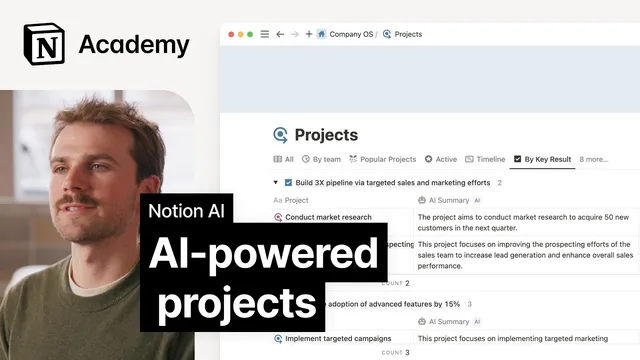
AI powered projects
Based on Notion's video on YouTube. If you like this content, support the original creators by watching, liking and subscribing to their content.
AI summary creates an automatically updating overview for each database page, helping users understand content without opening every record.
Briefing
Notion’s AI autofill properties turn database pages into self-maintaining summaries, structured outputs, and auto-categorized records—reducing the manual work needed to keep projects, tasks, and CRM-style information current. Instead of relying on people to open pages, skim notes, write status updates, or tag items by hand, AI can populate specific fields automatically and update them whenever page content changes. The biggest payoff is speed and consistency: teams get cleaner views of ongoing work without constantly reformatting or re-entering information.
The core building blocks are three AI property types. First, **AI summary** is a custom autofill that generates a quick “what’s in this page” overview. It’s designed for dense databases where pages need to be understood at a glance—such as meeting notes, project updates, or customer feedback entries. Like other autofill properties, it refreshes automatically as the underlying page content evolves.
Second, **AI custom autofills** can output essentially any text format based on a prompt provided to Notion AI. That flexibility supports workflows like extracting action items from meeting notes into bullet points, generating status updates, or producing updates in a specific template (for example, “today I worked on X, Y, and Z; blockers A and B”). This makes it practical for standardizing how teams report progress and decisions.
Third, **AI keywords** uses select and multi-select properties but fills them automatically. Rather than manually choosing tags, Notion AI can sort and label pages into categories defined by the user—and optionally generate new options. This supports automated classification such as project health (on track, at risk, blocked, completed), support ticket themes (bugs, features, performance issues), or task priority. Once pages are populated, database views like charts can translate the structured data into visual reporting.
For global teams, **AI translation** adds another layer of automation. By selecting which properties to translate and choosing target languages, the translation property automatically converts content whenever pages are created or updated. That reduces the need for manual localization and helps keep key information consistent across regions.
The transcript ties these pieces together with a product roadmap example. Engineering focus titles can be hard for cross-functional partners to interpret, so an AI custom autofill can generate a one-sentence explanation per project. To communicate workload at a glance, an AI keywords property can categorize projects into releases, small fixes, or large launches, using page details to assign the right label. Finally, an AI translation property can translate key properties so stakeholders worldwide see the same structured information.
Overall, the guidance is straightforward: AI properties work best when database pages contain rich, detailed information. Starting with AI summaries for meeting notes, then moving into custom autofills for project updates and AI keywords for categorization, helps teams gradually automate repetitive work and improve project management without rebuilding their workflows from scratch.
Cornell Notes
Notion’s AI autofill properties automate how database pages are summarized, formatted, categorized, and translated. **AI summary** creates an always-updated overview of each page, helping users understand meeting notes, project updates, or feedback without opening every record. **AI custom autofills** generate custom text outputs from prompts—useful for extracting action items or producing standardized status updates. **AI keywords** auto-fills select/multi-select tags by classifying pages into user-defined categories (and can optionally generate new options). **AI translation** keeps selected properties consistent across languages by translating content automatically on creation or updates. These features become most powerful when database pages are rich with detailed information and when structured outputs feed into database views like charts.
How does AI summary reduce the effort of working with large databases?
What makes AI custom autofill different from AI summary?
How do AI keywords automate categorization compared with manual tags?
Why do database views matter after AI keywords are filled?
How does AI translation support global teams in a database workflow?
How can these AI properties improve a product roadmap view for cross-functional partners?
Review Questions
- Which AI property would you use to generate a one-sentence explanation for each project, and what input would you provide to make it work?
- How would you design an AI keywords setup to categorize support tickets into themes, and what optional behavior might you enable regarding new options?
- What kinds of database content quality changes (e.g., adding richer details) would most improve the accuracy of AI summaries and classifications?
Key Points
- 1
AI summary creates an automatically updating overview for each database page, helping users understand content without opening every record.
- 2
AI custom autofills can generate any text output from a prompt, enabling standardized action items and status updates.
- 3
AI keywords auto-fill select and multi-select tags by classifying pages into user-defined categories, optionally generating new options.
- 4
Structured AI-filled properties can feed into database views like charts for faster reporting and visual tracking.
- 5
AI translation automatically translates selected properties whenever pages are created or updated, supporting consistent global access.
- 6
AI properties work best when database pages contain rich, detailed information that the AI can draw from.
- 7
A product roadmap can be improved by combining AI custom autofills (plain-language explanations), AI keywords (workload categories), and AI translation (localized key fields).