AI Video Agents vs Reality – InVideo, Sora 2, VEO 3.1 Tested
Based on MattVidPro's video on YouTube. If you like this content, support the original creators by watching, liking and subscribing to their content.
InVideo’s agentic chat workflow can generate a full ad script plus scene visuals from a short concept and uploaded references, then supports natural-language revisions.
Briefing
AI video “agents” are moving from simple text-to-video into end-to-end production pipelines—automatically drafting scripts, pulling references, generating footage, and letting users fix mistakes with natural-language edits. InVideo is positioned as one of the few platforms that bundles this workflow into a single chat interface, then ties it to real model access (including Sora 2 and VO3.1) and credit-based pricing that makes the economics of quality impossible to ignore.
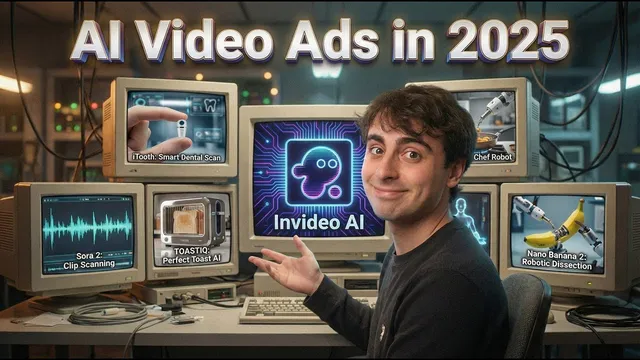
A live test centers on an absurd product: a wearable tooth implant called “iTooth.” The agent takes a short concept plus an uploaded reference image, then produces a ~37-second, premium-style ad with a full script, brand positioning, and scene-by-scene visuals. It also supports iterative refinement: after generation, the user can issue conversational edit commands—such as forcing the closing line to end with “in your mouth” and resizing the product when the reference scale is off. One edit works cleanly; another reveals a common failure mode in current AI video—sometimes the system “edits” by zooming or cropping rather than truly replacing the intended clip. Even so, the workflow is fast enough to make multiple passes practical.
To stress consistency, the transcript runs a second product demo: an “AI powered toaster” ad (“Toast IQ”). Here, the agent preserves the uploaded product details in the hero shots and maintains a coherent visual language across scenes, including a cinematic scanning effect and branded end cards. When a specific scene doesn’t match the toaster correctly, the user swaps only that segment’s media with new generative footage using a targeted instruction (e.g., describing a lighter/toast crumb sensing mechanism). The result is a more on-message explanation of the product’s sci-fi function, showing how agentic generation plus localized edits can outperform fully manual re-rendering.
Pricing becomes the deciding factor. The platform’s credit system ties cost to model choice and duration: on the Generative plan, a 20-credit iTooth ad is estimated at about $24. Lower tiers can be cheaper per month but provide fewer credits upfront, forcing add-ons for larger projects. The transcript also compares per-second rates across models used for different workflows: an in-house “Take One” beta charges roughly a quarter of a credit per second; Sora 2 is cheaper per second but Sora 2 Pro is far more expensive (and offers up to 1080p). VO3.1 with start and end frames lands near the high end of the cost spectrum. The practical takeaway is that “no watermark” and higher resolution don’t come free—quality and capability scale directly with compute.
Beyond the tests, the transcript argues that the real shift is architectural: InVideo’s agentic chat can swap in stronger image/video models (including nano banana-derived capabilities) and reuse generated assets from a media library, turning one-off generations into reusable production components. Still, friction remains—generation times can stretch to around an hour, plan structures feel complex, and users may need multiple iterations to nail scaling, logos, and scene continuity. The overall message: AI video agents are becoming usable for real ad workflows, but they’re not yet plug-and-play, and the bill arrives in credits.
Cornell Notes
AI video agents are evolving from basic text-to-video into full production assistants that generate scripts, search references, render footage, and then allow natural-language fixes. InVideo demonstrates this with ad-style tests for “iTooth” and “Toast IQ,” where the system produces branded, coherent videos and supports targeted edits like resizing the product or changing the final line. The workflow isn’t flawless—scaling and clip replacement can fail, sometimes resulting in zoom/crop rather than true scene changes. Costs hinge on credits and model choice: per-second rates vary widely across Take One, Sora 2, Sora 2 Pro, and VO3.1, and higher quality options can multiply the price. The practical value comes from combining agentic generation with quick, localized revisions rather than starting over each time.
How does an agentic workflow change what users have to do compared with traditional text-to-video?
What specific failure modes show up when relying on uploaded product references?
Why does localized editing matter for ad production?
How do model choice and resolution options affect cost in practice?
What does “no watermark” mean in this workflow, and how is it handled?
Review Questions
- When an agentic editor command doesn’t replace a clip correctly, what symptom should you look for, and how would you troubleshoot it?
- Compare the cost drivers across Take One, Sora 2, Sora 2 Pro, and VO3.1 as described—what changes most directly with model choice?
- In the iTooth and Toast IQ examples, what kinds of edits were easiest to get right, and what kinds were most likely to require multiple attempts?
Key Points
- 1
InVideo’s agentic chat workflow can generate a full ad script plus scene visuals from a short concept and uploaded references, then supports natural-language revisions.
- 2
Uploaded product references help, but scaling and logo placement still commonly drift, requiring timestamped fixes like resizing the hero product.
- 3
Conversational editing can correct specific wording and details, but sometimes “edits” behave like zoom/crop rather than true clip replacement.
- 4
Localized media replacement lets users fix one problematic scene (e.g., a toaster demo shot) without re-rendering the entire advertisement.
- 5
Credit economics depend heavily on model choice and duration; per-second credit rates vary widely across Take One, Sora 2, Sora 2 Pro, and VO3.1.
- 6
Higher quality options (such as Sora 2 Pro’s up-to-1080p output) can multiply cost, making experimentation expensive.
- 7
The platform’s value proposition is combining agentic generation with reusable assets in a media library, turning one-off outputs into iterative ad production.