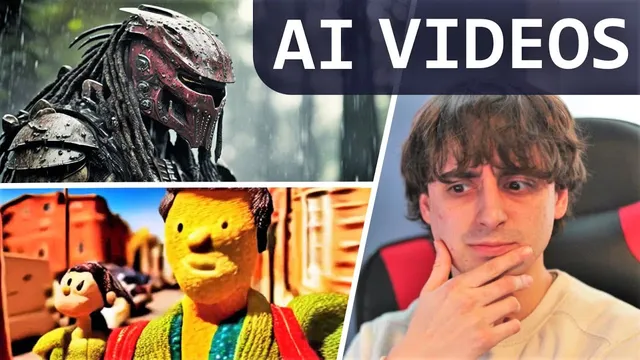
AI Video Generator Tool Brings ANY Idea to Life!
Based on MattVidPro's video on YouTube. If you like this content, support the original creators by watching, liking and subscribing to their content.
RunwayML’s gen 1 is positioned as a major leap toward practical AI video by using a video-to-video workflow that preserves composition while applying style and prompt-driven changes.
Briefing
Generative AI video is taking a major step toward “text-to-video” by shifting from prompt-only creation to a more controllable pipeline: RunwayML’s new gen 1 model can generate video in a chosen style while retaining the composition and look of an input image or prompt. The practical pitch is simple—start with something real (or a rough mock-up), then let AI fill in the motion and visual details—making video creation feel less like a blank-screen gamble and more like post-production.
RunwayML frames gen 1 as the next logical evolution after text-to-image breakthroughs such as latent diffusion, stable diffusion, and widely used text-to-image tools. Instead of generating an entire scene from scratch, gen 1 uses an approach Runway calls “video-to-video.” Users provide a target video source and then apply stylistic or structural changes derived from an image or text prompt. The result is new video content that keeps the original framing and action patterns while swapping the style, rendering quality, or specific elements.
Early use cases are organized into distinct modes. In stylization mode, the style of an image or prompt is applied across every frame of a video. Storyboard mode aims at turning mock-ups into fully stylized, animated renders—useful for creators who can sketch or block out scenes without being expert animators. Mask mode focuses on isolating subjects inside a video so they can be modified with text prompts, such as changing a dog’s fur; the transcript notes this is less impressive than other examples but still signals object-level editing. Render mode targets untextured or low-fidelity inputs, converting them into more realistic outputs by applying an input image or prompt. A further customization mode lets users tailor the model for higher-fidelity results, described as training a “custom gen 1 model” using a small set of test images.
A key example illustrates the workflow’s accessibility: filming a real train with a phone and then transforming it into different animated-film-like styles. The same concept extends to using everyday props—record yourself to create a stylized “monster” look, or film real-world objects and swap the visual treatment later. While coherence of complex city scenes is described as imperfect, the generated shots still capture intended elements (like skyscrapers) and camera moves such as slow zooms and pans, suggesting the system can approximate cinematic composition even when details aren’t fully consistent.
RunwayML also positions gen 1 as arriving from a company with an established toolkit. The transcript highlights that Runway offers free access and a suite of related AI features—DreamBooth-style training, image editing tools like erase/replace and outpainting (“infinite image”), and video-oriented tools—often described as stable diffusion–based under the hood. With gen 1’s early demos and an upcoming research paper, the emphasis is clear: video generation is moving from “cool previews” toward a practical creative workflow where ordinary users can iterate on ideas using real footage, mock-ups, and targeted edits rather than starting from nothing.
Cornell Notes
RunwayML’s gen 1 aims to make AI video creation more usable by using a “video-to-video” workflow. Instead of generating everything from a text prompt alone, gen 1 takes an existing video (or a rough input) and applies composition-preserving changes driven by an image or text prompt. The model is presented through modes such as stylization (style transfer across frames), storyboard (mock-ups to animated renders), mask (object-focused edits), render (untextured to realistic outputs), and customization (training a custom gen 1 model for higher fidelity). The approach matters because it turns video generation into something closer to creative iteration and post-production—starting with phone footage or simple props and transforming it later.
What makes gen 1 different from earlier “text-to-video” attempts?
How do stylization and storyboard modes change the workflow for creators?
What does mask mode enable, and what limitation is noted?
Why is render mode important for 3D or untextured inputs?
What does customization mode mean in practice for gen 1?
How does the transcript connect gen 1 to Runway’s broader product ecosystem?
Review Questions
- Which input types does gen 1 rely on for its “video-to-video” workflow, and how does that affect control compared with prompt-only generation?
- Match each gen 1 mode (stylization, storyboard, mask, render, customization) to the kind of creative task it supports.
- What tradeoffs or limitations are hinted at in the examples, such as coherence in complex scenes?
Key Points
- 1
RunwayML’s gen 1 is positioned as a major leap toward practical AI video by using a video-to-video workflow that preserves composition while applying style and prompt-driven changes.
- 2
gen 1 supports multiple modes—stylization, storyboard, mask, render, and customization—each targeting a different part of the creative pipeline.
- 3
Phone footage can serve as the starting point: filming a real object (like a train or a person) can be transformed into new animated styles.
- 4
Mask mode enables object-focused edits using text prompts, though the transcript suggests its results were weaker than other modes.
- 5
Render mode targets untextured or low-fidelity inputs, aiming to produce realistic outputs by applying an image or prompt.
- 6
Customization mode lets users train a custom gen 1 model using a small set of test images for higher-fidelity results.
- 7
RunwayML’s existing suite of AI tools (including stable diffusion–based text-to-image and editing features) frames gen 1 as an extension of an established creative platform.