An awesome update to queries
Based on CombiningMinds's video on YouTube. If you like this content, support the original creators by watching, liking and subscribing to their content.
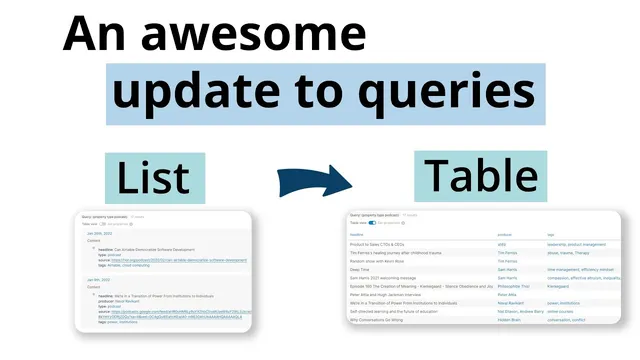
Logseq’s query update can render structured query results as tables, making metadata-heavy entries easier to scan and click through.
Briefing
Logseq’s latest query upgrade turns query results into real tables, making it far easier to scan, filter, and click through structured data stored in daily journals. The practical payoff is immediate: instead of getting a long list of records (or confusing blank rows when the queried property doesn’t exist), users can query a specific property type—like a “tweet” or “article”—and instantly view the results in a tabular layout where linked fields and tags are readable at a glance.
The transcript walks through the difference between a generic query and a property-driven one. When a query returns items that don’t share the relevant Logseq-defined properties, the table view fills with blank rows, which can look broken until the underlying schema is understood. Switching to a property-based query fixes that: querying for a property type such as “tweet” produces a table that includes the linked content and associated metadata. From there, the workflow becomes more useful than scrolling—shift-clicking a row opens the underlying page, and linked URLs can be accessed directly. This same pattern applies to journal content: entries created with a consistent “crumbs” metadata template (type, link, tags, and producer) become a searchable, table-friendly repository.
Books are used as a second example, revealing both the strength and a current limitation of the table output. Querying for “books” returns a clean set of results, but the table may not display the book title in the first column; instead, the first column can show the linked page/block, forcing users to open items to see details. A workaround appears tied to how metadata blocks are ordered: if the properties/metadata crumbs block isn’t positioned first within the book page, some books may not appear consistently in the table results. After adjusting the block order (and refreshing), missing entries return—suggesting the table feature depends on predictable placement of property blocks.
Beyond tables, the transcript highlights two additional query behaviors. First, text search supports quoted phrases (inverted commas) inside the desktop app, enabling precise matching—for example, searching for the word “objective” across the database. Second, indentation matters for hierarchical queries: if related links aren’t indented correctly, a query that expects a parent-child structure may return only the page that matches the correct sibling/child level. Re-indenting the content so the hierarchy aligns with the query’s expectations makes the missing page appear.
Overall, the update shifts queries from “find something” toward “manage and review structured information.” The table output rewards consistent metadata practices, and the indentation and quoted-text rules add precision—while the books example shows that a bit of schema discipline (and sometimes block ordering) is still required for fully seamless results.
Cornell Notes
Logseq’s query update can transform structured query outputs into tables, turning scattered journal entries into a scannable interface. Property-based queries work best: querying a property type (e.g., tweets, articles, books) produces meaningful rows, while querying items lacking those properties leads to blank rows. Book queries reveal a current dependency on how metadata/property blocks are placed—if the properties block isn’t first, some entries may not appear until block order is corrected and the database is refreshed. The transcript also notes two precision features: quoted text search using inverted commas and hierarchy-sensitive querying that depends on correct indentation. Together, these changes make database review faster, but they reward consistent metadata structure.
Why do some query-to-table results show blank rows?
How does a property-based query improve usability compared with a generic list?
What metadata consistency practices make table queries work well?
What limitation shows up with book queries, and what workaround is suggested?
How do quoted text and indentation affect query accuracy?
Review Questions
- What conditions lead to blank rows when converting query outputs into tables, and how can a user diagnose the cause?
- How can block ordering on a page affect whether items appear in a property-based table query (using the book example)?
- Why might a query return only one page when multiple pages seem to contain the right links, and how does indentation change the result?
Key Points
- 1
Logseq’s query update can render structured query results as tables, making metadata-heavy entries easier to scan and click through.
- 2
Table rows go blank when queried items lack the specific Logseq properties being requested; property-driven queries avoid this confusion.
- 3
Consistent metadata templates (like a “crumbs” block with type, link, tags, and producer) make table outputs more reliable and useful.
- 4
Book queries may show linked blocks rather than titles in the first column, so users may need to open rows to see details.
- 5
Some missing book entries appear to depend on placing the properties/metadata block first on the page; refreshing after reordering restores results.
- 6
Quoted text search using inverted commas supports more precise text matching in desktop app queries.
- 7
Hierarchy-sensitive queries depend on correct indentation; re-indenting content can change which pages match.