Anthropic Just Gave You 3 Tools That Work While You're Gone.
Based on AI News & Strategy Daily | Nate B Jones's video on YouTube. If you like this content, support the original creators by watching, liking and subscribing to their content.
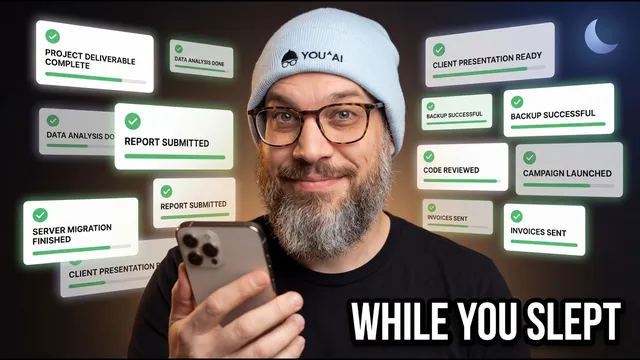
Dispatch is positioned as a shift from AI text generation to task completion while the user is away, emphasizing outcomes that land without extra editing.
Briefing
Anthropic’s Dispatch plus “computer use” turns Claude into a genuinely remote, always-on work agent—letting tasks run while someone is away, not just generate text to read later. The core shift is practical: instead of producing summaries or drafts that still require human follow-through, Dispatch is positioned as a way to schedule work, persist context across sessions, and even operate desktop apps (including tools without APIs) so completed outputs land when the person returns.
The argument centers on two “primitives” that make this possible. First is cloud scheduled tasks: Claude can run recurring jobs on Anthropic’s infrastructure even when a laptop is off, with configurable network access, environment variables, and setup scripts. The schedule is meant for hourly or multi-hour recurrence rather than constant polling, and it can plug into existing MCP-based integrations (Linear, GitHub, Slack, OpenBrain, Google Drive, and more) without reconfiguring connectors. Examples include waking up to AI news already parsed and condensed, monitoring flight prices on a schedule and alerting when routes drop below a threshold, and handling recurring personal obligations like bill reminders.
Second is persistence through Dispatch. While it’s easy to describe as “persistent chat on your phone,” the more consequential detail is orchestration: a mobile conversation can spawn and manage multiple Claude work sessions in parallel on the desktop. Each session keeps its own context, file access, and connectors, with the phone acting as the command surface and the desktop acting as the execution surface. That parallelism is framed as the real productivity unlock—freeing people from the dead time at the desk while Claude tokenizes or works through multi-step tasks. A key constraint remains: the desktop must be running, and there are early limitations like per-subtask folder access approvals, no direct file attachments from the phone, and no direct output return to the phone. Workarounds include syncing outputs through Google Drive or Dropbox. Complex multi-app tasks are also described as roughly a 50% success rate in early testing, which is why Dispatch is labeled a research preview.
The most builder-relevant piece is “computer use” for apps without MCP servers. Even though MCP is treated as the “universal USB” for AI integrations, coverage will never be complete. Dispatch and computer use aim to bridge that gap by enabling keyboard-and-mouse automation in a remote browser/session, so Claude can handle legacy systems and bespoke workflows—like pulling data from outdated Jira instances, ERP screens, or hard-to-integrate accounting portals—then deliver the results into a spreadsheet workflow.
Beyond product mechanics, the transcript pushes a management mindset: delegate the “open loops” that sit in people’s heads (promises, deadlines, missing minutes, overdue scope updates) and decisions that get made with too little information. The best use cases are framed as work that compounds over time via scheduled research and OpenBrain-style knowledge accumulation. The closing warning is psychological as much as technical: humans will need to trust that work is happening while they’re away, learning to “walk away” rather than repeatedly checking whether the agent is truly doing the job.
Cornell Notes
Anthropic’s Dispatch and “computer use” are presented as a shift from AI that produces readable text to AI that completes tasks while someone is away. The key enabling primitives are cloud scheduled tasks (recurring jobs run on Anthropic infrastructure) and Dispatch persistence (a phone can orchestrate multiple parallel Claude work sessions on a desktop). Together, they aim to move work off the desk—parsing news, monitoring prices, running developer workflows, and handling recurring obligations—without requiring constant human supervision. The transcript also emphasizes a major gap-filler: computer use for tools without MCP connectors, enabling automation of legacy or API-less workflows. The remaining constraints include desktop availability, approval friction for file access, limited phone-to-desktop file handling, and an early ~50% success rate for complex multi-app tasks.
What makes Dispatch different from “persistent chat,” and why does that matter for real productivity?
How do cloud scheduled tasks work, and what kinds of schedules are they meant for?
Why is MCP treated as important, and what happens when a tool doesn’t have an MCP connector?
What are concrete examples of “work off the desk” enabled by scheduled tasks?
What limitations and risks remain with Dispatch in this early stage?
How does the transcript define the “right” kind of agent work versus “fake work”?
Review Questions
- Which two “primitives” are presented as the foundation for Dispatch’s usefulness, and how does each one address a different gap in agent workflows?
- What constraints does Dispatch still have regarding desktop availability, file access approvals, and success rates for multi-app tasks?
- Give one example of a scheduled task and one example of a computer-use task, and explain what makes each example “work off the desk” rather than “fake work.”
Key Points
- 1
Dispatch is positioned as a shift from AI text generation to task completion while the user is away, emphasizing outcomes that land without extra editing.
- 2
Cloud scheduled tasks run recurring jobs on Anthropic infrastructure, enabling hourly/multi-hour automation even when a laptop is off.
- 3
Dispatch persistence is described as orchestration: a phone can spawn and manage multiple parallel Claude work sessions on a desktop.
- 4
Computer use is framed as the solution for apps without MCP connectors, enabling keyboard-and-mouse automation of legacy or API-less workflows.
- 5
Early limitations include desktop-on requirements, per-subtask folder approval, limited phone file handling, and an estimated ~50% success rate for complex multi-app tasks.
- 6
The recommended use pattern is management-style delegation: close “open loops” and gather more information for decisions, rather than relying on proactive briefings that add reading work.
- 7
A major adoption hurdle is human trust—people will need to walk away and trust the agent to do the work while they’re not watching.