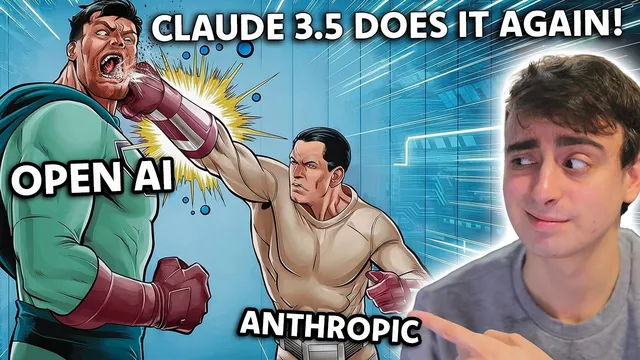
Anthropic KEEPS SHIPPING FEATURES! While Open AI Teases...
Based on MattVidPro's video on YouTube. If you like this content, support the original creators by watching, liking and subscribing to their content.
Anthropic’s Claude Artifacts can be published, remixed, and shared via links, turning model outputs into reusable building blocks.
Briefing
Anthropic is moving faster than OpenAI on practical, developer-facing tooling—especially through Claude “Artifacts” and a more hands-on API workbench—while OpenAI’s most visible advances remain largely out of reach for everyday users. The contrast is sharpened by ongoing uncertainty around OpenAI’s next major model release (rumors of GPT 5 slipping), alongside the lack of widely available access to Sora, which has reportedly been granted to commercial partners for ads rather than to creatives for experimentation.
At the center of Anthropic’s push is Claude 3.5 Sonet and its “Artifacts” feature: a shared workspace where Claude can generate and code inside a live environment while chatting. Users can publish these artifacts, remix them, and share the results with others—turning one-off demos into something closer to an evolving library. The transcript’s walkthrough starts with an online artifact (a crab-themed demo), then shows how a user can decorate it (top hat, gold chain, mustache, surfboard) and remix it into a new “dance party” variant. Claude produces working changes—altering visuals and adding interactive elements like music cues—then the user can publish and copy a link for others to use.
Beyond remixing, Anthropic’s developer console adds layers aimed at testing and iteration. The “workbench” area is described as a more controllable interface than the standard Claude chat experience, with explicit support for system prompts, variables, and prompt generation. In the demo, the user edits a system prompt to steer Claude toward an “evil AI” persona, showing that the workbench can override or reshape behavior more directly than the basic chat interface. Variables are then introduced as swappable inputs that let users run structured tests—such as generating a frog simulation prompt and changing frog stats, environment conditions, and actions to compare outcomes.
The “evaluate” tab is presented as a stress-testing engine: it can generate test cases automatically based on variable-driven prompts, producing new scenarios and running them to see how the model behaves under different conditions. The transcript illustrates this with a “frog sim” that’s first run in a normal mode and then reworked into a “hard mode” where the frog must survive a high-stakes rule set. Side-by-side comparisons show meaningful behavioral differences, including misinterpretation of environmental cues in the harder version.
While these capabilities won’t instantly replace mainstream software development, the transcript frames them as a missing piece in OpenAI’s current user experience: Anthropic is delivering a workflow where models can generate, test, and share interactive artifacts with less friction. The takeaway is competitive momentum—Anthropic iterating quickly with tools that feel usable now—while OpenAI’s roadmap remains more speculative and less accessible, despite broader industry activity from other players like Runway releasing a Gen 3 video model and OpenAI rolling out adjacent features such as a workshop API and playground-style tooling.
Cornell Notes
Anthropic’s Claude 3.5 Sonet is gaining momentum with “Artifacts,” a publishable and remixable workspace where the model can generate interactive code and users can share results via links. The transcript also highlights Anthropic’s developer console features: a workbench that offers stronger control over system prompts, plus variables and prompt generators to run structured experiments. An “evaluate” tab can automatically create test cases to stress-test prompts using real-world-like inputs, enabling side-by-side comparisons across scenarios. The practical significance is speed and usability: developers can iterate, test, and share model-generated interactive projects more directly than with basic chat interfaces. That workflow gap is positioned as a competitive pressure point against OpenAI’s more limited access to its latest tools.
What are Claude “Artifacts,” and why do they matter compared with a normal chat experience?
How does Anthropic’s workbench improve control over model behavior?
What role do variables play in the Anthropic workflow?
What does the “evaluate” tab do, and how is it used in the frog simulation example?
Why does the transcript treat “hard mode” prompt comparisons as especially useful?
Review Questions
- How do published and remixed Artifacts change the way users collaborate compared with one-off model outputs?
- In what ways do system prompts and variables differ in purpose when building and testing prompts?
- What kinds of failures or behavioral shifts does the “evaluate” tab help uncover in the frog simulation workflow?
Key Points
- 1
Anthropic’s Claude Artifacts can be published, remixed, and shared via links, turning model outputs into reusable building blocks.
- 2
Claude Artifacts support interactive, code-like demos that users can modify (e.g., transforming a crab demo into a dance-party version).
- 3
Anthropic’s workbench offers stronger, more explicit control over system prompts than the basic chat interface.
- 4
Variables enable structured prompt experiments by swapping inputs without rewriting the entire prompt.
- 5
Prompt generators can create variable-driven simulations (like a frog world) to support rapid testing and comparison.
- 6
The evaluate tab can automatically generate test cases and stress scenarios using variable inputs, enabling side-by-side comparisons.
- 7
The competitive framing centers on accessibility and iteration speed: Anthropic’s tooling is positioned as more immediately usable than OpenAI’s currently limited access to its latest capabilities.