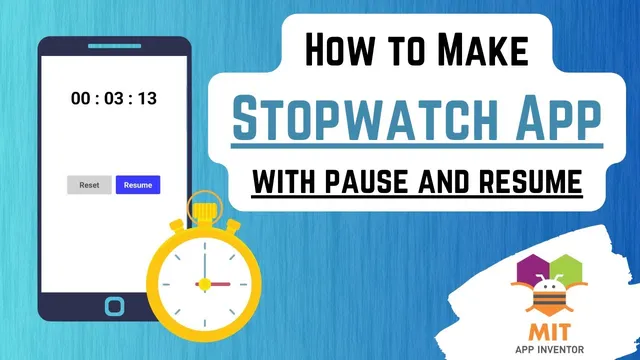
App Inventor Stopwatch Tutorial | Pause/Resume Stopwatch | Stopwatch App Inventor | MIT App Inventor
Based on Obsidian Soft's video on YouTube. If you like this content, support the original creators by watching, liking and subscribing to their content.
Set the Clock component’s timer interval to 10 ms to update the stopwatch display every centisecond.
Briefing
A stopwatch built in MIT App Inventor can match Android-style minute/second/centisecond counting while adding a practical resume feature—so stopping doesn’t erase progress. The core approach is to track two timestamps: when the stopwatch starts (start time) and when it’s paused (pause time). A clock component then updates the display every centisecond by computing the elapsed duration from those stored times, while the Start/Stop button toggles between running, pausing, and resuming.
The tutorial starts by designing a clean UI: a large time label, a Reset button, and a single Start/Stop button that changes text and color (Start → Stop → Resume). Two horizontal arrangements center the controls, and a Clock component is added as an invisible timer. The Clock is configured with timer enabled turned off initially, timer always fires unchecked, and a timer interval of 10 milliseconds—chosen so each tick corresponds to 1 centisecond.
On the logic side, global variables are created to manage state. start time stores the device time when counting begins. pause time stores the device time (or effectively the elapsed duration at pause) when counting stops. A Boolean timer started tracks whether the stopwatch is currently running, which drives the Start/Stop button behavior. For consistent formatting, a custom procedure format time pads single-digit values with a leading zero (so “1” displays as “01”).
When the Start/Stop button is clicked, an if/else block checks timer started. If the stopwatch isn’t running yet, the app sets start time to clock.Now, flips timer started to true, enables the Clock timer, updates the button to show “Stop,” and disables Reset. If the stopwatch is running, the app disables the Clock timer, changes the button to “Resume,” re-enables Reset, and sets timer started back to false. The resume feature is handled in the next Start/Stop click: if pause time is zero (first run or after reset), start time becomes clock.Now; otherwise, start time is recalculated by subtracting the saved pause duration from the current time.
The Clock’s Timer event performs the live display update. It computes a time duration using clock.Duration between the stored start time and the current time. The label text is assembled as “MM : SS : CC,” with modulo math to keep seconds within 0–59 (e.g., 220 seconds → 40 seconds via mod 60). Centiseconds are derived from milliseconds by taking modulo 1000, dividing by 10, and rounding. Reset clears everything by setting timer started to false, pause time to 0, the time label back to 0 0 : 0 0 : 0 0, and the Start/Stop button back to “Start.” The result is a fully functioning stopwatch with pause/resume behavior that preserves elapsed time instead of restarting from zero.
Cornell Notes
The stopwatch uses MIT App Inventor’s Clock component to update a time label every 10 ms (1 centisecond). Two global variables—start time and pause time—control elapsed-time calculations and enable a true resume feature. The Start/Stop button toggles between running and paused states, changing its text/color and enabling/disabling Reset accordingly. During each Clock Timer tick, the app computes elapsed duration from clock.Now and formats minutes, seconds, and centiseconds using modulo arithmetic and a helper procedure that pads single digits with leading zeros. Reset restores all state so the next start begins from 00:00:00.
How does the app make the Clock update at centisecond resolution?
What do start time and pause time represent, and how do they enable resume?
Why is modulo used for seconds, and what problem does it solve?
How are centiseconds computed from milliseconds?
What does the format time procedure do, and where is it used?
What does Reset change to fully restore the stopwatch state?
Review Questions
- If pause time is not zero when the Start/Stop button is pressed, what calculation adjusts start time so the stopwatch resumes correctly?
- How does the app ensure seconds never exceed 59 in the displayed time?
- Which Clock properties are set to control when the timer begins firing and how often it updates?
Key Points
- 1
Set the Clock component’s timer interval to 10 ms to update the stopwatch display every centisecond.
- 2
Use global variables start time and pause time to preserve elapsed time across pause/resume.
- 3
Drive the Start/Stop button with a Boolean timer started so the same button can switch between Start, Stop, and Resume states.
- 4
Format minutes and seconds with a helper that pads single digits using a leading zero.
- 5
Compute seconds with modulo 60 to keep the display in the 00–59 range.
- 6
Derive centiseconds from milliseconds by using modulo 1000, dividing by 10, and rounding.
- 7
Reset must clear both pause time and the display, and restore button state so the next start begins at 00:00:00.