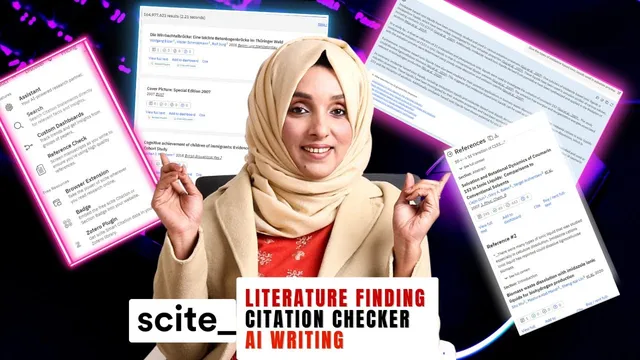
Automate Research Writing With One AI Tool | All in One AI Tool | Scite.ai
Based on Dr Rizwana Mustafa's video on YouTube. If you like this content, support the original creators by watching, liking and subscribing to their content.
Scite.ai is positioned as an all-in-one platform for literature search, citation analysis, library building, and reference health checking.
Briefing
Scite.ai positions itself as an “all-in-one” research-writing platform that reduces the need to juggle multiple tools by handling literature discovery, citation analysis, library building, and reference verification in one subscription. Instead of only searching for papers, it focuses on citation intelligence—extracting and analyzing citation statements across a massive corpus—so researchers can assess whether sources truly support, contradict, or remain unrelated to a claim.
The pitch centers on scale and trust signals: Scite.ai cites “1.2 billion citation statements” extracted and analyzed from “187 million articles, book chapters, paper prints and database” and claims adoption by top institutes, publishers, and corporations worldwide. For academic writers, the practical promise is straightforward: use Scite.ai to find relevant literature, assemble citations into a library, and check authenticity and quality from multiple angles before finalizing a manuscript.
Workflow begins with login and a free trial, followed by subscription purchase (with a discount code mentioned for later). From there, the interface is organized around an assistant and multiple products under one umbrella. A typical research flow starts by searching literature using titles, abstracts, and related fields, then refining results based on the user’s topic or “cury” (the transcript’s term for the research query/context). Search results are presented with citation health and highlighted sections tied to the user’s query, letting writers quickly judge which papers contain relevant citation statements.
A key feature is citation statement-level confidence. The platform surfaces individual citation statements and assigns a confidence level (described as matching the system’s classification with “99%” confidence when relevant). Users can flag statements they believe are not relevant to their query. For deeper sourcing, clicking into a paper reveals its title, references, and the ability to download the source, along with how those references are cited within the broader literature.
Scite.ai also supports library management and ongoing discovery. Users can build customized dashboards, store literature in a cloud-based library, and avoid manual folder hunting. The transcript describes extracting citations from PDFs (e.g., DOIs) to populate a library automatically. It also mentions integrations with reference managers such as Zotero and Mendeley: users can connect accounts, select papers, and then receive new updates on the chosen topic so they “never miss” new research.
Beyond building a reading list, Scite.ai evaluates the health of citations inside a document. Users upload a manuscript or reference list to run a reference check, which returns whether cited works are “good,” retracted, or flagged with issues like editorial concerns, bias, or excessive repetition. Finally, an AI writing assistant feature helps generate an outline or “story” by using user-provided headings and queries, drawing on Scite.ai’s database to produce literature and a corresponding set of references and publications to support the draft.
Cornell Notes
Scite.ai is presented as an all-in-one research writing tool that combines literature search, citation statement analysis, library building, and reference health checks. It emphasizes citation intelligence at scale, including “1.2 billion citation statements” analyzed across “187 million” scholarly items, and it highlights confidence scoring for how citation statements match a user’s research query. Users can search by title/abstract, inspect citation health (supporting, contrasting, or unclassified), and flag irrelevant statements. The platform supports cloud-based libraries, PDF/DOI citation extraction, and integrations with Zotero and Mendeley for importing papers and tracking new publications. It can also upload a document to evaluate whether references are strong or potentially problematic (e.g., editorial concerns, retractions, bias, or repetition).
How does Scite.ai help researchers evaluate whether a source truly supports a claim?
What does the literature search workflow look like inside Scite.ai?
How does Scite.ai turn a collection of papers into a usable research library?
What does “reference check” mean in the platform’s workflow?
How does the AI writing assistance feature fit into the research process?
Review Questions
- What are the main ways Scite.ai helps a writer validate citations before submission?
- How do citation statements and “citation health” differ in the platform’s workflow?
- What integrations and library features are described for importing and tracking research updates?
Key Points
- 1
Scite.ai is positioned as an all-in-one platform for literature search, citation analysis, library building, and reference health checking.
- 2
Search results include query-relevant citation health and highlighted sections to help writers quickly judge evidence quality.
- 3
Citation statements come with a confidence score (described as up to 99% when relevant), and users can flag mismatches.
- 4
Scite.ai supports cloud-based libraries, automatic citation extraction from DOIs/PDFs, and integrations with Zotero and Mendeley.
- 5
A reference check can analyze an uploaded document to flag retractions or editorial concerns and assess citation strength, bias, and repetition.
- 6
An AI assistant can generate an outline-backed literature narrative using user-provided headings and queries, along with recommended references.