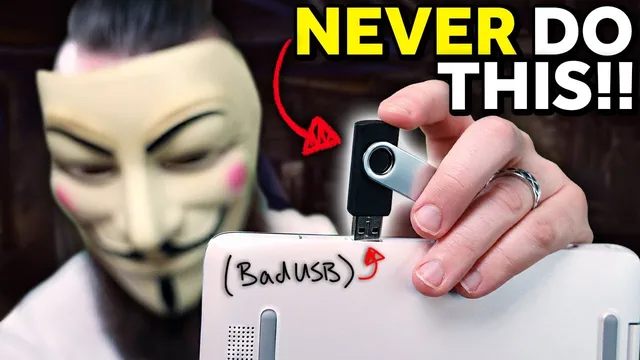
bad USBs are SCARY!! (build one with a Raspberry Pi Pico for $8)
Based on NetworkChuck's video on YouTube. If you like this content, support the original creators by watching, liking and subscribing to their content.
Bad USB devices enumerate as HID keyboards/mice, so computers treat injected input as legitimate user actions rather than file storage.
Briefing
Bad USB devices turn a simple “plug in a USB drive” moment into a fast, automated keyboard takeover—capable of disabling security software, triggering reverse shells, or playing disruptive pranks—often before anyone notices. The core danger is that computers treat these devices as Human Interface Devices (HID), the same category used for keyboards and mice, which means the system effectively “trusts” the input as if a person typed it.
The transcript demonstrates the risk with quick, hands-off examples: plugging in a malicious USB leads to Windows Defender being disabled, followed by a reverse shell opening on a laptop. The attack doesn’t require visible user interaction because the device can inject keystrokes through the operating system’s normal input pathways. Even when the payload is “just” a Rickroll, the impact can be sticky—audio keeps playing and typical controls may not stop it—highlighting how little time defenders have once the device is connected.
Effectiveness comes from two factors. First, HID trust: when a normal flash drive appears, the computer routes it through file storage workflows. A bad USB instead presents itself as an HID keyboard/mouse, so the operating system routes the traffic as legitimate user input. Second, speed: humans type roughly 50–75 words per minute, while the device can simulate input around 1,000 words per minute. That gap matters when an attacker relies on the victim leaving a computer unlocked or unattended; the malicious sequence can complete before the user realizes anything is happening.
The practical build section focuses on two approaches. The “classic” option is the USB Rubber Ducky from Hak5, a purpose-built bad USB that uses Duckyscript—commands that simulate keyboard actions. The cheaper alternative is a Raspberry Pi Pico (about $5) configured to behave like a bad USB using CircuitPython and an HID library. Setup involves installing CircuitPython onto the Pico, adding the HID support package, and placing a payload script (named code.py for the Pico) so the device runs immediately on connection.
For the Rubber Ducky route, scripts are typically encoded into an inject.bin payload using a web-based encoder, then copied onto the device’s microSD storage. For the Pico route, the payload can be pasted as a Python script and placed into the Pico’s root directory as code.py, with a caution that it may execute as soon as it’s written—meaning editing can accidentally trigger the attack.
Defenses emphasized in the transcript are largely behavioral and policy-based. The simplest rule: don’t plug unknown USB devices into computers. Lock the workstation when stepping away (e.g., Windows Key + L), because a locked screen and password barrier can prevent the HID-injected actions from succeeding. For organizations, the transcript recommends reducing administrative exposure via least privilege and requiring password prompts for admin actions—implemented through Windows registry policy changes or group policy—so malicious keystroke sequences can’t silently elevate privileges.
Overall, the message is that bad USBs exploit everyday habits and default trust in input devices. With the right configuration, a $5 microcontroller can behave like a keyboard at machine speed, turning curiosity-driven USB plugging into a high-risk intrusion path.
Cornell Notes
Bad USBs work by pretending to be a keyboard or mouse (HID), so the computer treats the input as legitimate human interaction. That trust, combined with machine-speed keystroke injection (around 1,000 words per minute), lets a malicious device run payloads before a user notices—such as disabling Windows Defender, opening a reverse shell, or playing disruptive Rickroll-style pranks. The transcript shows two build paths: the USB Rubber Ducky (using Duckyscript encoded into inject.bin) and a cheaper Raspberry Pi Pico configured with CircuitPython and an HID library to run a payload as code.py. Defense centers on not plugging in unknown USB devices, locking computers when away, and tightening admin permissions so injected actions can’t silently approve elevated access.
Why is a bad USB more dangerous than a normal USB flash drive?
How does typing speed change the attacker’s odds?
What’s the difference between the USB Rubber Ducky approach and the Raspberry Pi Pico approach?
Why can editing a Pico-based payload be risky?
What practical defenses reduce the impact of bad USB attacks?
What role does administrative access play in these attacks?
Review Questions
- What two technical properties make HID-based bad USB attacks especially effective against unattended computers?
- Compare how Duckyscript/inject.bin execution differs from the Pico’s code.py execution model.
- Which policy changes (least privilege and admin consent prompts) directly target the privilege-elevation step in many bad USB payloads?
Key Points
- 1
Bad USB devices enumerate as HID keyboards/mice, so computers treat injected input as legitimate user actions rather than file storage.
- 2
Machine-speed keystroke injection (around 1,000 words per minute) can complete payloads before a user notices, especially when the machine is left unlocked.
- 3
The USB Rubber Ducky uses Duckyscript encoded into inject.bin, while a Raspberry Pi Pico can be configured with CircuitPython and an HID library to run a payload as code.py.
- 4
Editing a Pico payload can accidentally trigger the attack because the device may execute code immediately upon connection.
- 5
The most reliable user defense is refusing unknown USB devices and locking the workstation when stepping away (e.g., Windows Key + L).
- 6
Organizational defenses should enforce least privilege and require password-based admin consent prompts rather than one-click approvals.
- 7
Admin rights are often the gating factor for successful payloads; removing or restricting those rights reduces the attack’s effectiveness.