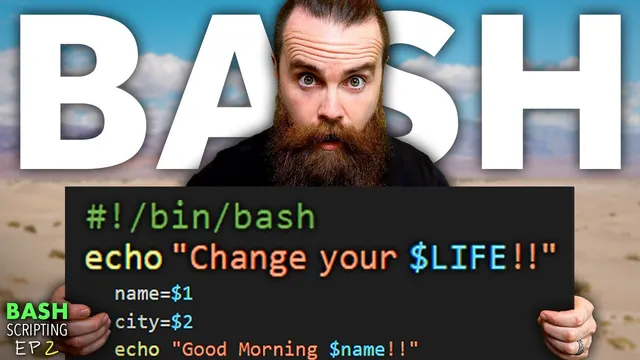
BASH scripting will change your life
Based on NetworkChuck's video on YouTube. If you like this content, support the original creators by watching, liking and subscribing to their content.
Start with a simple executable Bash script using a shebang, echo, sleep, and chmod +x to create a repeatable daily routine.
Briefing
A Bash script can do far more than print a motivational message—it can personalize the greeting, pull in live system information, and even fetch dynamic details like IP addresses, weather, and a daily joke. The core idea is to build a “best day ever.sh” script that starts by encouraging the user, then upgrades itself into a small automation tool that feels tailored to whoever runs it.
The walkthrough begins with a simple script that prints three lines (with a customizable name and a “bonus” message), pauses between messages using sleep, and then is made executable with chmod. Running it immediately demonstrates the payoff: the script becomes a repeatable ritual for starting the day. From there, the script is generalized using a variable named “name,” so the same file can greet different people without editing every occurrence of a hard-coded string.
Next comes the first big automation step: instead of manually changing the variable inside the script, the script asks the user for input. Using read, it prompts “What is your name?” and stores the response in the name variable. That single change turns the script into something interactive—anyone can run it and get a personalized greeting.
The lesson then adds command-line flexibility through positional parameters. By accepting arguments after the script name, the script can map the first argument to $1 and the second to $2. A practical example replaces a generic “beard” compliment with a user-supplied second parameter, so the greeting can be customized per person and per message. This is the shift from “one script for one person” to “one script that adapts to whoever calls it.”
Finally, the script evolves again by storing command output inside variables. Using command substitution with $(...), it captures results from whoami, pwd, and date—then prints a longer status line like “You are currently logged in as …” and “You are in the directory …” and “Also today is …”. The script becomes both motivational and informative, combining user input, command-line arguments, and real-time system context.
The closing tease points to an even more elaborate end result: when run, the improved script can report the user’s private IP address, public IP address, the weather for a chosen city, and a dad joke of the day—turning a morning pep talk into a lightweight daily dashboard driven entirely by Bash scripting.
Cornell Notes
The “best day ever.sh” Bash script starts as a simple greeting tool, then becomes interactive and context-aware. Variables let the script reuse a single “name” value across multiple echo lines, avoiding repetitive edits. read prompts the user for input at runtime, while positional parameters ($1, $2, etc.) let command-line arguments customize different parts of the message. The script further upgrades by capturing command output into variables using $(...), pulling in whoami, pwd, and date so the greeting also reports current system context. This matters because these techniques turn Bash from “text output” into practical automation that can personalize and inform every run.
How does a Bash script become personalized without editing hard-coded names everywhere?
What’s the difference between setting a variable manually and getting it from the user at runtime?
How do positional parameters ($1, $2) make the script customizable from the command line?
How can Bash variables hold the output of commands like whoami or date?
Why does combining variables, read, positional parameters, and command substitution change what Bash scripts can do?
Review Questions
- In what situations would you choose read name over using $1 for the user’s name?
- Write the command substitution pattern used to store command output in a variable, and name two commands from the lesson that were captured this way.
- If a script uses $1 and $2, what happens when you run it with only one argument?
Key Points
- 1
Start with a simple executable Bash script using a shebang, echo, sleep, and chmod +x to create a repeatable daily routine.
- 2
Replace repeated hard-coded strings with variables (e.g., name) so one change updates every greeting line.
- 3
Use read to prompt for input at runtime, making the script interactive for any user.
- 4
Use positional parameters ($1, $2, etc.) to customize parts of the output directly from the command line.
- 5
Capture live command output into variables with $(...) to make the script informative (e.g., whoami, pwd, date).
- 6
Combine input methods (read and positional parameters) with command-derived variables to build scripts that feel personalized and context-aware.
- 7
Extend the concept beyond greetings by adding dynamic features like IP lookup, weather retrieval, and a daily dad joke.