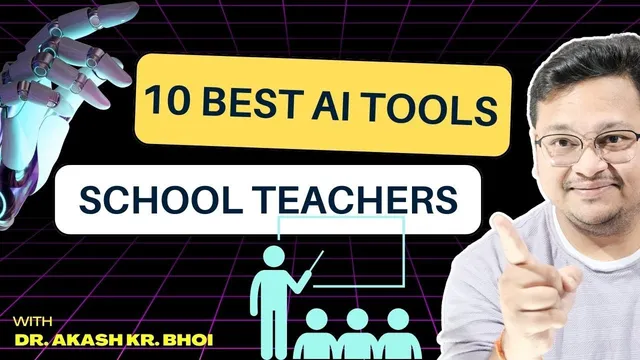
Best AI Tools for School Teachers || Hindi
Based on eSupport for Research's video on YouTube. If you like this content, support the original creators by watching, liking and subscribing to their content.
Duet AI is positioned as an end-to-end lesson and unit planning assistant that can generate objectives, assessments, and student-centered classroom activities like quizzes and polls.
Briefing
School teachers, college instructors, and even administrators get a practical shortlist of AI tools aimed at cutting time spent on lesson planning, assessment, content creation, and academic integrity checks. The core pitch is that many of these platforms bundle multiple classroom workflows—so a single login can support planning, quizzes, presentations, grading, and student-facing materials—often with free or trial access and upgrade paths when institutions want more.
The list begins with Duet AI, positioned as a “smarter not harder” assistant for building lesson and unit plans. It can generate learning objectives, assessments, and lesson-plan components while supporting student-centered approaches such as independent practice, cooperative learning, quizzes, test preparation, self-assessment, polls, and project-based assessment. The emphasis is on managing these tasks in one place—creating structured lesson content and classroom activities without starting from scratch.
Next comes MagicSchool, described as a multi-role platform where teachers and students can manage details. For teachers, it supports generating items like rubrics and letters of recommendation, and it can help create lesson plans and multiple quizzes. The pitch also highlights a free trial option, with the implication that educators can test core workflows before upgrading.
Canva is presented as a favorite for visual work: designing diagrams, creating certificates, editing images (including background removal), and producing flyers. The workflow described includes using AI to generate presentation-style content and slide decks, then customizing with images and interactive elements—useful for explaining concepts in a more graphical way.
A major segment focuses on Quiz/assessment automation tools built around content inputs. One tool described can take a link to a published article or paper, then generate questions and answers—framed as a quiz maker that can also decode a paper’s main components (for example, extracting key ideas about a topic like skin and skin diseases) into quiz-ready content. The transcript also mentions an extension that can solve or guide steps in a structured manner, plus an AI writer option for related writing tasks.
Academic integrity is addressed through Turnitin, described as an AI/“homework helper” workflow that helps detect whether student submissions appear AI-generated or copied from multiple sources. The transcript stresses that this requires an institutional setup: students and faculty accounts are created through a school or university procurement process rather than personal sign-ups.
Finally, GradeScope is highlighted for grading and assessment management, especially for paper-based exams. It supports question-wise grading and allows instructors to send results and correct answers to students quickly, with additional analysis features. The list closes with Evernote for organizing research and class notes, plus ChatGPT as a general-purpose assistant for drafting lesson-plan frameworks and brainstorming structured work—paired with a caution about bias and the need to verify that generated answers are accurate and not fabricated.
Overall, the takeaway is a workflow stack: plan (Duet AI), create visuals and materials (MagicSchool, Canva), generate quizzes from content (quiz/assessment tools), grade efficiently (GradeScope), check integrity (Turnitin), and organize everything (Evernote), with ChatGPT as a flexible brainstorming and framework builder.
Cornell Notes
The transcript recommends a set of AI tools for school and university work, emphasizing “multi-module” platforms that streamline planning, teaching materials, assessments, grading, and integrity checks. Duet AI is positioned for generating lesson and unit plans—learning objectives, assessments, and student-centered activities like quizzes, polls, and project-based tasks. MagicSchool is described as a teacher/student platform that can generate rubrics, recommendations, and multiple quizzes, with free trials available. Canva is recommended for diagrams, certificates, flyers, and slide-style presentations, including AI-assisted generation. For evaluation, the transcript highlights quiz-generation tools that can turn articles or papers into question sets, GradeScope for paper-based grading, and Turnitin for detecting AI-generated or copied work—typically requiring institutional accounts.
How does Duet AI help teachers beyond just writing text?
What kinds of teacher tasks does MagicSchool target?
Why is Canva singled out in the list?
How do the quiz-generation tools work according to the transcript?
What’s the difference in purpose between Turnitin and GradeScope?
What cautions are raised when using ChatGPT-like tools for lesson planning?
Review Questions
- Which tool(s) in the transcript are most directly tied to lesson/unit planning, and what specific outputs are mentioned (e.g., objectives, rubrics, quizzes)?
- What workflow is described for turning a paper or article into quiz questions, and what input does the system require?
- How do Turnitin and GradeScope differ in their roles for assessment and student submissions?
Key Points
- 1
Duet AI is positioned as an end-to-end lesson and unit planning assistant that can generate objectives, assessments, and student-centered classroom activities like quizzes and polls.
- 2
MagicSchool is described as a teacher/student platform that can generate rubrics, letters of recommendation, lesson plans, and multiple quizzes, with free trial access mentioned.
- 3
Canva is recommended for classroom visuals—diagrams, certificates, flyers, and image editing such as background removal—plus AI-assisted slide/presentation creation.
- 4
Quiz-generation tools are described as capable of producing question-and-answer sets from inputs like links to published articles or papers, including extracting key components into quiz form.
- 5
Turnitin is framed as an academic integrity checker for AI-generated or copied work, typically requiring institutional accounts rather than personal sign-ups.
- 6
GradeScope is highlighted for efficient grading of paper-based exams, including question-wise grading and rapid feedback to students.
- 7
Evernote is recommended for organizing class notes, research documents, scheduling, and project-related materials, while ChatGPT is used for brainstorming lesson-plan frameworks with a bias/accuracy caution.