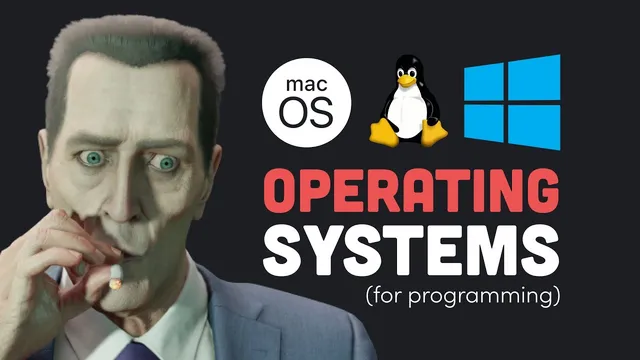
Best OS for programming? Mac vs Windows vs Linux debate settled
Based on Fireship's video on YouTube. If you like this content, support the original creators by watching, liking and subscribing to their content.
macOS is praised for Unix foundations and developer tools shipped out of the box (Zsh, Git, Vim), plus Homebrew for managing development software.
Briefing
Choosing an OS for programming comes down to one practical reality: the operating system shapes your daily workflow for years, and it also determines what kind of developer you end up becoming—whether you stay in a polished, locked-down ecosystem (macOS), chase broad hardware compatibility and familiar tooling (Windows), or accept a steeper learning curve to gain deep control (Linux).
On macOS, the hardware is portrayed as the strongest option, but the trade-offs are steep. The cost is high even for basic upgrades, and the machines are difficult to modify because RAM, storage, and GPUs are limited or soldered in. That “walled garden” extends into software: building for iOS or Apple Vision Pro typically requires owning a Mac, and repairs can mean going through Apple due to glued components. The software side is framed as the real win for programmers—macOS is Unix-based, ships with developer-friendly tools like Zsh, Git, and Vim, and uses a clean file system model. Package management via Homebrew makes it easier to install and manage development tools, and the system is designed to avoid endless customization rabbit holes so users can focus on coding. The downside is that macOS can feel restrictive if someone wants to tinker deeply.
Linux is positioned as the “king” of the server world and the best training ground for serious computer work. Most cloud infrastructure runs Linux, largely because it’s free, open source, and reliable. The reason it’s less common on personal desktops is complexity: users must pick a distribution family (Debian, Arch, Red Hat/GNU variants), then choose a specific distro, then select a desktop environment (GNOME, KDE), and often work heavily in the terminal—resolving dependencies, compiling from source, and managing permissions. The payoff is flexibility and learning: customizing the system teaches how computers work, and Linux’s ecosystem can boost productivity once the learning curve is cleared. Specialized security-focused distros like Kali Linux are mentioned as examples.
Still, Linux has real friction. Commercial software support—especially Adobe products—plus drivers for many games and hardware are described as weak or missing, and Linux’s single-digit personal-computer market share means many developers ignore it by default. The transcript also notes that Linux isn’t the only open-source kernel option (OpenBSD, Minix, and others are referenced), but going off the mainstream can make everything harder. Heavy manual configuration can also make systems brittle, leading to time-consuming debugging.
Windows is treated as the most pragmatic choice for many developers, especially because it’s not trapped to a single hardware lineup. It can be installed on a wide range of machines, making upgrades like RAM, CPU, and GPU straightforward. The major critique is the onboarding and surveillance angle: Windows Pro is described as costly, bundled with unwanted Microsoft software, and tied to Microsoft accounts for ongoing access. Windows also pushes Copilot-style AI features.
The turning point for Windows is Windows Subsystem for Linux (WSL), which runs a full Linux distro inside Windows rather than relying on emulation. That’s presented as a “best of both worlds” solution: developers can use Linux terminal tools and even run Linux GUI apps like VLC. WSL isn’t perfect and can be slow or buggy, but it reduces the need to dual-boot. The final decision is framed as a playful flow chart: if someone is rich, macOS; if someone has a girlfriend/life, Windows; if someone wants an OS designed by God, Linux; otherwise, TempleOS is offered as the punchline.
Cornell Notes
The transcript argues that the “best OS for programming” depends on trade-offs between hardware freedom, ecosystem lock-in, and learning depth. macOS is praised for Unix foundations and developer tools out of the box (Zsh, Git, Vim) plus easy package management via Homebrew, but it’s expensive and hard to upgrade or repair. Linux is framed as the most valuable long-term skill-builder because most servers run it and it offers maximum customization, though it demands choices (distribution family, distro, desktop environment) and heavy terminal work; software and driver support can lag. Windows is criticized for cost, bundled software, and account requirements, but Windows Subsystem for Linux (WSL) is presented as a practical bridge—running a full Linux distro inside Windows so developers can use Linux tools without switching machines.
Why does macOS get a strong score for programming despite hardware and repair drawbacks?
What makes Linux powerful for developers, and what makes it hard to start?
Which Linux limitations are highlighted for everyday desktop use?
How does Windows Subsystem for Linux (WSL) change the Windows vs Linux decision?
What’s the transcript’s “flow chart” logic for choosing an OS?
Review Questions
- If you value maximum customization and want to mirror server environments, which OS is recommended and why?
- What specific role does WSL play in making Windows competitive for Linux-based development workflows?
- List two reasons macOS is convenient for programming and two reasons it can be frustrating for hardware upgrades or repairs.
Key Points
- 1
macOS is praised for Unix foundations and developer tools shipped out of the box (Zsh, Git, Vim), plus Homebrew for managing development software.
- 2
macOS hardware is described as expensive and difficult to upgrade or repair, with limited options for RAM, storage, and GPUs.
- 3
Linux is framed as the best long-term skill builder because most cloud infrastructure runs it and it enables deep customization, but it requires distribution choices and terminal-heavy setup.
- 4
Linux desktop adoption is held back by weaker support for some commercial software (including Adobe products) and limited drivers for games and hardware.
- 5
Windows is criticized for cost, bundled Microsoft software, and account requirements, but it becomes more attractive with Windows Subsystem for Linux (WSL).
- 6
WSL runs a full Linux distro inside Windows, enabling Linux terminal tools and Linux GUI apps (e.g., VLC) without dual-booting.
- 7
The transcript’s final choice is presented as a decision tree based on budget, lifestyle priorities, and willingness to embrace Linux’s complexity.