Book workflow, introduction to The Archive, & saved searches • The Archive App Notes #3
Based on Zettelkasten's video on YouTube. If you like this content, support the original creators by watching, liking and subscribing to their content.
Deep-work “debug days” use a book-centered workflow that starts from overview entry points and bookmarked nodes to route new notes quickly.
Briefing
Deep-work “debug days” drive a two-track workflow inside The Archive: a constant stream of incoming notes and a focused, book-centered mode for processing annotations into a structured knowledge system. On deep-work mornings, the workflow starts with a specific book and a specific topic—here, analytical psychology and archetypes—then funnels those reading notes into tightly organized “department” notes so the archive stays coherent instead of turning into a searchable dumping ground.
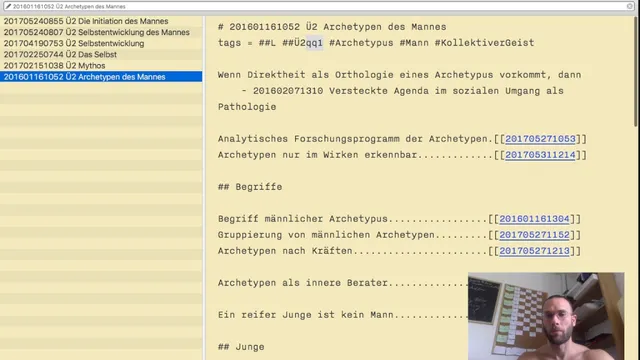
The process begins with an overview entry point. The user opens the archive’s omnibox and triggers a quick command (e.g., “qq1”) to land on a set of overview notes that function like a category system. For the book being worked on, a “bookmark” mechanism is used: typing a short trigger (e.g., “qp1”) reveals a curated set of linked nodes (the six bookmarked nodes) that act as the starting map for where new notes from the book should go. This avoids repeatedly re-choosing where content belongs and keeps the reading-to-writing loop tight.
A key decision shapes how the book is integrated. Some books get a dedicated “book note” that mirrors chapters and includes page numbers and links to related notes. But not every book earns that treatment. If the book is unlikely to be revisited, the workflow favors integrating insights into a broader department (for example, “psyche” or “deep psychology”) rather than creating a permanent, book-specific structure. In the example, archetypes like “King” and “Boy” are treated as psychological material tied to the collective unconscious, so notes are anchored to the psyche department instead of the book itself.
When creating new notes, the workflow distinguishes between “ontological” notes (focused on the energy or theme of a concept) and topic-tagged material. The user argues that heavy reliance on broad keyword searching becomes impractical at scale—citing an example where searching a general term could yield an unmanageable number of results. Instead, notes are written with intentional tags and placed under the right conceptual department so retrieval happens through structure and triggers, not brute-force search.
Finally, saved searches are introduced as a performance and convenience layer. Rather than typing the same search repeatedly, the archive supports “save searches” that bind a search definition (title and search terms) to a hotkey. The workflow emphasizes that this is especially valuable when working within a small, recurring department: saved searches jump directly into the relevant subset of notes, reducing friction and keeping attention on synthesis.
Overall, the workflow treats the archive like an instrument for deep work: bookmarks and department notes provide navigation, ontological framing preserves conceptual cleanliness, and saved searches turn repeat retrieval into one keystroke—so reading annotations become durable, connected knowledge instead of scattered fragments.
Cornell Notes
The Archive workflow uses deep-work “debug days” to turn book annotations into structured notes anchored in conceptual departments like psyche and archetypes. Instead of relying on keyword search, it uses overview entry points, bookmarks (triggered nodes), and “ontological” note framing to keep the archive clean and navigable. Some books get dedicated book notes with chapter/page links, but less-returnable books are integrated into broader departments to avoid clutter. Saved searches add a hotkey-based shortcut for recurring retrieval tasks, preventing repeated manual searching. The result is faster navigation, better conceptual organization, and less time spent hunting for notes.
How does the workflow decide where notes from a book should go?
Why create a dedicated “book note” for some books but not others?
What’s the role of “ontological” notes versus topic-tagged notes?
What problem does the workflow associate with heavy reliance on search?
How do saved searches change day-to-day retrieval?
What does the workflow optimize for during deep work?
Review Questions
- When would a book-specific note be avoided in favor of integrating content into a broader department, and what benefit does that choice provide?
- How do bookmarks and overview entry points reduce the need for repeated searching during a multi-week reading project?
- What criteria make a saved search worth creating, and how does a hotkey-based approach change retrieval compared with manual search?
Key Points
- 1
Deep-work “debug days” use a book-centered workflow that starts from overview entry points and bookmarked nodes to route new notes quickly.
- 2
Some books earn dedicated book notes with chapter/page links, but books unlikely to be revisited are integrated into broader department notes to prevent clutter.
- 3
The archive is organized around conceptual departments (like psyche/archetypes) so retrieval relies on structure rather than broad keyword search.
- 4
“Ontological” notes emphasize the core theme/energy of a concept, helping keep notes conceptually clean and easier to connect.
- 5
Heavy keyword searching is treated as inefficient at scale because broad terms can generate unmanageable result sets.
- 6
Saved searches turn recurring queries into hotkey shortcuts, reducing friction and keeping attention on synthesis.
- 7
Tags and triggers (e.g., primary focus notes) guide navigation so the user can move from an active archetype to linked notes efficiently.