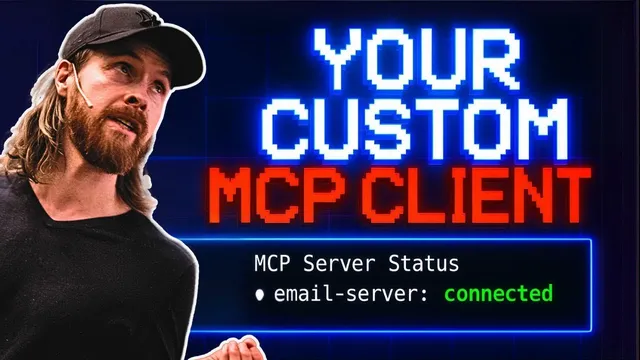
Build a MCP Client with Gemini 2.5 Pro: Here's How
Based on All About AI's video on YouTube. If you like this content, support the original creators by watching, liking and subscribing to their content.
Connect a custom MCP client to multiple MCP servers by routing tool calls through a backend that knows each server’s configuration and expected data structures.
Briefing
A custom MCP client can be built end-to-end—connecting multiple MCP servers, adding conversational memory, and even turning tool results into spoken responses—so users get a tailored experience instead of a generic chat UI. The walkthrough starts with a working proof: one MCP server provides email actions (e.g., listing the latest emails), while another fetch server returns information from a URL. Calls route through a Python-based MCP client, confirming that tool invocation and results retrieval work across servers.
From there, the project shifts to building a local client with a modern web stack. The process begins by pulling MCP “quick start” documentation for client developers and feeding it into Gemini 2.5 Pro to generate a Node/React TypeScript (TSX) project structure. The developer then wires a backend server to an existing local MCP email server by pointing the client configuration to the email server’s built index.js path. Early runs surface connection and formatting issues—such as the web client disconnecting from the MCP server—then get resolved by aligning the frontend’s expected data structure with what the backend returns.
Once the basic client can list emails and fetch URL-based information, the next limitation appears: follow-up questions fail because the system doesn’t retain conversation context. The fix is practical and explicit: include recent message history in each query, modify the backend endpoint to accept front-end history, and pass that history through to the MCP service. After this change, the client can handle contextual follow-ups like extracting the “from” address and returning only the relevant part of the prior result.
The walkthrough then adds a voice layer using OpenAI text-to-speech. The backend is updated to route responses through an OpenAI TTS model, while the frontend plays the resulting audio. Because raw tool output can be verbose or poorly formatted for voice, the system also introduces a summarization step: it condenses each MCP call’s output into a short, natural response suitable for spoken delivery. The result is demonstrated with email-related prompts—identifying the latest email from Chris, summarizing a discount offer, and generating a concise spoken summary rather than reading everything returned by the email tool.
By the end, the client supports tool use (email and fetch), contextual memory for multi-turn interactions, and voice responses that summarize key details. The broader takeaway is that building a local MCP client offers control over cost and behavior—memory, databases, UI, and speech—without being locked into a server-only workflow. The final examples show the client can summarize an email about “Vibe coding,” then respond to a follow-up request (“teach me Vibe coding in 20 seconds”) by sending a new email containing a short guide, with the spoken output staying brief and conversational.
Cornell Notes
The walkthrough builds a custom MCP client that connects to multiple MCP servers (an email server and a fetch server), then upgrades it from a basic tool-calling UI into a more usable assistant. After wiring the backend to the local MCP server and aligning frontend data handling, the client gains multi-turn capability by passing recent chat history to the backend and onward to the MCP service. It then adds voice output using OpenAI text-to-speech, but improves usability by summarizing tool results into short, natural phrases before converting them to speech. The result is a controllable local client that can be extended with memory, databases, and custom interaction patterns.
How does the project verify that an MCP client can call multiple tools across servers?
Why do follow-up questions initially fail, and what change fixes it?
What wiring step is needed to connect the backend to an existing local MCP email server?
How does the voice feature work, and why is summarization necessary?
What user experience improvements are demonstrated after adding memory and voice?
Review Questions
- What specific mechanism is used to provide conversational context across multiple turns, and where does that history get passed?
- Describe the role of the backend in connecting to a local MCP server and how the frontend must align with the backend’s returned data structure.
- Why does the system summarize MCP outputs before text-to-speech, and what problem would occur without that step?
Key Points
- 1
Connect a custom MCP client to multiple MCP servers by routing tool calls through a backend that knows each server’s configuration and expected data structures.
- 2
Resolve connection and formatting issues by aligning the frontend’s expected response schema with what the backend returns from MCP calls.
- 3
Enable multi-turn follow-ups by sending recent message history from the frontend to the backend and then into the MCP service.
- 4
Add voice output by converting assistant/tool results to audio using OpenAI text-to-speech, then playing the audio in the client UI.
- 5
Improve voice usability by summarizing MCP tool outputs into short, natural phrases before TTS conversion.
- 6
Use local client control to tailor behavior (memory, speech, UI) and potentially manage cost compared with cloud-only approaches.