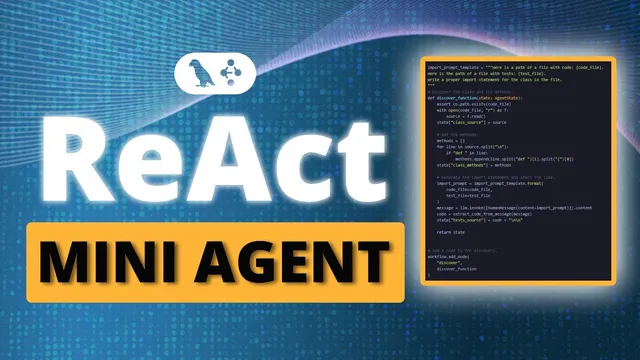
Building a LangGraph ReAct Mini Agent
Based on Sam Witteveen's video on YouTube. If you like this content, support the original creators by watching, liking and subscribing to their content.
Use a single reasoner node to decide tool usage, rather than creating separate graph nodes for each tool category.
Briefing
A simple LangGraph pattern—one “reasoner” node plus a single prebuilt “tools” node—can replace sprawling agent graphs full of separate nodes for each tool call. The core idea is a loop: the model decides whether it needs a tool, routes to a tools node when it does, feeds the tool result back into the model, and repeats until no further tool use is required. This keeps agent design clean while still enabling multi-step reasoning with search, arithmetic, and custom tools.
The walkthrough starts with a function-calling version of a ReAct-style workflow. It defines a set of tools—arithmetic functions (multiply, addition, divide) and a Duck Duck Go search tool—then binds those tool definitions to a chat model so the model can choose which tool to call via function calling. A system message instructs the assistant to use search and perform arithmetic. Instead of building a complex graph with many conditional branches, the design uses a single custom node called the “reasoner.” That node takes a message state (LangGraph’s add-to-a-list message container), runs the model with the current conversation history, and appends the model’s output to the message list.
Routing is handled by LangGraph’s prebuilt components. A prebuilt tools node executes whichever tool the model requests. A prebuilt “tools condition” function acts as the conditional edge: it inspects the last AI message to determine whether the model requested a tool. If a tool call is present, the graph routes to the tools node; if not, it routes to the end state. After the tools node returns results, an edge sends control back to the reasoner, creating the loop. Because the full message history is preserved, the model can chain tool calls—using search results as inputs to arithmetic, or using one tool result to decide the next tool call.
A first demo shows the loop in action for a compound query: “two times Brad Pitt’s age.” The model searches for Brad Pitt’s age via Duck Duck Go, then uses the arithmetic tools to multiply by two, producing the final numeric answer. The transcript notes that the model’s intermediate age value may vary slightly, but the arithmetic chain still yields the correct final result.
The second half demonstrates extending the same pattern with a custom tool and, optionally, a custom state graph. A Yahoo finance-style tool (“get stock price”) is added to fetch the previous close for a ticker symbol. Rather than relying entirely on a prebuilt graph, the example shows how to define a custom graph structure while keeping the same overall node count: reasoner node plus the prebuilt tools node. The model can then perform multi-step tool sequences, such as finding which company Jensen Huang leads, retrieving Nvidia’s stock price, and optionally applying arithmetic (e.g., doubling the price). The result is a compact agent that can act like a ReAct loop, but implemented through function calling and LangGraph’s routing utilities.
Overall, the pattern matters because it reduces design complexity: one reasoner node can orchestrate many tools, and the loop handles repeated tool use without proliferating graph branches. The same sub-graph can also be reused inside larger applications to supply information on demand.
Cornell Notes
LangGraph can implement a ReAct-like agent using function calling with just two moving parts: a single “reasoner” node and a tools node. The reasoner runs the LLM on the accumulated message history and decides whether a tool call is needed. A conditional edge (“tools condition”) routes to the tools node when the last AI message includes a tool request; otherwise the workflow ends. After the tools node returns results, the graph loops back to the reasoner, enabling multi-step chains like search → arithmetic or search → stock lookup → math. This approach keeps graphs small while still supporting custom tools such as a Yahoo finance-style “get stock price” function.
Why does the “one reasoner node + tools node” pattern prevent agent graphs from becoming overly complex?
How does LangGraph decide whether to call a tool after the reasoner runs?
What role does message history play in enabling multi-step tool chains?
How are arithmetic and search combined in the function-calling ReAct pattern?
How does adding a custom tool (Yahoo finance-style stock lookup) change the workflow?
Review Questions
- What specific mechanism in LangGraph determines whether the workflow routes to the tools node or ends after the reasoner runs?
- In the pattern shown, how does the model obtain the intermediate facts needed for multi-step computations like “two times Brad Pitt’s age”?
- When introducing a custom tool such as “get stock price,” what changes are required in the graph setup versus the overall loop structure?
Key Points
- 1
Use a single reasoner node to decide tool usage, rather than creating separate graph nodes for each tool category.
- 2
Bind all tool definitions (search, arithmetic, and custom tools) to the chat model so function calling can select the right tool.
- 3
Rely on LangGraph’s prebuilt tools node to execute whichever tool the model requests.
- 4
Use the prebuilt “tools condition” conditional edge to route to tools only when the last AI message includes a tool call.
- 5
Send tool outputs back into the reasoner and loop until the model stops requesting tools.
- 6
Preserve message history via LangGraph’s message state so the model can chain tool results into later decisions.
- 7
You can keep the same loop while swapping in a custom state graph to add flexibility (e.g., adding a Yahoo finance-style tool).