Building an Interactive Python Map (Pt 1) - Web Scraping Wikipedia
Based on Liam Gower's video on YouTube. If you like this content, support the original creators by watching, liking and subscribing to their content.
Define the exact data fields needed before scraping so the pipeline stays focused and the DataFrame stays clean.
Briefing
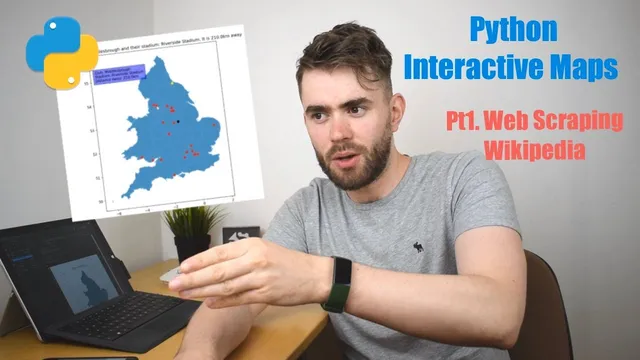
The project’s core idea is to turn a static UK map into an interactive planning tool for EFL Championship fans: plot all 24 clubs on a UK map, then make each point clickable so it reveals the club, its stadium, and the distance from the viewer’s current location. The practical “win” in the first installment is how the club and stadium data gets pulled automatically from Wikipedia—so the map can be built without manually copying tables into code.
After framing the motivation—relegation from the Premier League becoming a reason to plan future match trips—the creator lays out a multi-stage build. Data collection comes first, followed by distance and direction lookups via Google Maps API, then geographic mapping, data manipulation with JSON/pandas/geopandas, and finally interactive visualization using matplotlib. This first video focuses tightly on the initial data-collection step: extracting the relevant club list and stadium names from a Wikipedia table.
The approach starts with a clear requirement: before scraping, decide what fields matter. For this project, the table needs club names and stadiums (with other columns available but not required for the next steps). Wikipedia is chosen because it provides a structured table on the EFL Championship page, including club and stadium information.
Programmatically, the workflow uses three Python tools in sequence. First, `requests` sends an HTTP GET request to fetch the Wikipedia page’s HTML and stores the response. Second, `BeautifulSoup` parses that HTML into a navigable structure (described as a parse tree), enabling targeted queries rather than sifting through raw markup. Third, pandas converts the extracted HTML table into a DataFrame using `read_html`, producing a manageable dataset.
To locate the exact table, the workflow relies on browser inspection tools: right-clicking the table in Chrome’s developer tools reveals the HTML tag and a specific class attribute (notably `wikitable sortable`). That class becomes the filter criterion in BeautifulSoup—find the table with that class, capture its HTML, and then hand it to pandas.
Once the DataFrame is created, the process filters down to only the columns needed for the project (club and stadium, plus whatever additional fields are retained for later steps). The scraping logic is then wrapped into a reusable function, `get_efl_team_data`, which fetches the latest table from Wikipedia, parses it, filters it, and returns a DataFrame representing teams indexed from 0 to 23.
By the end of this installment, the project has a clean, automated starting dataset: the 24 EFL Championship clubs paired with their stadiums. That dataset becomes the foundation for the next stages—adding coordinates and distances via Google Maps API, then building the interactive UK map and click-driven information display.
Cornell Notes
The project builds an interactive UK map for the EFL Championship by first automating club-and-stadium data collection from Wikipedia. The key move is using `requests` to fetch the Wikipedia HTML, `BeautifulSoup` to parse and locate the specific table (identified via Chrome inspection and the table class `wikitable sortable`), and pandas `read_html` to convert that table into a DataFrame. The result is a reusable function, `get_efl_team_data`, that returns the 24 clubs (0–23) with their associated stadiums. This matters because it eliminates manual data entry and ensures the map can be updated by re-running the scraper before adding distances, plotting, and interactivity.
Why does the workflow start by deciding which fields to scrape from Wikipedia?
How do `requests` and `BeautifulSoup` work together in this scraper?
What technique identifies the exact Wikipedia table to scrape?
How does pandas turn the scraped HTML table into usable data?
What does wrapping the logic into `get_efl_team_data` accomplish?
Review Questions
- What specific HTML element/class does the scraper use to locate the EFL Championship table on Wikipedia?
- Describe the end-to-end data path from an HTTP GET request to a filtered pandas DataFrame.
- Why is filtering to only the needed columns an important step before distance lookups and plotting?
Key Points
- 1
Define the exact data fields needed before scraping so the pipeline stays focused and the DataFrame stays clean.
- 2
Use `requests` to fetch Wikipedia page HTML via an HTTP GET request.
- 3
Parse the HTML with `BeautifulSoup` so the code can query structured elements rather than scanning raw markup.
- 4
Use browser inspection tools to identify the table’s HTML attributes (class `wikitable sortable`) and target the correct table.
- 5
Convert the extracted HTML table into a pandas DataFrame with `read_html`, then filter to the columns required for the project.
- 6
Encapsulate scraping logic in a function like `get_efl_team_data` to make the dataset refreshable and reusable.