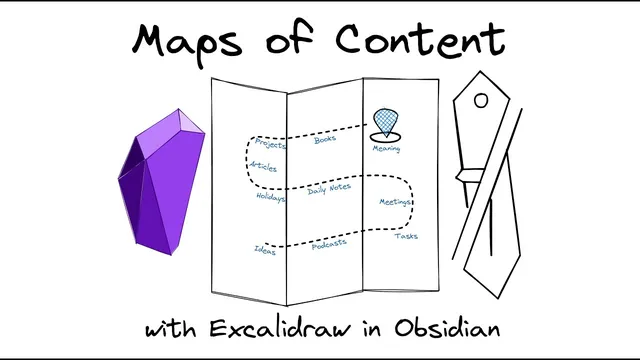
Building Visual Maps of Content with Excalidraw in Obsidian
Based on Zsolt's Visual Personal Knowledge Management's video on YouTube. If you like this content, support the original creators by watching, liking and subscribing to their content.
Create MoC pages in Obsidian based on a context-driven structure imported from The Brain, using indexes and journal-linked trails as the underlying logic.
Briefing
The core takeaway is a practical workflow for turning Obsidian into a “visual index” system by building Maps of Content (MoCs) with Excalidraw—so navigation feels closer to The Brain’s graph-based experience than Obsidian’s default graph view. Instead of treating MoCs as static diagrams, the approach links every node in the drawing to real Obsidian notes, making the map an interactive part of the knowledge system.
The process starts with an existing organizational model built in The Brain: indexes and contexts anchored by a daily journal. Journal entries act as a chronological backbone, with related thoughts hanging off each day’s entry so users can follow trails from a central node. Index pages come in multiple forms—chronological, geographical, relational—while context pages function like MoCs, serving as entry points into clusters of related thinking.
After importing The Brain archive into Obsidian, the creator finds Obsidian’s graph view powerful but less structured and clear than The Brain. Excalidraw becomes the bridge: it enables a clean, well-structured visual map that still behaves like a first-class Obsidian navigation surface.
To build a new MoC page (for example, “learning and development”), the workflow begins by creating a dedicated page in Obsidian and using Excalidraw to generate the file. The next step is to insert wiki links from the imported notes into the drawing. This is done by opening Obsidian and The Brain side by side, then using Obsidian’s command palette “insert link” (with a hotkey set to Ctrl Shift K) to add links to the relevant imported thoughts. The creator emphasizes speed and completeness first: add the links to get the structure in place, then refine layout and aesthetics afterward.
Once the nodes are linked, the map is organized visually. Notes are grouped and rearranged to add structure, and in some cases the creator expands the map by including related “distant relatives” of the main context—pulling in additional thoughts that still belong to the learning-and-development orbit.
To make the MoC easier to scan, icons are added using a two-source approach: inspiration from Noun Project and recombined/modified sketches from a stencil library. Emojis may also be integrated directly into the drawing for certain themes (such as online learning). The payoff is that Excalidraw maps integrate tightly with Obsidian features—Craft view backlinks, hover previews, and link navigation all work—so the map is not just an illustration but an active interface.
Finally, the creator adds a link back to the home MoC (though backlinks can also provide that connection). The result is framed as “digital brain gardening”: regular sketchnoting and map maintenance that makes navigation more efficient, creative, and enjoyable while keeping the system grounded in linked notes rather than disconnected visuals.
Cornell Notes
The workflow builds interactive Maps of Content in Obsidian using Excalidraw, aiming to replicate The Brain’s clearer visual navigation. After importing an archive from The Brain, a new MoC page is created and populated by inserting wiki links to the imported notes directly into the Excalidraw canvas. Links are added first with minimal structure, then the layout is refined through grouping and rearranging nodes, sometimes expanding the map with related notes. Icons and occasional emojis are added using a mix of Noun Project inspiration and a personal stencil library. Because Excalidraw drawings fully integrate with Obsidian, backlinks, hover previews, and link navigation work as part of the map, turning diagrams into a functional index.
How does the system decide what goes into a Map of Content (MoC) page?
What is the key technical step that makes the Excalidraw map more than a picture?
Why does the workflow add links first and only later adjust aesthetics?
How are visual organization and expansion handled once the initial links are in place?
What’s the approach to icons, and why does it matter?
What Obsidian features are expected to work with these Excalidraw MoCs?
Review Questions
- When building a new MoC in Obsidian with Excalidraw, what sequence of steps helps ensure the map stays structurally correct before you refine layout?
- What role do wiki links play in turning an Excalidraw drawing into an interactive index within Obsidian?
- How do contexts and indexes differ in the creator’s organizational model, and how does the daily journal function within that model?
Key Points
- 1
Create MoC pages in Obsidian based on a context-driven structure imported from The Brain, using indexes and journal-linked trails as the underlying logic.
- 2
Use Excalidraw to generate a dedicated drawing file for each MoC so the visual map lives inside the Obsidian vault.
- 3
Populate the Excalidraw canvas by inserting wiki links to imported notes (hotkey Ctrl Shift K) rather than placing unlinked text nodes.
- 4
Add all relevant links first, then refine the map by grouping and rearranging nodes for clarity.
- 5
Expand selectively by adding related “distant” notes that still belong to the same context neighborhood.
- 6
Add icons using Noun Project inspiration plus a personal stencil library, and optionally include emojis for thematic cues.
- 7
Rely on Excalidraw’s integration so backlinks, hover previews, and link navigation work directly from the map.