Can ONE App Run Your Life? (Testing Amplenote’s LifeOS)
Based on Tiago Forte's video on YouTube. If you like this content, support the original creators by watching, liking and subscribing to their content.
Amplenote’s LifeOS is organized around a four-stage funnel—jots, notes, tasks, and calendar—to move only the right information toward execution.
Briefing
Amplenote’s “LifeOS” pitch lands on a simple test: can one app handle capture, organization, tasking, and scheduling without forcing constant copy-and-paste between separate tools? After importing existing notes and highlights, then running a full project—from collecting information to setting calendar blocks—the workflow comes together as a single, connected system where notes become tasks and tasks become scheduled commitments.
The setup starts with migration and ingestion. Evernote exports are imported in bulk, then Readwise highlights are pulled in via an Amplenote plugin so each book or article becomes its own note. From there, the interface is organized around an “idea execution funnel” with four stages: jots (raw, quick captures), notes (refined items), tasks (actionable commitments), and calendar (time-blocked execution). The key operational claim is that not everything captured should move forward; the system is designed to winnow and prioritize so only a small portion becomes scheduled work.
To stress-test the system, the project chosen is high-stakes and multi-dimensional: planning a “zero gravity flight” involving a 747 parabolic flight. The capture phase uses two frictionless channels. First, an email-to-note address routes an email into Amplenote; a tag added in the email subject (“zero g”) becomes a handle for later filtering. Second, a browser clipper captures text and excerpts from a flight-organizing site, storing them as notes.
Organization then happens inside a project page. A project note is created, tagged as a project, and visually styled. The captured materials are pulled in automatically using an AI co-pilot plugin: by searching for notes mentioning “zero gravity” in titles, the system inserts relevant notes as links into the project content. This turns scattered inputs into a curated project hub.
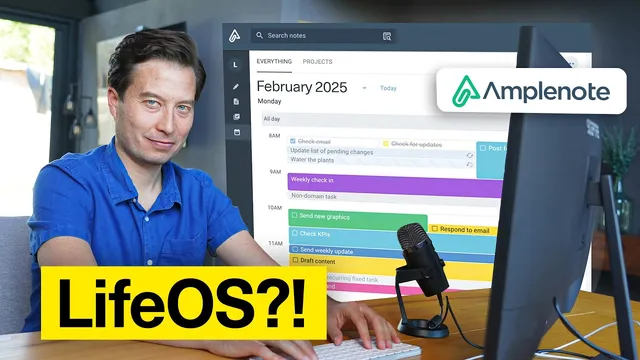
Tasking and scheduling are where the “all-in-one” claim becomes concrete. Tasks are created directly in the project using structured commands, including rich footnotes to tuck away extra details. Recurring work (core exercise twice a week) is set to reschedule automatically when completed. The calendar view is synced with Google Calendar, and tasks filtered by the project tag appear with status cues—overdue items show up in red and recurring tasks move forward when marked done.
Dependencies keep the plan coherent: “invite friends and family” stays hidden until “contact Zog for pricing and dates” is completed using a blocking feature. Priority is handled through an “urgent” marker that boosts task ordering via an internal task score. Finally, tasks are scheduled by dragging them onto the calendar; completing the blocker task automatically reintroduces the dependent invite task.
The verdict is cautious but clear. After about a week of using Amplenote end-to-end, the appeal is less about replacing every tool and more about removing the friction of juggling separate systems. The system’s opinionated funnel—designed to move information through capture, refinement, action, and time-blocking—reduces decision fatigue and helps focus on progress toward goals. The result is an integrated workflow that keeps projects, tasks, and calendar commitments aligned in one place.
Cornell Notes
Amplenote’s LifeOS is tested as an end-to-end system for running a project: capture information, organize it into a project, convert it into tasks, and schedule those tasks on a calendar. The workflow is built around an “idea execution funnel” with four stages—jots, notes, tasks, and calendar—so only the right items advance to execution. A zero-gravity flight project demonstrates ingestion from Evernote and Readwise, plus capture via email-to-note and a browser clipper. Organization uses an AI co-pilot to insert relevant linked notes into the project. Task management includes recurring tasks, overdue indicators, task dependencies (blocking), priority boosting, and calendar drag-and-drop scheduling synced with Google Calendar.
How does Amplenote turn raw inputs into something executable?
What mechanisms make capture fast enough to support daily use?
How does the project page avoid becoming a messy dumping ground?
What features keep task planning coherent when tasks depend on each other?
How does Amplenote handle scheduling and status without forcing separate tools?
Review Questions
- What are the four stages in Amplenote’s idea execution funnel, and what kinds of items belong in each stage?
- In the zero-gravity project, how are email and web captures turned into notes, and how are those notes later pulled into the project hub?
- Explain how task dependencies and priority interact in the project workflow (including what happens when a blocker task is completed).
Key Points
- 1
Amplenote’s LifeOS is organized around a four-stage funnel—jots, notes, tasks, and calendar—to move only the right information toward execution.
- 2
Bulk importing from Evernote and ingestion via the Readwise plugin provide a practical starting point rather than a blank slate.
- 3
Email-to-note and a browser clipper create fast capture paths, with tags (added in email subject lines) enabling later filtering.
- 4
Project pages can be populated automatically by an AI co-pilot that inserts relevant notes as links based on search criteria.
- 5
Tasks support recurring scheduling, overdue status indicators, and priority boosting that reorders tasks using a task score.
- 6
Blocking dependencies can hide downstream tasks until upstream prerequisites are completed, then automatically reintroduce them.
- 7
Calendar scheduling is integrated with Google Calendar sync, allowing drag-and-drop time-blocking directly from the task workflow.