Can THIS be the best tool to manage your CRM & contacts? | Notion & Clay
Based on The Organized Notebook's video on YouTube. If you like this content, support the original creators by watching, liking and subscribing to their content.
Clay imports contacts from connected apps like Gmail and Google Calendar and keeps them updated in real time.
Briefing
Clay positions itself as an automated CRM and contact manager that pulls people in from tools like Gmail and Google Calendar, then keeps relationship context up to date—without manually re-adding contacts. After connecting an account, Clay imports contacts in real time and enriches each person with signals such as when they were last contacted, how often interactions happened, and a “network strength” indicator that helps gauge how close someone is. It also supports a “reconnect cadence,” letting users set (or let Clay decide) whether follow-ups should be weekly, monthly, quarterly, yearly, or disabled—turning a static address book into an ongoing relationship workflow.
Beyond contact capture, Clay adds a layer of operational visibility through homepage notices and notifications. Users can see how many contacts were added via email, discover relationships inferred from the contact graph, and receive prompts during the day about when to reconnect. Settings expand the system further: Clay can connect to multiple integrations, control notification frequency (daily brief, weekly digest, and more), switch between light and dark mode, and support downloads for iOS or Windows. For teams, it supports adding members and organizing contacts into groups, including group-specific reconnect cadences and color coding.
A standout feature is “Nexus,” which answers questions about a contact list—such as identifying who speaks French—so users can mine their network for actionable leads rather than scrolling through records. Clay also supports manual entry for people not found through integrations, capturing details like bio, headline, gender, birthdays, addresses, social profiles, organization, and personal notes from meetings.
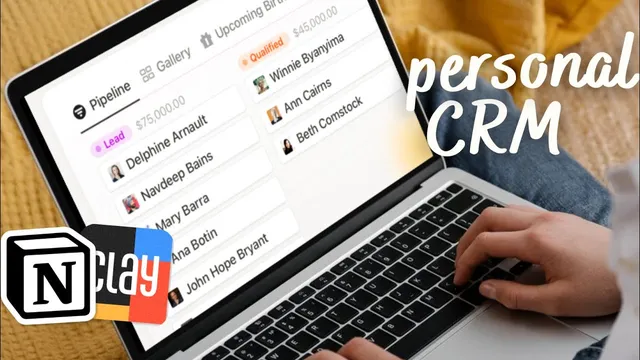
The most consequential development in this walkthrough is Clay’s integration with Notion. Once Notion access is granted, Clay syncs into a pre-configured “Clay contacts” database inside Notion. The sync is one-way: Clay pushes updates into Notion, but users are warned not to edit the Clay-synced database directly. Notion then becomes a customizable front end—users can view contacts in gallery or calendar formats (including upcoming birthdays), see cities, closest relationships, and recent outreach, and use Clay data inside other Notion databases.
A practical example shows how to relate a Notion table to Clay contacts: a Notion database can store its own records while a relation field links to Clay contacts, and rollups can pull in Clay properties like bio and contact strength. This approach effectively fills a gap in Notion, which lacks native contact-tracking capabilities, by letting users attach Clay’s relationship intelligence to any Notion workflow—whether that’s a gift tracker, CRM pipeline, or other team system.
Clay’s pricing is structured around a free plan offering up to 1,000 contacts, plus a Pro plan with unlimited contacts and one-on-one onboarding priority support. The overall pitch is straightforward: Clay centralizes relationship management in one place, automates updates from existing apps, and extends those insights into Notion for flexible organization—while keeping the integration intentionally one-way to protect the integrity of the synced database.
Cornell Notes
Clay acts as an automated CRM that imports contacts from connected apps like Gmail and Google Calendar and keeps relationship data current in real time. For each person, it tracks interaction history (last contacted, frequency, recency), provides a “contact strength”/network-strength signal, and can recommend follow-ups using a configurable reconnect cadence. Clay also supports groups, team members, and “Nexus” queries to find people by attributes (e.g., who speaks French). The key addition is a Notion integration: Clay syncs into a pre-built Clay contacts database inside Notion, but the flow is one-way—users should not edit the synced Clay database directly. That synced database can then be related and pulled into other Notion systems using relations and rollups.
How does Clay build and maintain a contact list without manual re-entry?
What relationship-management features go beyond storing contact information?
What can users do inside Clay to organize contacts for personal or team workflows?
How does the Notion integration work, and what are the rules for editing?
How can Clay data be used inside other Notion databases (not just the synced contacts table)?
Review Questions
- What specific contact signals does Clay track for each person, and how do those signals feed into reconnect recommendations?
- Why is the Clay-to-Notion sync described as one-way, and what editing restrictions does that imply?
- How do relations and rollups in Notion allow Clay’s contact data to be reused inside a separate custom database?
Key Points
- 1
Clay imports contacts from connected apps like Gmail and Google Calendar and keeps them updated in real time.
- 2
Each contact record includes interaction history (last contacted, frequency, recency) plus a network/contact-strength indicator.
- 3
Clay’s reconnect cadence turns relationship management into scheduled follow-ups, with options ranging from weekly to yearly or automatic.
- 4
Clay supports organization features including groups, team members, pre-configured CRM/address-book views, and “Nexus” queries for attribute-based discovery.
- 5
The Notion integration syncs Clay contacts into a pre-built Clay contacts database using a one-way flow from Clay to Notion.
- 6
Notion users can extend Clay data into other databases by relating records to Clay contacts and using rollups to pull properties like bio and contact strength.
- 7
Clay offers a free plan up to 1,000 contacts and a Pro plan with unlimited contacts plus one-on-one onboarding priority support.