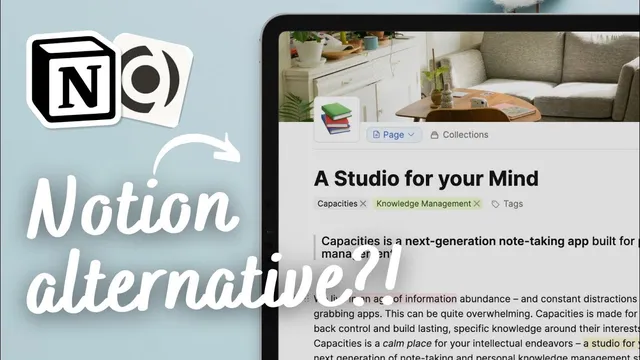
Can this REPLACE Notion as a Note-taking App? | Capacities vs. Notion Review (2024)
Based on The Organized Notebook's video on YouTube. If you like this content, support the original creators by watching, liking and subscribing to their content.
Capacities organizes notes around objects and dates, while Notion organizes around pages and databases.
Briefing
Capacities is positioned as a more “connected” note-taking system built around objects and daily timelines, while Notion remains a more structured workspace built around pages and databases. After trying Capacities, the comparison centers on a core tradeoff: Capacities makes it easier to see how notes relate across time and categories, but it asks users to accept a less hierarchical setup at the start; Notion tends to reward users who design their structure up front.
In structure, Notion uses a familiar hierarchy: pages can contain other pages, and databases (like a table view) can live inside those pages. Those databases can also contain properties and content that then appear in the sidebar, creating a folder-like mental model. Capacities works differently: everything is an object. A “book” object, for example, can hold reading notes as a page, but the relationship between items feels less like nested folders and more like a network of objects. The key organizing principle becomes time—everything is connected to a date—so daily notes and cross-day connections are easier to surface. The practical implication is that Capacities can feel better for capturing notes first and adding tags or properties later, whereas Notion often feels smoother when users establish a system early (for example, creating a note-taking bundle backed by a database and categorizing notes by topic).
Visually, the two tools look surprisingly similar: icons, covers, quote blocks, and highlight styling all resemble Notion’s patterns, suggesting Capacities drew inspiration from Notion’s interface language. Where Capacities diverges is layout flexibility. Capacities allows changing an object’s layout through object settings—options like standard, index card, profile, or encyclopedia views—so tracking people can automatically display circular profile images in a way Notion can’t easily replicate. Notion’s layouts are comparatively static, with limited changes mainly to typography and width.
Ease of use follows a similar split. Capacities is straightforward for basic note entry—create a page and start typing, then use a calendar view to see entries by day. But deeper customization can feel unintuitive, especially when properties must be configured through object settings. Even simple elements like adding a cover or icon may require defining them as properties. Notion’s workflow is more direct: slash commands create pages and databases, and properties are added within databases without the same level of object-level configuration.
For visualization, Capacities adds a distinctive graph-style view that helps users see relationships among notes and collections, with interactions that open the associated pages. Notion can visualize through database views (board, timeline, gallery, list, calendar), but it doesn’t generate the same relationship graph experience. On support and positioning, Capacities reportedly performs better in offline testing (internet can be turned off and work still continues), while Notion lacks full offline support. Finally, the product focus differs: Capacities is framed as personal knowledge management, while Notion is stronger for collaboration and team workflows.
Pricing and feature access reflect their maturity. Notion is free for personal use but charges for team features like unlimited blocks and file uploads. Capacities, run by a small team, keeps most features free, though certain capabilities—like additional icon sets or block-based linking—are limited to a Pro plan. The bottom line: Capacities suits users who want a note system that naturally connects over time and relationships, while Notion fits people who want a broader workspace for notes plus habits, tasks, and collaboration—especially when they’re willing to build structure first.
Cornell Notes
Capacities and Notion both support note-taking, but they organize information in fundamentally different ways. Notion relies on a page-and-database hierarchy where users often build structure first, then add content and properties. Capacities treats everything as an object and ties content to dates, making daily notes and cross-day connections easier to visualize. Capacities also offers more flexible object layouts (including profile-style views) and a graph-like visualization for relationships, while Notion’s visualization is mainly through database views. The choice comes down to workflow: start simple and grow in Capacities, or design a system upfront for Notion—then consider collaboration needs and offline behavior.
How do the two apps’ core structures differ, and why does that matter for organizing notes?
What does “object layout flexibility” change in day-to-day note tracking?
Why might Capacities feel easy at first but harder when customizing?
How do the apps differ in visualizing relationships between notes?
What practical differences affect real-world usage: offline support, collaboration, and pricing?
Review Questions
- If you prefer capturing notes quickly and refining organization later, which app’s structure aligns better—and what feature supports that workflow?
- Describe one scenario where Capacities’ object layout options (e.g., profile vs index card) would outperform Notion’s more static layouts.
- Which visualization method would you choose to understand relationships between notes: Capacities’ graph-style view or Notion’s database views—and what tradeoff comes with each?
Key Points
- 1
Capacities organizes notes around objects and dates, while Notion organizes around pages and databases.
- 2
Capacities often works best when users start with simple capture and add properties/tags gradually; Notion often works best when users build structure first.
- 3
Capacities offers more flexible object layouts (including profile-style views) that can automatically change how data is presented.
- 4
Notion’s customization tends to be more intuitive through slash commands and database-based property editing.
- 5
Capacities’ graph-style visualization is designed to show relationships between notes and collections more directly than Notion’s database views.
- 6
Capacities showed better behavior in offline testing, while Notion lacks full offline support.
- 7
Notion’s pricing and feature set skew toward collaboration and team workflows; Capacities skews toward personal knowledge management with some Pro-gated features.