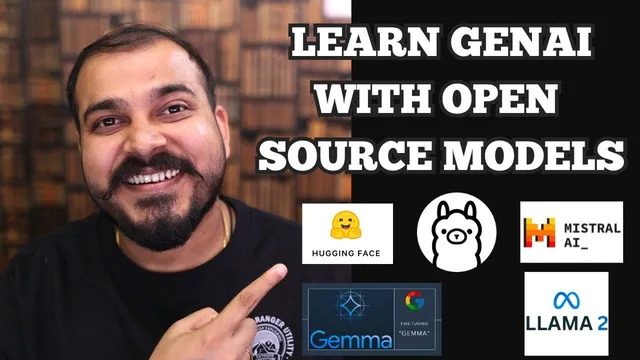
Can We Learn Generative AI With Open Source Models- All Alternatives To Open AI Paid API's
Based on Krish Naik's video on YouTube. If you like this content, support the original creators by watching, liking and subscribing to their content.
Open-source models can support the full learning journey for generative AI without requiring an OpenAI paid API account.
Briefing
Learning generative AI doesn’t require an OpenAI paid API account. A practical path exists using open-source LLMs—especially through Hugging Face—plus local or low-cost compute options for inference, fine-tuning, and building end-to-end applications. The key tradeoff is speed and convenience: paid APIs make inference fast for production workloads, while open-source setups shift that responsibility to the learner’s hardware and deployment choices.
Hugging Face is presented as the first stop for open-source models and the tooling around them. It hosts a wide range of state-of-the-art models across modalities—text, image, audio, tabular, and multimodal—along with resources for quantization and fine-tuning. That matters because interview-ready skills often hinge on hands-on work with model adaptation (like fine-tuning) rather than simply calling an external API. The main friction is compute. Large models such as “Llama 3 8b” can be downloaded and run on a machine with sufficient storage and RAM (the transcript cites examples like 64 GB RAM and 256 GB disk as workable for downloads), but many laptops won’t handle the full setup.
For learners without strong hardware, Google Colab is offered as a bridge. Free Colab tiers provide limited resources (the transcript mentions roughly 12GB RAM and a small amount of disk), and some models may require upgrading to a paid tier (described as around $1) to proceed smoothly. Even then, Hugging Face remains central: models can be accessed via the Transformers library, with code and prompt/pipeline patterns used to drive inference.
When the goal is to run models locally—so development doesn’t depend on external accounts—the transcript points to AMA, a platform that provides access to many open-source models and supports local execution on Mac OS, Linux, and Windows. It supports multiple model families and sizes (including Llama 3 variants, Mistral, Neural Chat, Starling, Code Llama, and others), and it can download models on first run. The workflow is positioned as straightforward: install, run a command to load a model, then interact with it locally. LangChain is also highlighted as a way to integrate local model calls and build applications, with later deployment options such as AWS SageMaker and EC2.
A second local-first option is Jan AI, described as enabling on-device use of models. The transcript notes that some paid models may require credits (e.g., $5 credit mentioned), but open-source models can be used without an OpenAI account. It also emphasizes privacy and offline capability: once models are downloaded, interaction can continue without internet.
For those who want additional experience with managed APIs, the transcript mentions Google Gemini Pro / Gemini Pro Flash and Gro. Gemini Pro is framed as multimodal (text and vision) and usable via Google API with rate-limited free requests (the transcript cites about 60 requests per minute). Gro is described as using an LPU inference engine designed for faster inference than GPU-based approaches, enabling access to open-source models through an API.
Finally, the transcript argues that the ecosystem for building agents and RAG systems is largely open-source too: LangChain, LlamaIndex, and related agent frameworks can connect tools like Wikipedia search and other external actions. The bottom line: open-source models are enough to learn generative AI end-to-end; deployment and scaling can come later using cloud services once projects are ready.
Cornell Notes
Open-source models are sufficient to learn generative AI without paying for an OpenAI API account. Hugging Face is the main hub for finding models and for practical skills like quantization and fine-tuning, but large models can strain local hardware. Google Colab can fill the compute gap with limited free resources and a small paid upgrade when needed, while local-first platforms like AMA and Jan AI let learners run many models on-device (with privacy and offline use after download). For broader experience, managed options like Google Gemini Pro/Flash and Gro provide multimodal capabilities and faster inference via specialized infrastructure. Once core skills are built, deployment can shift to cloud services like AWS SageMaker/EC2.
Why do many people think they need paid APIs to learn generative AI, and what’s the alternative path?
What makes Hugging Face a central platform for learning, beyond just hosting models?
How does Google Colab fit into the open-source learning workflow?
What’s the practical value of running models locally with AMA and Jan AI?
How do LangChain and LlamaIndex relate to building real applications with open-source models?
When would managed APIs like Gemini Pro or Gro still be useful?
Review Questions
- What compute constraints make Hugging Face models difficult on a laptop, and how does Colab address them?
- Compare the roles of AMA/Jan AI versus Hugging Face/Transformers in an open-source learning workflow.
- How do LangChain and LlamaIndex help move from “chat with a model” to building agents or RAG systems?
Key Points
- 1
Open-source models can support the full learning journey for generative AI without requiring an OpenAI paid API account.
- 2
Hugging Face is a primary hub for open-source models and for hands-on skills like quantization and fine-tuning, but large models demand significant RAM and disk.
- 3
Google Colab can bridge hardware gaps, with free tiers offering limited resources and paid upgrades enabling smoother model work.
- 4
Local-first platforms like AMA and Jan AI reduce dependency on external APIs and can support offline interaction after models are downloaded.
- 5
LangChain and LlamaIndex help convert model access into real applications, including agent workflows and efficient RAG.
- 6
Managed options like Google Gemini Pro/Flash and Gro can complement learning by offering multimodal features and faster inference via managed infrastructure.
- 7
Deployment and scaling can be handled later with cloud services such as AWS SageMaker and EC2 once projects are built.