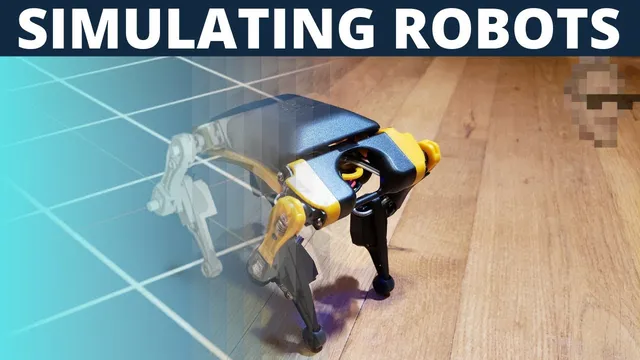
Can we simulate a real robot?
Based on sentdex's video on YouTube. If you like this content, support the original creators by watching, liking and subscribing to their content.
Importing a URDF into Omniverse Isaac Sim requires matching the repository’s expected directory structure for meshes so geometry loads correctly.
Briefing
Simulating a real quadruped robot is less about flashy graphics and more about getting physics, joint control, and data flow to behave consistently—then building a small “action loop” that can be repeated and later learned. The core breakthrough here is a working pipeline: import a Bittle URDF into NVIDIA Omniverse Isaac Sim, ensure gravity and contact physics actually apply, and drive the robot’s joints from Python so motions like standing and jumping can be tested without manual clicking.
The process starts with Omniverse Isaac Sim and the Bittle robot model. Because there’s no ready-made URDF for the specific quadruped used, the workflow relies on a URDF repository for Bittle and a matching mesh directory structure so the simulator can find geometry. After importing the URDF, the robot initially drops into the scene abyss—until a ground plane is added and joint targets are manipulated. Manual joint driving proves the model is wired correctly, but the goal quickly shifts to code-driven control.
That code path runs through “joint monkey,” a Python-based example environment tied to Isaac Gym-style assets. The first major physics win comes when the URDF used by the ball-based physics examples is swapped from a ball model to the Bittle URDF, producing a “Biddle bomb” where legs bend and collisions behave under gravity. A key fix is changing a “fix base link” setting: leaving the base fixed prevents the robot from behaving like a physically simulated body. With that corrected, gravity works—but a new problem appears in Isaac Gym: the robot slides unnaturally even when no commands are issued. Adjusting friction helps only partially and introduces tradeoffs that could destabilize later dynamics.
Switching to Isaac Sim resolves the sliding mismatch. After saving the scene as a USD and manually placing the robot into a standing posture (instead of the URDF’s kneeling default), the robot no longer drifts. The remaining challenge becomes documentation and discoverability: clear examples exist, but they’re easy to miss. Once the right Python sample directory is found, the workflow becomes practical—load the scene, locate joint prim paths, and articulate joints programmatically.
From there, the project builds a minimal control system: one script writes a joint-position vector to a NumPy file, and another script runs continuously, reading that file and setting each joint’s target position in a loop. This “live file” approach is acknowledged as jitter-prone and likely not ideal for real-time control, but it enables fast iteration. With joint control working, the project defines simple poses (stand, crouch, tall) and a jump routine that interpolates joint targets using an increment-per-step scheme to avoid overshooting and flipping.
The result is a repeatable jump that works in simulation—sometimes even better than the hand-tuned attempt due to initial conditions. The next step is to replace manual pose scripting with machine learning for walking or other complex behaviors, with the long-term aim of transferring the learned policy to the physical Bittle robot, despite the inevitable hurdles in sim-to-real transfer.
Cornell Notes
The project builds a working sim-to-control pipeline for a Bittle quadruped in NVIDIA Omniverse Isaac Sim. It starts by importing a Bittle URDF, fixing physics so gravity and contacts apply (notably by adjusting “fix base link”), and then driving joints from Python rather than manually. Isaac Gym initially produces unrealistic sliding even with gravity, but Isaac Sim behaves correctly once the scene is saved as USD and the robot is placed on its feet. After finding the right Isaac Sim Python samples, the workflow uses a continuous loop that reads joint target positions from a NumPy file and sets each joint’s target. With that control loop in place, simple pose transitions and a crouch-to-stand jump routine are implemented and tested successfully, setting up future machine-learning-based locomotion and sim-to-real transfer.
What single configuration change makes the Bittle robot behave physically in the physics examples?
Why does the robot slide in Isaac Gym even when no joint commands are issued?
How does Isaac Sim eliminate the sliding problem?
How is joint control implemented in code once the correct Isaac Sim examples are found?
What approach is used to create a jump without flipping the robot?
Review Questions
- What does “fix base link” control, and why does setting it incorrectly prevent realistic robot motion?
- Compare the observed physics behavior in Isaac Gym vs Isaac Sim for the same robot model—what symptom appears, and how is it resolved?
- Describe the control loop architecture used to drive joints from Python. How does the NumPy file fit into the timing and update process?
Key Points
- 1
Importing a URDF into Omniverse Isaac Sim requires matching the repository’s expected directory structure for meshes so geometry loads correctly.
- 2
Enabling realistic physics for the robot depends on not fixing the base; setting “fix base link” to false allows gravity and collisions to affect the body.
- 3
Isaac Gym produced persistent sliding even without commands, and friction tuning only partially mitigated it, suggesting a physics mismatch or setup difference.
- 4
Isaac Sim behaved more correctly once the scene was saved as USD and the robot was manually positioned onto its feet rather than left in the URDF’s kneeling default.
- 5
A practical joint-control workflow uses Python to set joint target positions continuously, with a NumPy file acting as the live interface for updated joint vectors.
- 6
Jumping is implemented as a fast crouch-to-stand transition using incremental per-joint interpolation to avoid overshoot and flipping.
- 7
The next planned leap is replacing hand-coded motions with machine learning for locomotion, then attempting sim-to-real transfer on the physical Bittle robot.