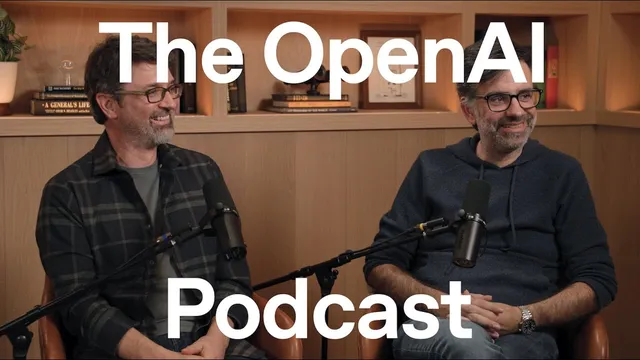
ChatGPT Atlas and the next era of web browsing — the OpenAI Podcast Ep. 9
Based on OpenAI's video on YouTube. If you like this content, support the original creators by watching, liking and subscribing to their content.
ChatGPT Atlas positions ChatGPT as the core of the browser experience, enabling both understanding and action on web pages rather than acting as a passive add-on.
Briefing
ChatGPT Atlas reframes web browsing as an agentic workspace: users describe goals in natural language, and the browser—built around ChatGPT rather than treating it as a sidebar—can interpret pages, take actions, remember context, and carry tasks across multiple steps that may take days. The pitch is less about replacing the web and more about making it easier to navigate and use, especially when tasks are complex, repetitive, or require bouncing between sites.
Atlas is positioned as a “new kind of browser” for an era where large language models are the primary interface. Instead of remembering URLs or crafting search queries, people can ask for outcomes directly—finding products, synthesizing information, or completing multi-step workflows. A key design choice is integrating ChatGPT into the core browsing surface so it can do more than answer questions: it can help users write in text fields, personalize experiences, and act on the web. That integration also enables “memories” tied to browsing activity, letting users return to unfinished work or quickly resume where they left off.
The timing is framed as a convergence of better models and better “computer use” tooling. Darin Fisher points to the rapid improvement curve from earlier agent-like systems (including Operator) to today’s faster, more capable agent behavior. Ben Goodger argues the browser is a durable platform because it’s the open internet’s interface—an inherently accessible place where content is published and users can reach it without gatekeepers. With AI, that openness becomes more useful: models can understand what’s on the page and help users navigate it, explain it, or connect it to other relevant information.
Atlas’s agent mode is described as inviting ChatGPT to take action on a user’s behalf. When users ask for something like generating a pie chart from spreadsheet data, the agent can operate the interface—moving through steps and clicking—while also showing enough visibility for learning. For sensitive tasks (notably those involving email), the system adds a “sensitive mode” that keeps users attentive, including a prominent red stop control so people can halt the agent if needed. There’s also a “signed out” path for trying agent behavior without authenticated access, then upgrading to authenticated sessions when cookies are required.
Beyond agent actions, Atlas emphasizes personalization and efficiency. Browser memories can reduce repeated instructions—for example, remembering frequent airline preferences when searching for flights. The product also aims to preserve the web’s “beautiful chaos,” letting users ask questions about a page and then branch to other sources without being trapped in a single site’s rabbit hole.
Under the hood, Atlas is built as a separate application around an embedded Chromium layer (called OWL), allowing the UI and agent experience to run in parallel with rendering. That separation is meant to keep the system responsive—fast restarts, lightweight operation—and improve resilience if one component fails. The team also highlights practical engineering choices: using Swift and SwiftUI for a native Mac experience while retaining Chromium compatibility for websites and extensions.
Looking ahead, Atlas is framed as a long-term investment rather than a one-off experiment, with plans to expand to more platforms including Windows and mobile. The broader vision is that people will spend less time managing tools and more time stating intent, delegating “toil” to agents while retaining control and understanding as trust grows.
Cornell Notes
ChatGPT Atlas treats the browser as an agentic workspace powered by ChatGPT at the core, not as a bolt-on sidebar. Users can describe goals in natural language and the system can interpret web content, take actions, and use browsing context to personalize results and help people resume work. Agent mode is designed with safety and control in mind, including a sensitive mode for tasks like email access and a prominent stop control. The team also emphasizes that Atlas is built for performance and compatibility by embedding Chromium via OWL while keeping the Atlas app lightweight and resilient. The long-term goal is a web experience where people express intent and delegate the tedious parts to agents across devices.
What makes Atlas different from a “ChatGPT sidebar” approach?
How does agent mode work, and what does “sensitive mode” add?
Why do the teams emphasize browser memories?
What’s the rationale for building Atlas on Chromium (via OWL)?
How does Atlas aim to preserve the web’s “serendipity” while adding AI?
What design principle drives the “one box” approach in Atlas?
Review Questions
- How does Atlas’s agent mode differ from asking ChatGPT questions in a sidebar, and what role do tab/workspace abstractions play?
- What safety and control mechanisms are described for sensitive tasks like email access?
- Why does the team believe Chromium compatibility (via OWL) matters for real-world adoption?
Key Points
- 1
ChatGPT Atlas positions ChatGPT as the core of the browser experience, enabling both understanding and action on web pages rather than acting as a passive add-on.
- 2
Agent mode lets users delegate multi-step tasks to ChatGPT, including interface-driven actions like clicking and operating tools (e.g., generating a pie chart from spreadsheet data).
- 3
Sensitive tasks such as email access are paired with a “sensitive mode” that keeps users attentive and provides a prominent red stop control to interrupt the agent.
- 4
Browsing “memories” personalize results and reduce repeated instructions, while also helping users resume earlier work without manually searching history.
- 5
Atlas is built for compatibility and performance by embedding Chromium via OWL while keeping Atlas itself lightweight and able to restart quickly.
- 6
The product aims to preserve the web’s exploratory nature by allowing AI-assisted branching from a page to other relevant sources without trapping users in one site’s flow.
- 7
Atlas is framed as a long-term platform investment with plans to expand across more devices and refine mobile UX for agentic browsing.