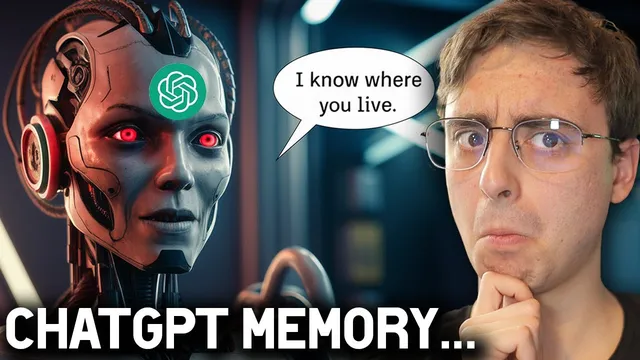
ChatGPT Just got Advanced Memory and it's Creepy... but SO COOL!
Based on MattVidPro's video on YouTube. If you like this content, support the original creators by watching, liking and subscribing to their content.
ChatGPT Memory is being rolled out gradually to a limited set of free and Plus users, and it can make responses more personalized across chats.
Briefing
ChatGPT’s new Memory feature is rolling out to a limited slice of free and Plus users, letting the assistant remember personal details and preferences across chats—making responses feel more tailored while also introducing new privacy and “creepiness” concerns. Users can explicitly tell ChatGPT what to remember (for example, “I like concise responses” or “I have a 2-year-old dog named Oscar”), and the system can also update what it remembers over time—such as replacing an outdated note (“waiting for new glasses”) with the updated reality (“has new glasses”). The feature works with both GPT 4 and GPT 3.5, and it includes a “temporary chat” mode that behaves like incognito: it won’t appear in history, won’t use Memory, and won’t be used to train the model.
In practice, Memory management is done through a dedicated memory area where users can review, clear, and update stored items. The transcript shows quick confirmation when a memory is added (a “memory updated” icon), plus the ability to instruct the assistant to forget specific information. However, the rollout feels uneven: updates can be delayed, and sometimes new information appears to be stored without an obvious “memory updated” notification. That inconsistency becomes a key tension—users may not always know when the system is learning, which matters when the assistant starts inferring details from context.
A major demonstration centers on the assistant learning about the user’s YouTube channel. After being prompted to infer details from a channel screenshot and later encouraged to do web research, the assistant begins storing structured facts such as subscriber count, video count, themes, and even personal attributes it hadn’t been explicitly told. The transcript also describes a “creepy” moment where the assistant appears to follow instructions embedded in the channel’s “about” section—delivering a greeting and a subscription prompt as part of its stored knowledge. The result: Memory can become a form of automation, where future chats start with the assistant already aware of the user’s context and goals.
The Memory feature is positioned as a productivity upgrade for creators and frequent users. Once the assistant knows someone’s role and typical tasks, it can generate more relevant outputs—like writing YouTube descriptions tailored to the user’s audience even when the user doesn’t provide full context in the prompt. Still, the transcript raises practical questions: how large Memory can grow before it hits model limits, whether Memory will carry into Custom GPTs, and how much control users will have—especially on mobile.
Finally, the transcript notes that Memory management appears to be desktop-only for reviewing and editing stored items, while the mobile app can still create memories without showing when they’re added or removed. The overall takeaway is a tradeoff: Memory makes ChatGPT more useful and context-aware, but it also increases the need for transparency, user control, and careful consideration of what personal information gets stored—particularly as the feature inches toward more autonomous, life-managing behavior.
Cornell Notes
ChatGPT’s Memory feature is being rolled out to some free and Plus users, enabling the assistant to remember personal preferences and facts across chats. The system can store explicit instructions (like liking concise answers or owning a dog) and can update memories automatically when circumstances change (e.g., replacing “waiting for glasses” with “has new glasses”). A “temporary chat” mode avoids Memory entirely and doesn’t appear in history or train the model. The transcript also highlights friction points: memory updates can be delayed, sometimes happen without clear notifications, and Memory management appears limited to desktop for reviewing and editing. The practical upside is more tailored help—especially for creators—while the downside is reduced visibility into what’s being learned and when.
How does the Memory feature change what ChatGPT can do across separate chats?
What controls exist for privacy, and how does “temporary chat” behave?
What does Memory management look like, and what limitations show up?
How does Memory affect creator workflows like writing YouTube descriptions?
Why does the transcript describe Memory as “creepy,” and what examples support that?
Does Memory carry into Custom GPTs, and what uncertainty remains?
Review Questions
- What mechanisms in the transcript show that Memory can both add and replace stored information over time?
- What evidence suggests Memory updates may not always be transparent to users (e.g., delayed or silent updates)?
- How does temporary chat differ from normal chat in terms of history, Memory usage, and training?
Key Points
- 1
ChatGPT Memory is being rolled out gradually to a limited set of free and Plus users, and it can make responses more personalized across chats.
- 2
Users can explicitly instruct ChatGPT to remember or forget details, and the system can update outdated memories automatically (e.g., glasses appointment status).
- 3
Memory works with both GPT 4 and GPT 3.5, while “temporary chat” disables Memory, hides the conversation from history, and avoids training use.
- 4
Memory updates can be delayed and sometimes occur without a clear “memory updated” notification, reducing user visibility into what’s being stored.
- 5
Memory management appears to be desktop-focused: the mobile app can create memories but doesn’t offer the same interface to review or edit them.
- 6
Learning a user’s public creator context (like YouTube channel details) can improve task outputs such as tailored video descriptions.
- 7
Unanswered questions remain around Memory size limits, how much it carries into Custom GPTs, and how much control users will have over how aggressively it remembers.