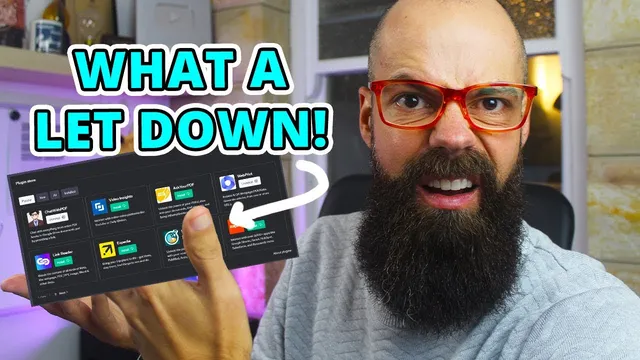
ChatGPT Plugins: Are They Really Helping Researchers or Just Hype?
Based on Andy Stapleton's video on YouTube. If you like this content, support the original creators by watching, liking and subscribing to their content.
“Chat with PDF” worked best when the PDF was accessible via a shareable URL (e.g., Google Drive with link access).
Briefing
ChatGPT’s plugin and Bing browsing upgrades can help researchers—especially when the target material is accessible online—but the experience is still too error-prone and slow to replace specialized literature tools. In practical tests, the “agent-like” behavior of browsing and the third-party plugin ecosystem produced inconsistent results, with failures that were visible in real time.
The most promising outcome came from the “Chat with PDF” plugin. When a paper was uploaded to Google Drive and shared via a link, ChatGPT was able to retrieve the PDF through the plugin and generate a detailed summary that pulled out key information rather than stopping at generic bullet points. That workflow matters because it turns a common research task—reading and condensing a paper—into something closer to an interactive document analysis tool, provided the PDF is reachable through a shareable URL.
By contrast, literature-finding plugins showed early-stage reliability issues. With “Next Paper” and “Scholar AI” enabled (only three plugins can be active at once), attempts to fetch “latest” work on a topic ran into errors and date mismatches. One run returned a “client error not found,” and another produced papers that appeared to be from 2012 even when the query specified 2022. Checking a DOI confirmed at least some results were real, but the system still struggled to respect the requested publication window. The result was a frustrating loop: the tool returned plausible citations, yet the timing filters—critical for “recent research”—didn’t consistently work.
Bing browsing in “GP4” mode also delivered the core promise—finding and summarizing recent papers—but with visible breakdowns. The browsing process clicked through links, attempted to read pages, and then produced a final summary with a reference that could be opened to reach the underlying paper. Still, the run included repeated “click failed” and “reading content failed” messages, and the user had to wait while the system iterated through the web. That makes the workflow feel less like a dependable research assistant and more like a fragile automated search.
Overall, the takeaway is pragmatic: specialized repositories and dedicated paper-finding tools remain more efficient for researchers who need speed, accuracy, and control over filters like publication date. Tools such as illicit are cited as “brilliant” for finding papers by date, and the broader conclusion is that the hype cycle for AI-in-research may be past its peak. For now, ChatGPT with plugins and browsing looks best as a supplement—particularly for summarizing accessible documents—rather than a full replacement for established academic search workflows.
Cornell Notes
ChatGPT’s plugins and Bing browsing can support research, but reliability is uneven. “Chat with PDF” performed best: when a paper was shared via an accessible Google Drive link, ChatGPT retrieved the PDF and produced a detailed summary that went beyond simple bullet points. Literature-focused plugins like “Next Paper” and “Scholar AI” struggled with core requirements such as publication-date filtering, sometimes returning older papers or failing with errors. Bing browsing in GP4 mode could locate and summarize papers and provide references, but it often showed click/read failures and required patience. The net effect: useful for document summarization, not yet dependable enough to replace specialized paper search tools.
Which plugin delivered the most reliable research value in the test, and why?
What went wrong with literature-finding plugins like Next Paper and Scholar AI?
How did the “only three plugins enabled at a time” constraint affect the workflow?
What did Bing browsing in GP4 mode accomplish, and what made it frustrating?
Given these results, what’s the practical recommendation for researchers?
Review Questions
- When does “Chat with PDF” become effective, and what specific setup made it work in the test?
- What evidence suggested that Scholar AI and Next Paper struggled with “latest” queries?
- Why might Bing browsing be less suitable than specialized literature tools for time-sensitive research?
Key Points
- 1
“Chat with PDF” worked best when the PDF was accessible via a shareable URL (e.g., Google Drive with link access).
- 2
Literature plugins produced inconsistent results, including visible errors and mismatches with requested publication dates.
- 3
Even when DOIs corresponded to real papers, failing to respect date filters reduced usefulness for “latest research.”
- 4
Bing browsing could find and summarize papers and provide references, but navigation and content retrieval failures slowed the workflow.
- 5
The three-plugin limit constrained experimentation and made performance comparisons more segmented.
- 6
Specialized paper-finding tools and repositories remain more reliable for date-filtered literature search (e.g., illicit).
- 7
AI-in-research may be moving past hype, with current strengths leaning toward document summarization rather than end-to-end discovery.