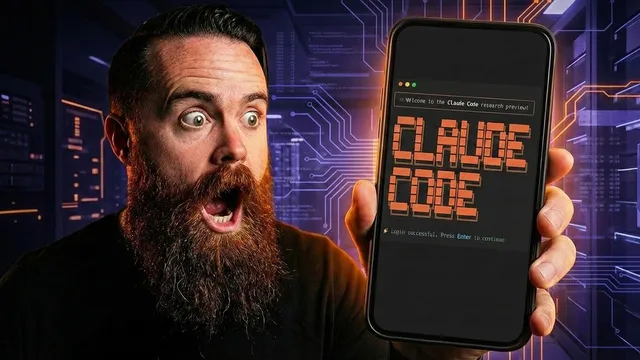
Claude Code on your phone in 10 minutes
Based on NetworkChuck's video on YouTube. If you like this content, support the original creators by watching, liking and subscribing to their content.
Run Claude Code on a remote VPS because it’s terminal-based, then access it from a phone via SSH.
Briefing
A practical path to “Claude Code anywhere” is built by running Claude Code on a remote Linux VPS and then reaching that terminal from a phone through a dedicated terminal app. The core idea is simple: phones don’t natively provide a terminal environment for Claude Code, but a hardened “forever terminal” on a always-on server does—so coding can continue from places like an airport, a couch, or even a bathroom stall.
The setup starts with provisioning a VPS from HostingYour.com (NetworkChuck’s sponsor). The tutorial recommends a KVM plan, then installs “Cloud code” directly from the provider’s marketplace. After setting a password and enabling a free malware scanner, the VPS exposes a clickable terminal entry where Claude is already available. From there, the phone needs a way to connect to the VPS over SSH.
Security is treated as non-optional because the VPS is reachable from the public internet. Three hardening steps are used. First, fail2ban is installed to automatically block brute-force attempts against services like SSH. Second, a firewall is enabled with UFW, allowing only port 22 for SSH and then turning the firewall on. Third, password login is removed in favor of SSH key authentication, with the remote terminal app handling the authentication flow.
For the phone side, the tutorial uses the Terminus terminal app. A host is created using either the VPS DNS name or its public IP address, with username set to root and the VPS credentials. After confirming access works, an SSH key is generated in Terminus, exported to the VPS, and then password authentication is disabled by editing SSH configuration files (including an override file associated with HostingYour). A test shows password attempts are rejected and key-based login succeeds.
The next problem is session persistence: if the phone locks, signal drops, or connectivity changes mid-task, the coding session shouldn’t vanish. To keep work alive, the tutorial installs Tmux on the VPS. Tmux provides persistent terminal sessions that can be detached and later reattached. The workflow is demonstrated by launching Claude inside a Tmux session, dropping the connection, then reconnecting and resuming the most recent session with Tmux commands.
Finally, a quality-of-life tweak fixes scrolling behavior when using Terminus with Tmux. A single configuration line is added to the Tmux config so mouse/scroll interactions work properly. With that in place, the result is a durable remote terminal that can run Claude Code continuously and be accessed from a phone reliably—turning “cloud code addiction” into a portable, always-available coding workstation. The tutorial also points out that the same VPS can host other outputs, such as building and running a website generated with Claude directly on the server.
Cornell Notes
The tutorial shows how to run Claude Code on a remote VPS and access it from a phone as a persistent terminal. Because Claude Code is terminal-based, the phone connects via SSH to a hardened “forever terminal” instead of running Claude Code locally. Security is improved with fail2ban, a UFW firewall allowing only SSH (port 22), and switching from password login to SSH key authentication. To prevent work from disappearing when connectivity drops, Tmux keeps sessions alive and allows reattachment after reconnecting. A small Tmux configuration change improves scrolling/mouse behavior when using the Terminus app.
Why can’t Claude Code just be run directly on a phone, and what replaces it?
What specific security hardening steps are applied to the VPS before exposing it publicly?
How does the tutorial switch from password SSH to SSH key authentication?
What problem does Tmux solve in a phone-based workflow?
Why is a Tmux configuration tweak needed for Terminus, and what does it enable?
Review Questions
- What combination of tools ensures both secure access (fail2ban/UFW/SSH keys) and persistent work (Tmux) when coding from a phone?
- If a user loses connectivity mid-session, which Tmux commands are used to resume and how does that differ from starting a new session?
- Which SSH port is explicitly allowed in the firewall rules, and why is that choice central to the setup?
Key Points
- 1
Run Claude Code on a remote VPS because it’s terminal-based, then access it from a phone via SSH.
- 2
Provision a “forever terminal” on HostingYour using a KVM VPS plan and install Cloud code from the provider’s marketplace.
- 3
Harden the VPS with fail2ban, a UFW firewall that allows only SSH on port 22, and disabling password authentication.
- 4
Use Terminus to generate an SSH key and export it to the VPS, then configure SSH to accept only key authentication.
- 5
Install and use Tmux so terminal sessions persist across disconnects, enabling reattachment after reconnecting.
- 6
Apply a Tmux config change to improve scrolling/mouse behavior when working through Terminus.
- 7
Once the remote terminal is stable, the same VPS can also run additional Claude-generated outputs like a website.