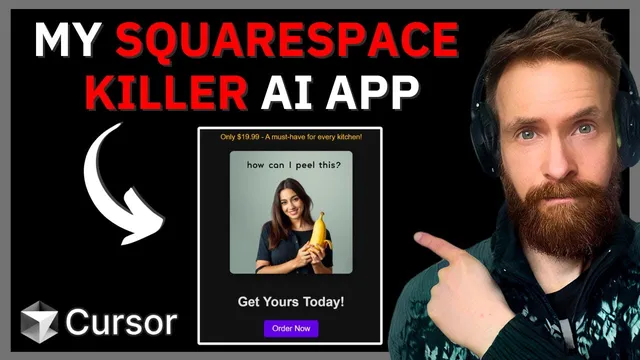
Coding with Cursor AI: My Real Time Builder AI App
Based on All About AI's video on YouTube. If you like this content, support the original creators by watching, liking and subscribing to their content.
The builder generates HTML and CSS from a user description and renders updates in real time by streaming tokens.
Briefing
A real-time website builder that already generates HTML and CSS from a text prompt now gains an image pipeline: it can call an external image model, receive an image URL, and embed that URL directly into the generated CSS/HTML so the page visuals match the user’s theme. The practical payoff is speed and iteration—users can generate a full page, then swap images without rewriting the entire layout, keeping the “modify” workflow responsive.
The workflow starts with a prompt like “2008 Reddit clone,” which produces a live preview of HTML/CSS being rendered as it’s generated. A “modify” action keeps the existing code and applies targeted changes (for example, adding up/down votes, switching to a dark mode, or adjusting title text). Early attempts to add links show limitations: URLs can end up as placeholders (like example.com), and the system doesn’t reliably create working external references.
The new feature focuses on images. The builder runs a fast text model (described as “GPT 40 mini” in the transcript) to return HTML and CSS separately, using regex-based extraction to ensure the API returns renderable code blocks. For real-time UX, the app streams tokens so the preview updates continuously while code is generated. Images are handled differently: instead of streaming pixels, the system calls an image generator API and waits for a returned URL.
To keep generation fast, the image step uses Replicate’s Flux model family (Black Forest Labs’ Flux “Schell” is mentioned as the fastest option). The developer installs Replicate, stores an API token in an environment variable, and builds a small “image service” module (imageService.js) that sends a prompt to Replicate and returns the resulting image URL. The prompt is wrapped with instructions that explicitly tie the image to the website description and request an image URL suitable for embedding.
Once wired in, the “generate website” flow expands: the app generates an image based on the user’s description, then injects the returned image URL into the page’s HTML/CSS so the preview shows a themed visual (e.g., an image linked to “Dark Knight,” or a World of Warcraft-themed page). A key issue appears during “modify”: if the image URL is regenerated every time code is modified (such as when toggling dark mode), the visual changes unexpectedly.
The fix is a workflow split. The app introduces a separate UI input for a “new image URL” (generated via a dedicated “generate image” step) so users can control when the image changes. With this separation, “modify” can update styling or layout while preserving the original image, and users can selectively swap visuals by generating a new image and then applying it.
The result is a rapid creative loop: landing pages and marketing copy can be generated, images can be inserted and resized, and additional styling effects (like centering, ordering elements, and even a 3D-ish animation effect) can be layered on top. The transcript ends with multiple example pages and a code extraction step, emphasizing that the image-embedding feature works well enough to support more advanced visual experiments.
Cornell Notes
The builder generates HTML and CSS from a text description and renders it live, then adds a second capability: generating an image via Replicate’s Flux model and embedding the returned image URL into the page. Speed drives key design choices—HTML/CSS generation streams tokens for real-time preview, while image generation returns a URL that’s inserted once available. A major usability problem emerges when “modify” regenerates the image, causing visuals to change during unrelated edits like dark mode. The solution is workflow separation: a dedicated “generate image” input produces a new image URL, while “modify” can preserve the existing image unless the user explicitly swaps it. This enables fast iteration on both layout and visuals without constantly rewriting the whole page.
How does the app keep the website preview feeling “real time” while generating code?
Why does image generation behave differently from HTML/CSS generation in the workflow?
What image model is used, and what’s the reason for that choice?
What goes wrong when users press “modify” after an image has been generated?
How does the app fix the image-changing problem during “modify”?
How does the developer validate the feature in practice?
Review Questions
- What architectural difference between streaming and URL-based image embedding shapes the user experience in this builder?
- Why does separating “generate image” from “modify website” improve control, and what specific UI change enables that?
- How do regex-based extraction and separate HTML/CSS returns help the frontend render generated output reliably?
Key Points
- 1
The builder generates HTML and CSS from a user description and renders updates in real time by streaming tokens.
- 2
A new image pipeline calls Replicate’s Flux model and embeds the returned image URL into the generated page.
- 3
Speed is prioritized by using a fast text model for code generation and the fastest available Flux image model option.
- 4
A naive integration regenerates images during “modify,” causing unexpected visual changes (e.g., dark mode swapping the image).
- 5
The fix introduces a separate “generate image” input so users can explicitly choose when the image changes.
- 6
Once image control is separated, users can iterate on layout, styling, and marketing copy while preserving visuals unless they request a new image.