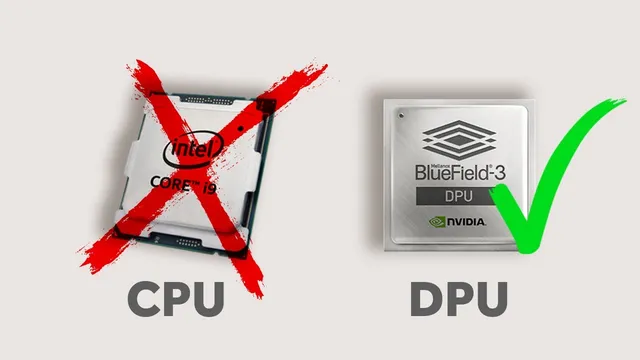
CPU, GPU…..DPU?
Based on NetworkChuck's video on YouTube. If you like this content, support the original creators by watching, liking and subscribing to their content.
Virtualization expanded beyond servers into networking and security, increasing CPU load and creating a data-plane bottleneck as link speeds rise.
Briefing
Data centers are running out of CPU headroom as virtualization expands from servers into networking and security—and NVIDIA’s BlueField 3 data processing unit (DPU) is positioned as the fix. The core shift is simple: instead of forcing the CPU to handle high-volume packet forwarding, encryption/decryption, and inspection workloads, a DPU acts like a specialized “server inside a server” that takes over those network functions, keeping the CPU focused on general compute.
Virtualization began by consolidating many physical machines into fewer hosts, with each virtual machine sharing CPU and memory resources. That worked—until the same consolidation logic spread to the rest of the stack. Modern data centers increasingly virtualize switches, routers, firewalls, and security appliances using platforms such as VMware NSX. As more networking and cybersecurity functions move into software, the CPU becomes the bottleneck: it must manage many operating systems and also perform tasks it wasn’t built for, especially as network speeds climb from 1 Gbps to 10, 100, and 200 Gbps. The transcript frames this as a mismatch between general-purpose processing and specialized data-plane work like traffic inspection, encryption, and large-scale data movement.
The first step in relieving that pressure is the smart NIC (network interface card), which offloads some networking and security tasks from the CPU. But smart NICs eventually hit limits as workloads grow and more functions get virtualized. That’s where the DPU enters. NVIDIA’s BlueField 3 is described as an SoC (system on a chip) that can sit on a smart NIC form factor, yet runs its own operating system—specifically, ESXi is installed on the DPU in the VMware environment described. In practical terms, firewall and networking software can run on the DPU so network traffic no longer has to traverse the CPU path.
The operational payoff is twofold: performance and mobility. The lab demonstrates that VMware vSphere 8 with the distributed services engine (previously called Project Monterey) supports Universal Pass Through (UPT) for NVIDIA DPUs. That enables vMotion of a VM that uses the DPU as its network interface without breaking connectivity—something the transcript says fails with PCIe pass-through smart NIC setups.
On raw throughput and latency, the lab’s numbers are stark. With a standard NIC using a 25 GbE cluster, bandwidth is reported at 64 megabits per second, latency around 0.273 ms, and 548,000 operations per second. Switching to the BlueField 3 DPU raises bandwidth to 90 megabits per second, latency to about 0.19 ms, and operations per second to 770,000. Crucially, the CPU remains less stressed in the DPU case, implying not just faster networking but better efficiency.
The broader argument is that DPUs change how virtual machines should be designed and how data centers scale. Rather than adding more servers to spread CPU load—an approach that increases space and power use—the DPU adds specialized processing capacity within the existing server footprint. The transcript also notes that NVIDIA’s DPU programmability stack (DOCA) enables customization, and it points to additional white papers for scaling beyond the single workload and 25 GbE test environment.
Cornell Notes
Virtualization pushed data-center networking and security workloads onto the CPU, and that general-purpose chip increasingly becomes the bottleneck as network speeds rise. Smart NICs offload some tasks, but the next step is a DPU—specifically NVIDIA’s BlueField 3—described as a “server inside a server” that runs its own OS and can take over packet processing and security functions. In a VMware vSphere 8 environment, Universal Pass Through (UPT) with the distributed services engine enables vMotion to keep working when a DPU is assigned to a VM, avoiding the connectivity breakage seen with PCIe pass-through. In a lab using a 25 GbE cluster, the DPU improved reported bandwidth (64 to 90 Mbps), reduced latency (~0.273 ms to ~0.19 ms), and increased operations per second (548k to 770k) while keeping the CPU less stressed. The implication: DPUs can improve both performance and efficiency, shaping future VM and data-center design.
Why does the CPU become a bottleneck in modern virtualized data centers?
How do smart NICs differ from DPUs in offloading network work?
What makes NVIDIA’s BlueField 3 DPU unusual in the VMware setup described?
What problem does Universal Pass Through (UPT) solve for vMotion?
What performance results were reported when switching from a standard NIC to a BlueField 3 DPU?
Why is the DPU presented as more power-efficient than adding more servers?
Review Questions
- What specific types of workloads shift from the CPU to the DPU, and why does that matter as network speeds increase?
- How does UPT with VMware vSphere 8 change the behavior of vMotion compared with PCIe pass-through smart NICs?
- Based on the lab numbers, what tradeoffs improve when using a DPU instead of a standard NIC (throughput, latency, CPU stress, or all of these)?
Key Points
- 1
Virtualization expanded beyond servers into networking and security, increasing CPU load and creating a data-plane bottleneck as link speeds rise.
- 2
Smart NICs offload some networking/security tasks, but they can fall short when workloads and virtualized functions scale further.
- 3
NVIDIA BlueField 3 is positioned as a DPU that can run its own OS (ESXi) and handle network traffic and security workloads inside the server.
- 4
VMware vSphere 8 with the distributed services engine supports Universal Pass Through (UPT), enabling vMotion to work with DPU-assigned network interfaces.
- 5
In a 25 GbE lab test, the DPU improved reported bandwidth (64 to 90 Mbps), reduced latency (~0.273 ms to ~0.19 ms), and increased operations per second (548k to 770k).
- 6
DPUs are framed as more power-efficient than scaling out with additional servers because they add specialized capacity within existing hosts.
- 7
Programmability via NVIDIA’s DOCA is highlighted as a way to customize DPU behavior for different networking and security workloads.